Live dashboard
Every experiment you run, live, on one page.
One local page for every Kaggle competition and repository on your machine. It checks for changes every 4 seconds, keeps your view on reload, finds backups and worktree copies when you ask, and never sends anything off your machine.
$ researchforge kaggle dashboard --openComes with pip install researchforge. For repository projects: researchforge dashboard.
Home — what needs you
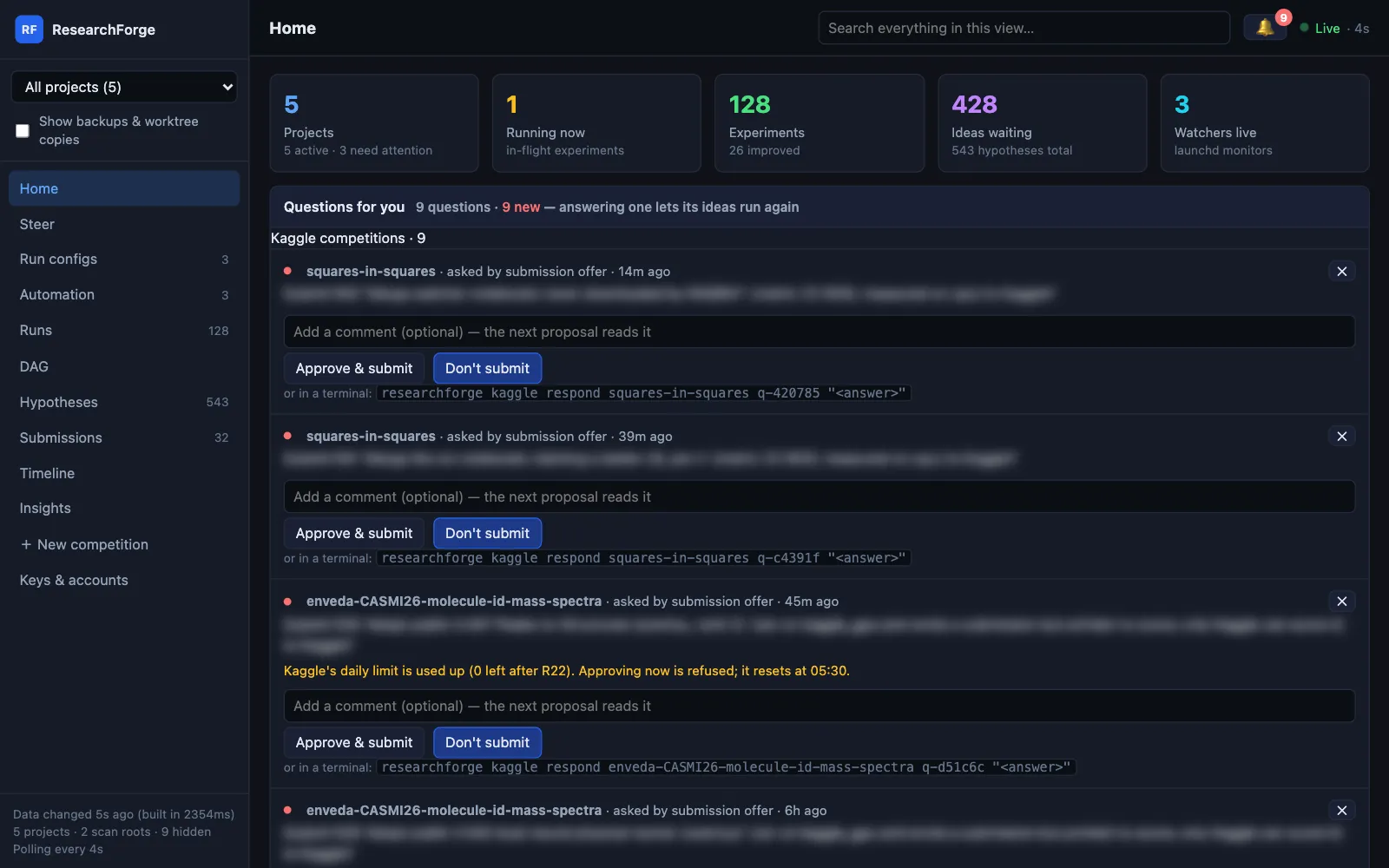
Every project at a glance, grouped into Kaggle competitions, research ideas and repository improvements, with Questions for you at the top: submission offers, questions from the loop and plans waiting for approval.
The 🔔 — answer from anywhere
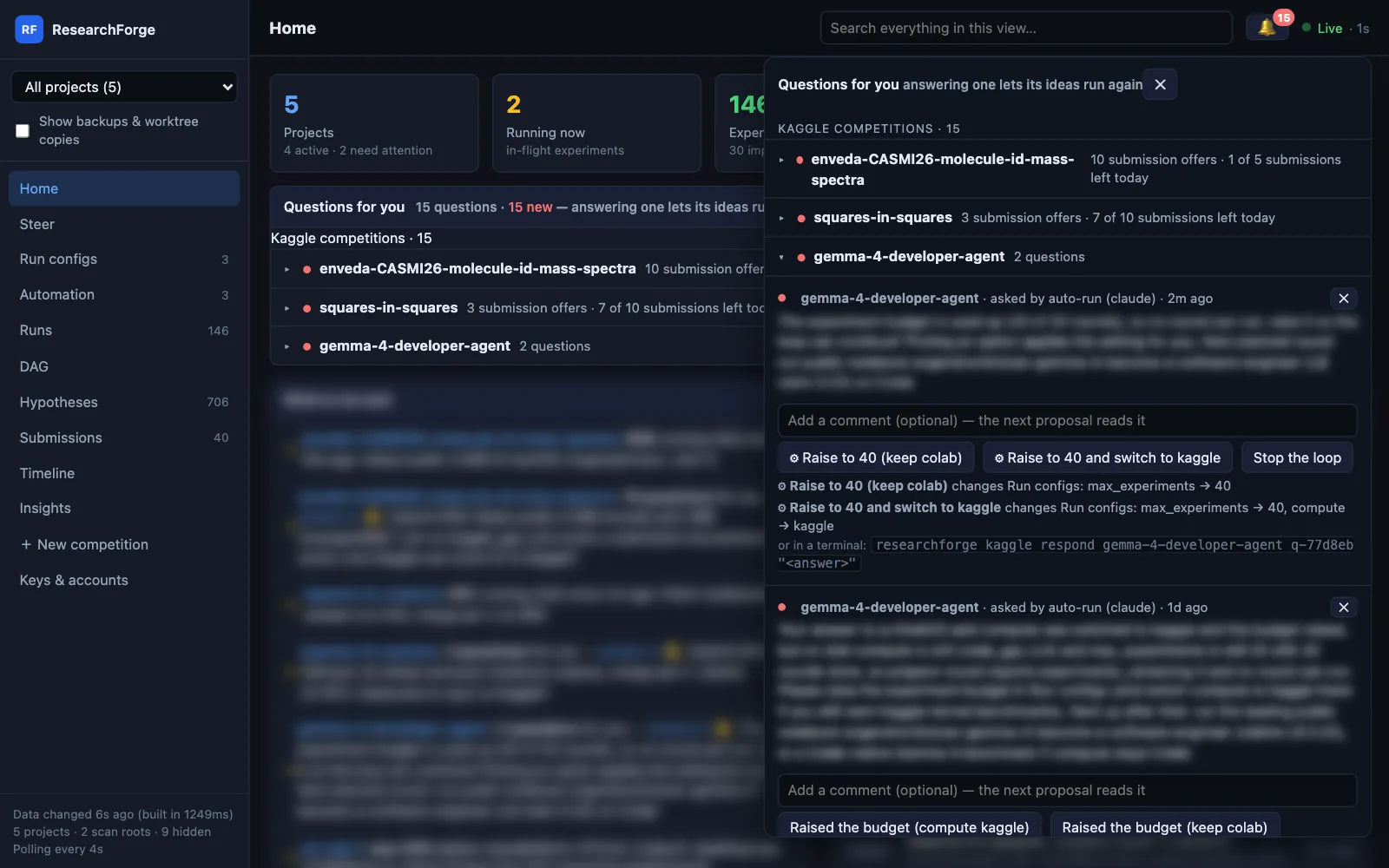
Every question from every project, grouped by competition with its count and Kaggle’s submissions left today (“7 of 10 submissions left today”). Improved rounds get Approve & submit; answers marked ⚙ also change Run configs — say, switch compute — after you confirm. Add a comment the next proposal reads, or dismiss with ✕.
Run configs — every setting, on the fly
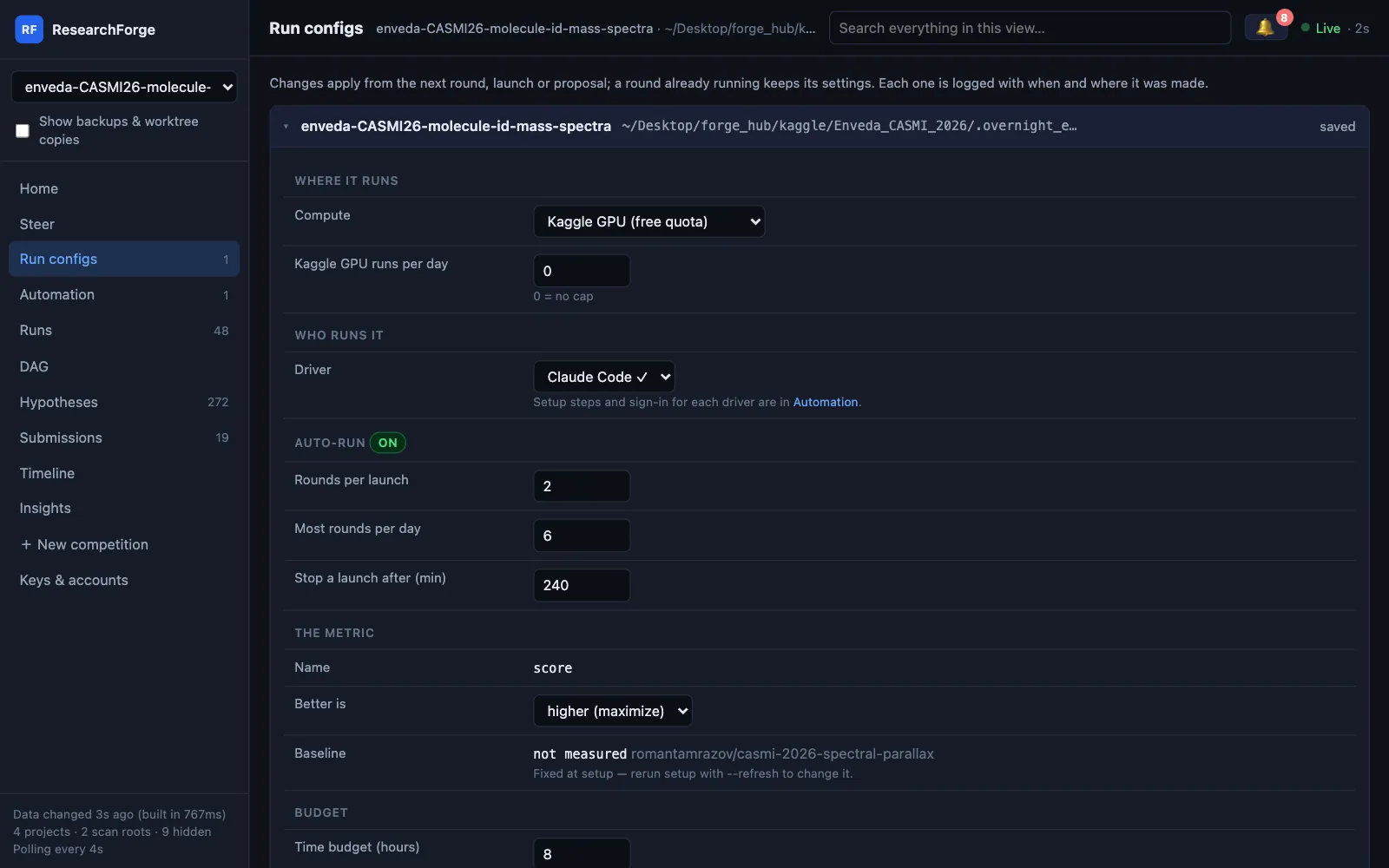
Compute and the Kaggle GPU cap, driver, auto-run limits, metric direction, budgets including the round time limit, what you told setup and notifications — saved through the same commands as the CLI, applied from the next round, and logged.
Steer — directions, like a chat
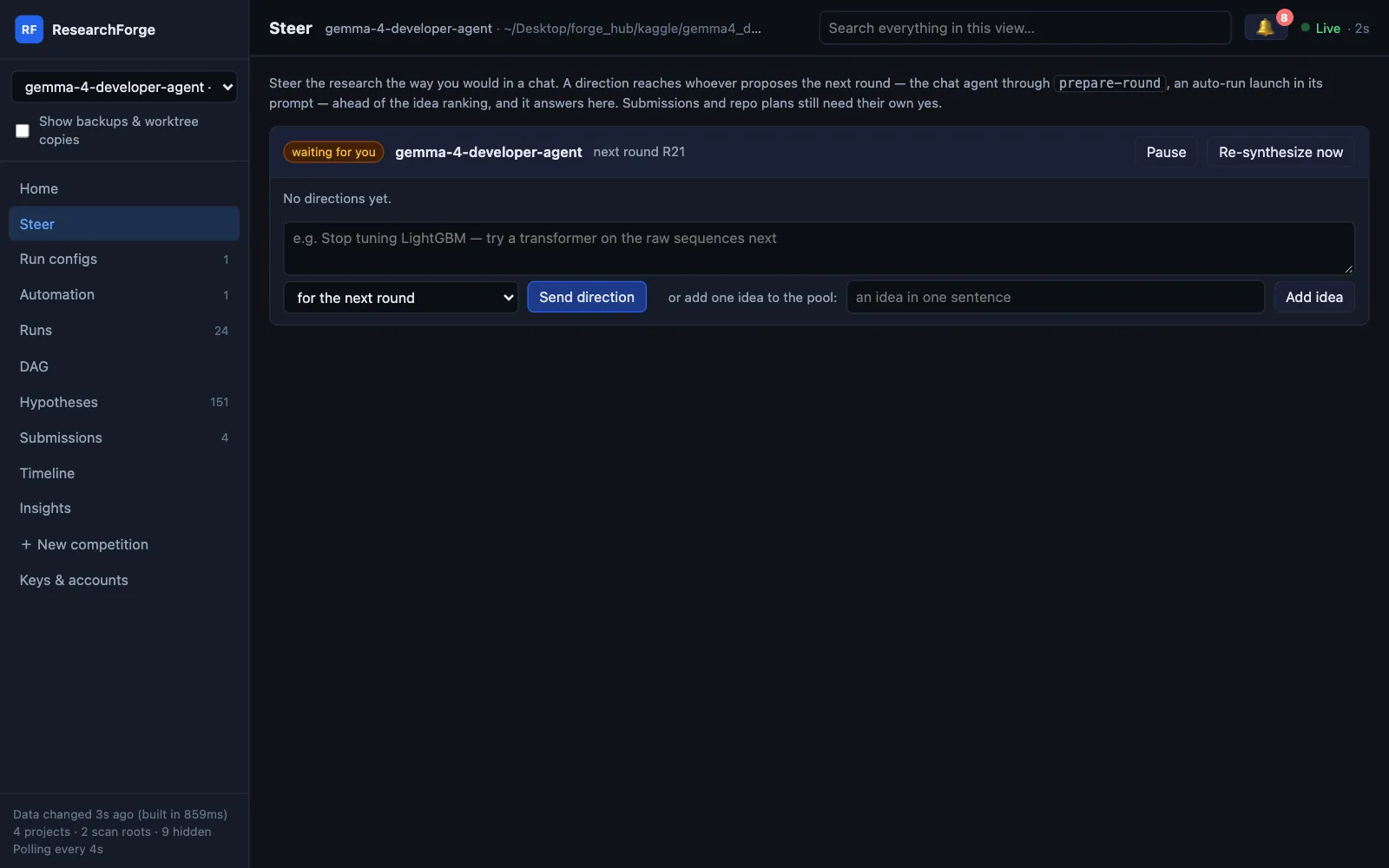
“Stop tuning LightGBM — try a transformer next”, for the next round or every round. The proposer answers each direction here. Pause, re-synthesize and add ideas from the same card.
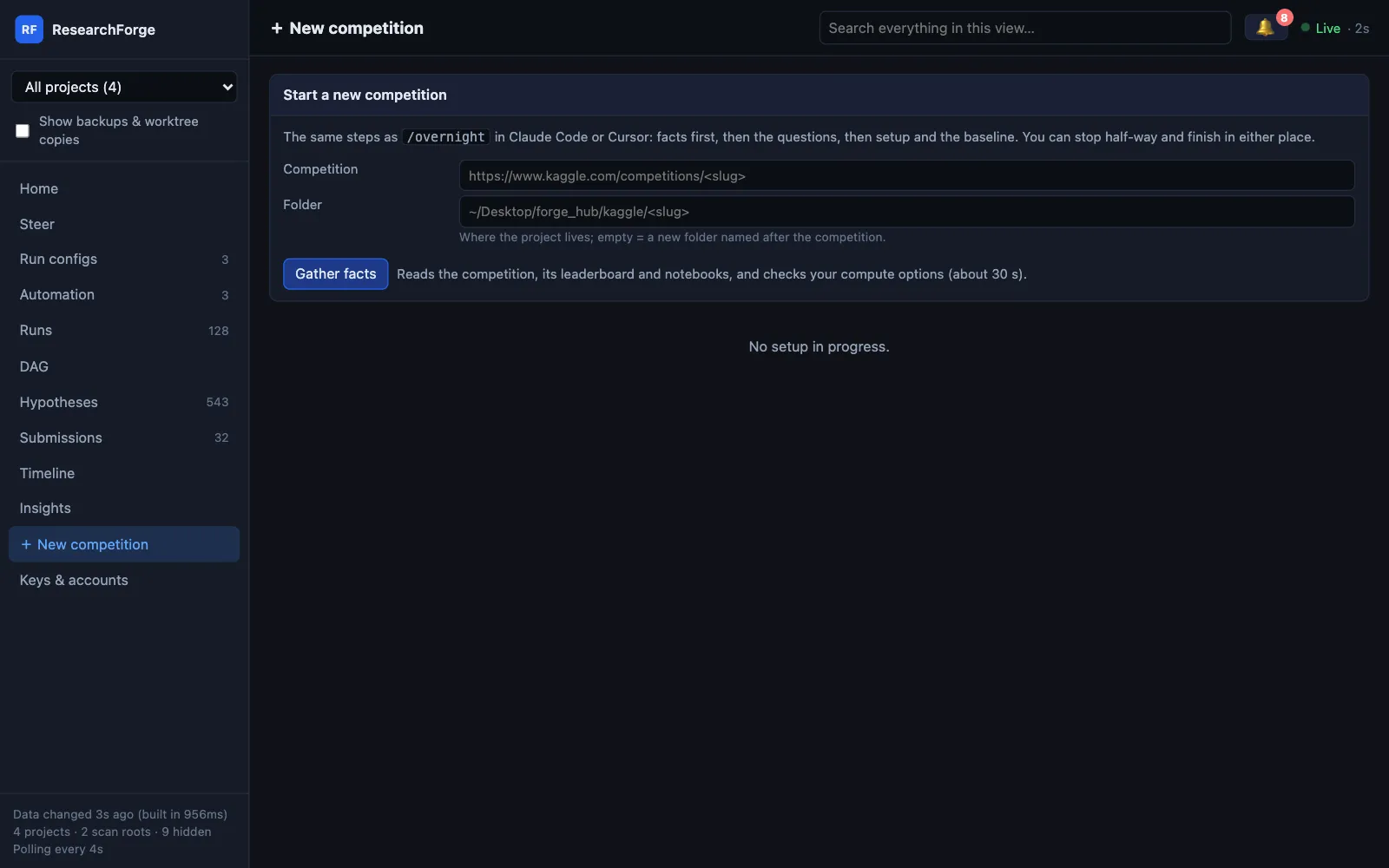
+ New competition — setup as a form
Paste a Kaggle URL: it gathers the facts, asks the /overnight questions as a form and runs the same setup step by step. Stop half-way and finish in Claude Code or Cursor.
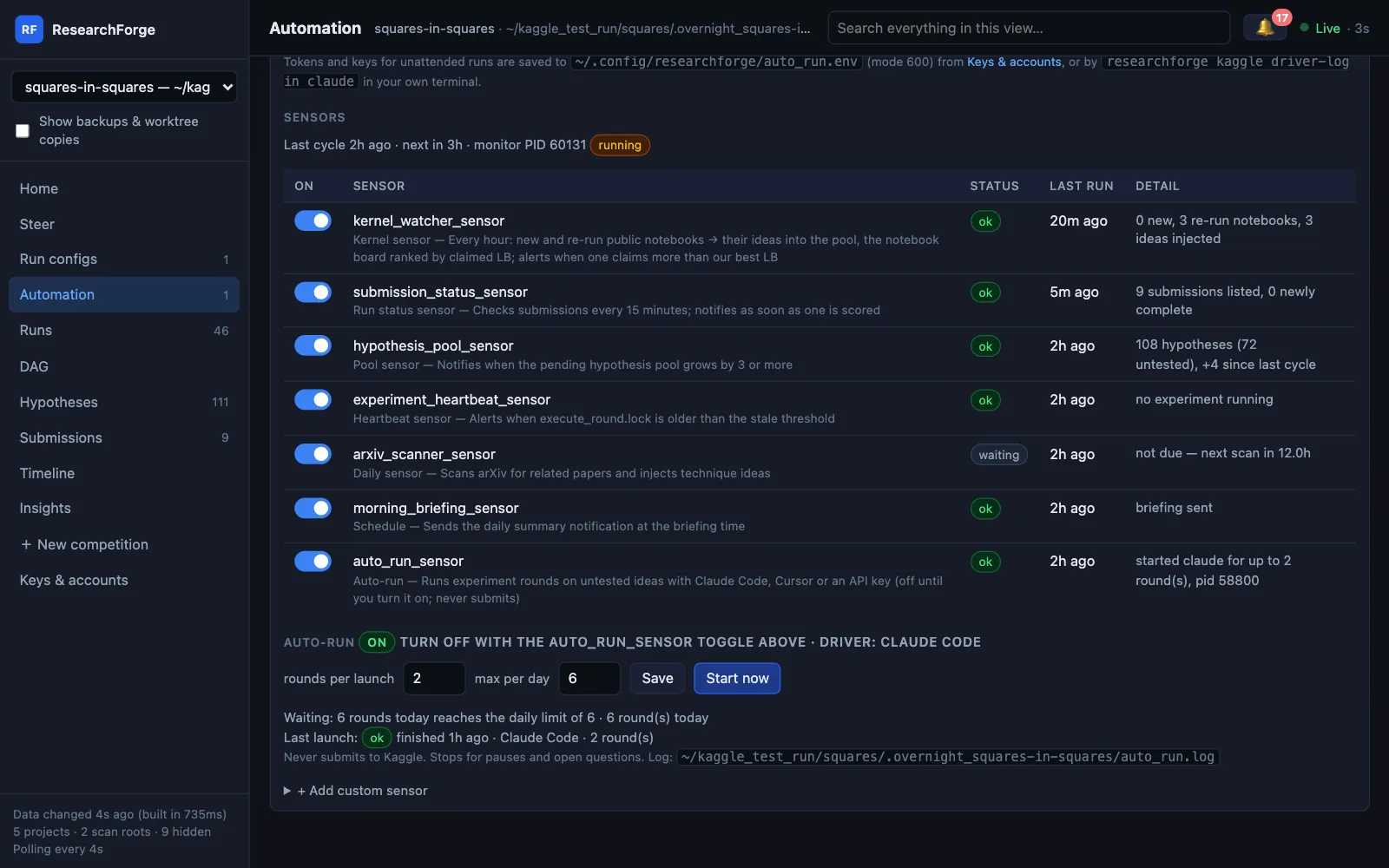
Automation — service, driver and sensors
The background service, the driver that runs rounds with no chat open, every sensor’s real last result, custom sensors, and the auto-run panel: rounds per launch, a daily maximum, Start now and the last launch. The switches call the real CLI.
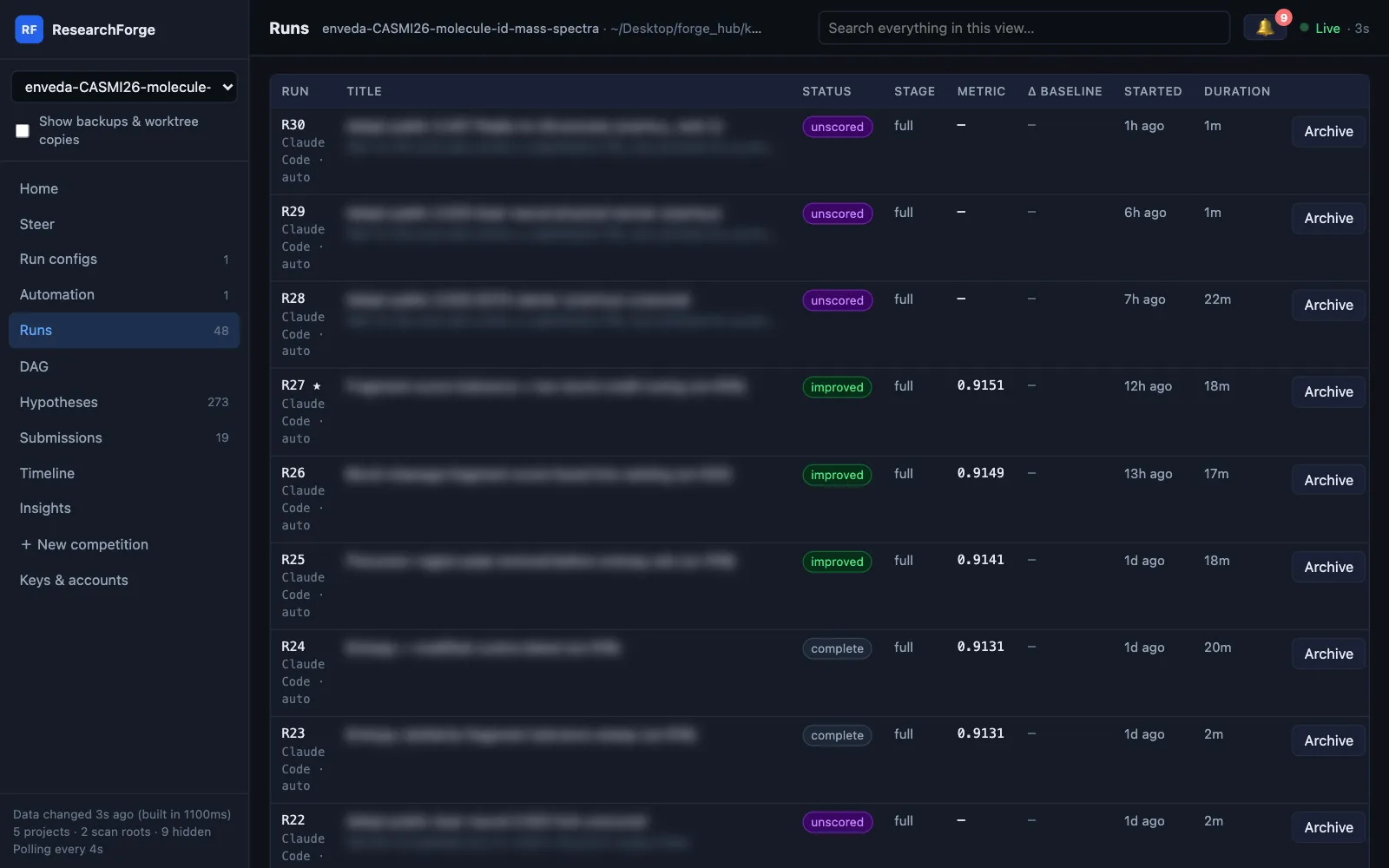
Runs — every round, with its status
Improved, complete, failed and unscored rounds with the metric, duration and the driver that ran them. Archive a round to hide it everywhere — reversibly.
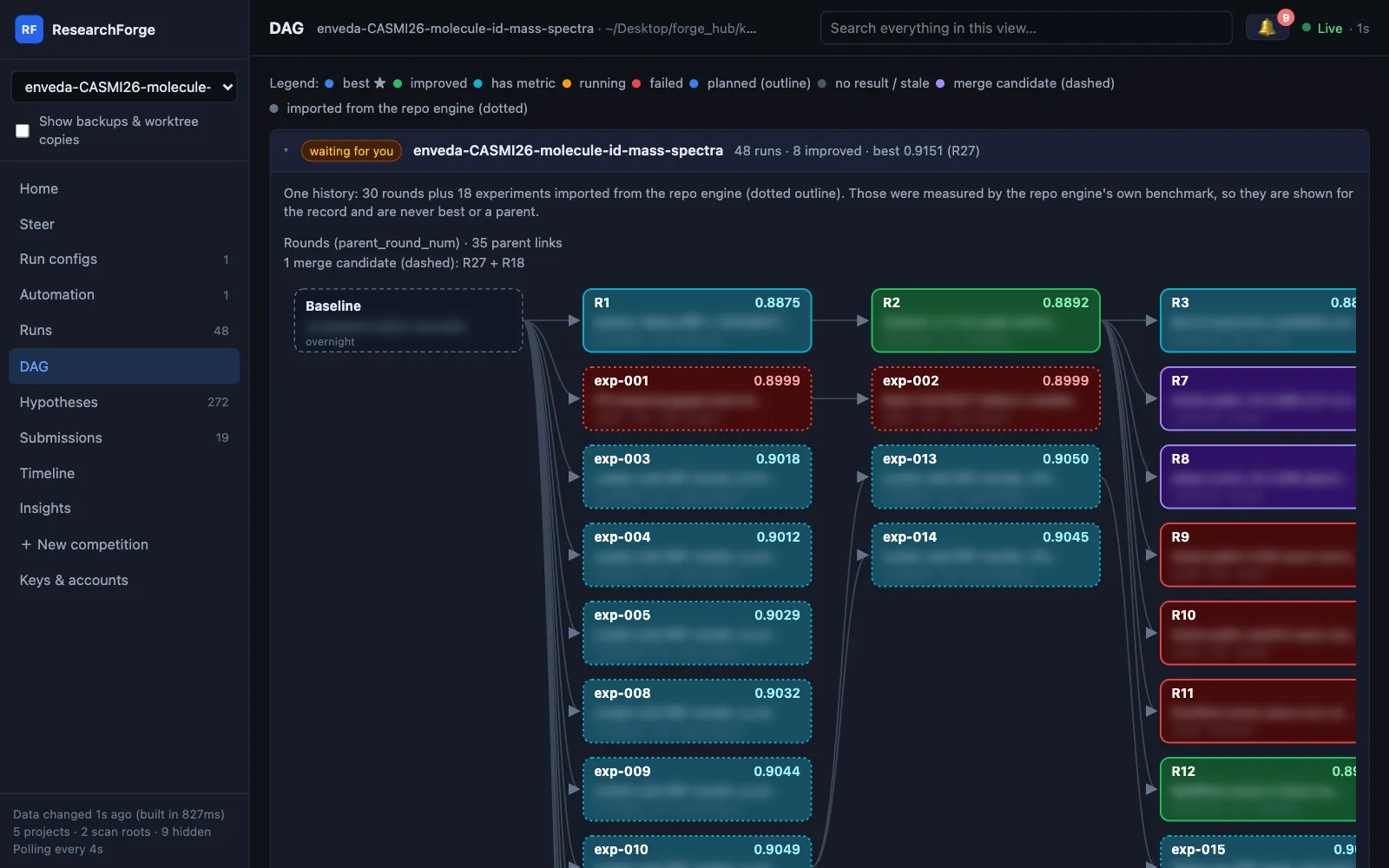
DAG — one history per competition
Edges come from the recorded parents. A repository project beside a competition is folded in with a dotted outline: shown for the record, never best or a parent.
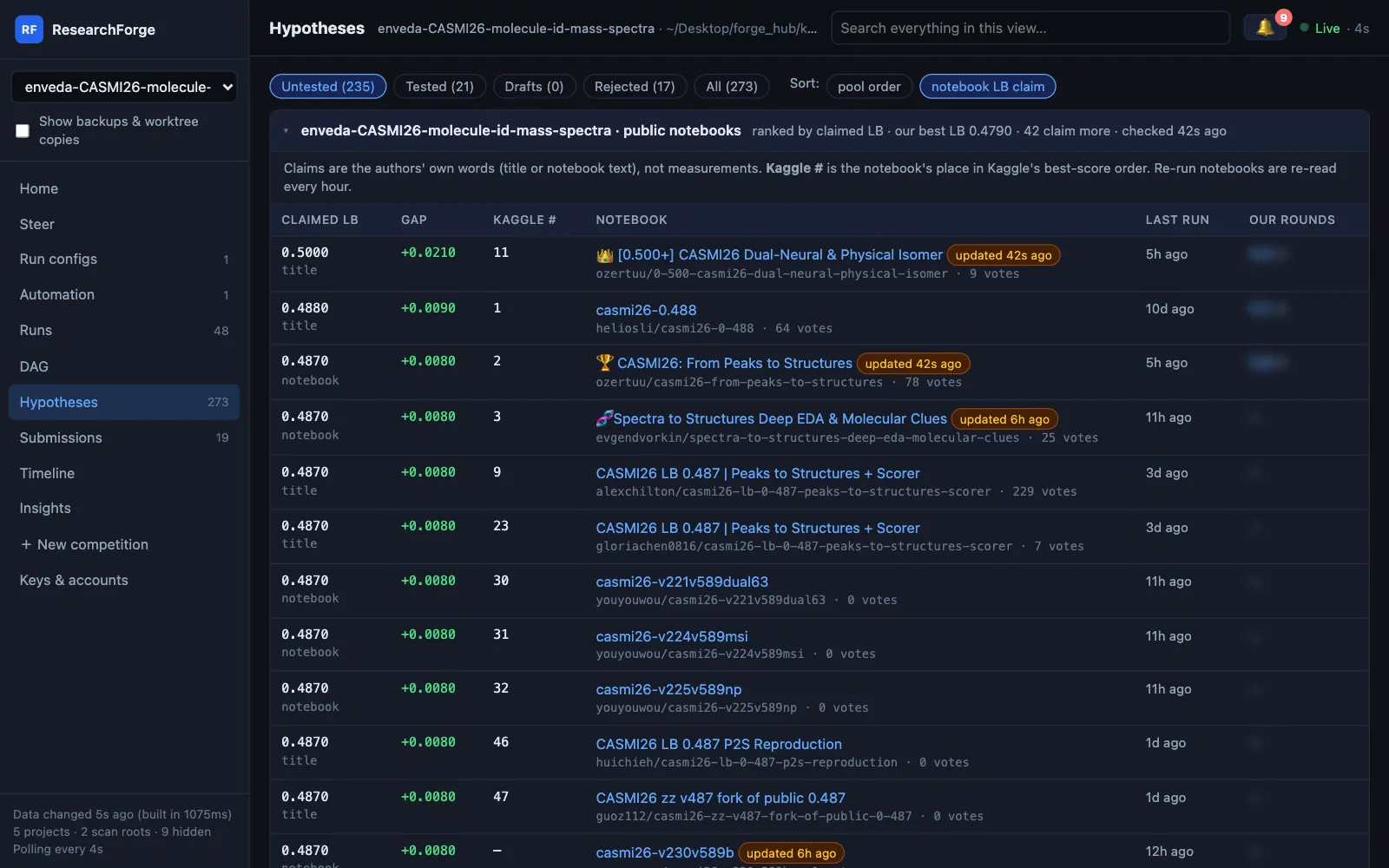
Hypotheses — and the public notebook board
The idea pool with its sources, plus every public notebook ranked by the score its author claims, the gap to your best and the rounds that ran it — rebuilt every hour.
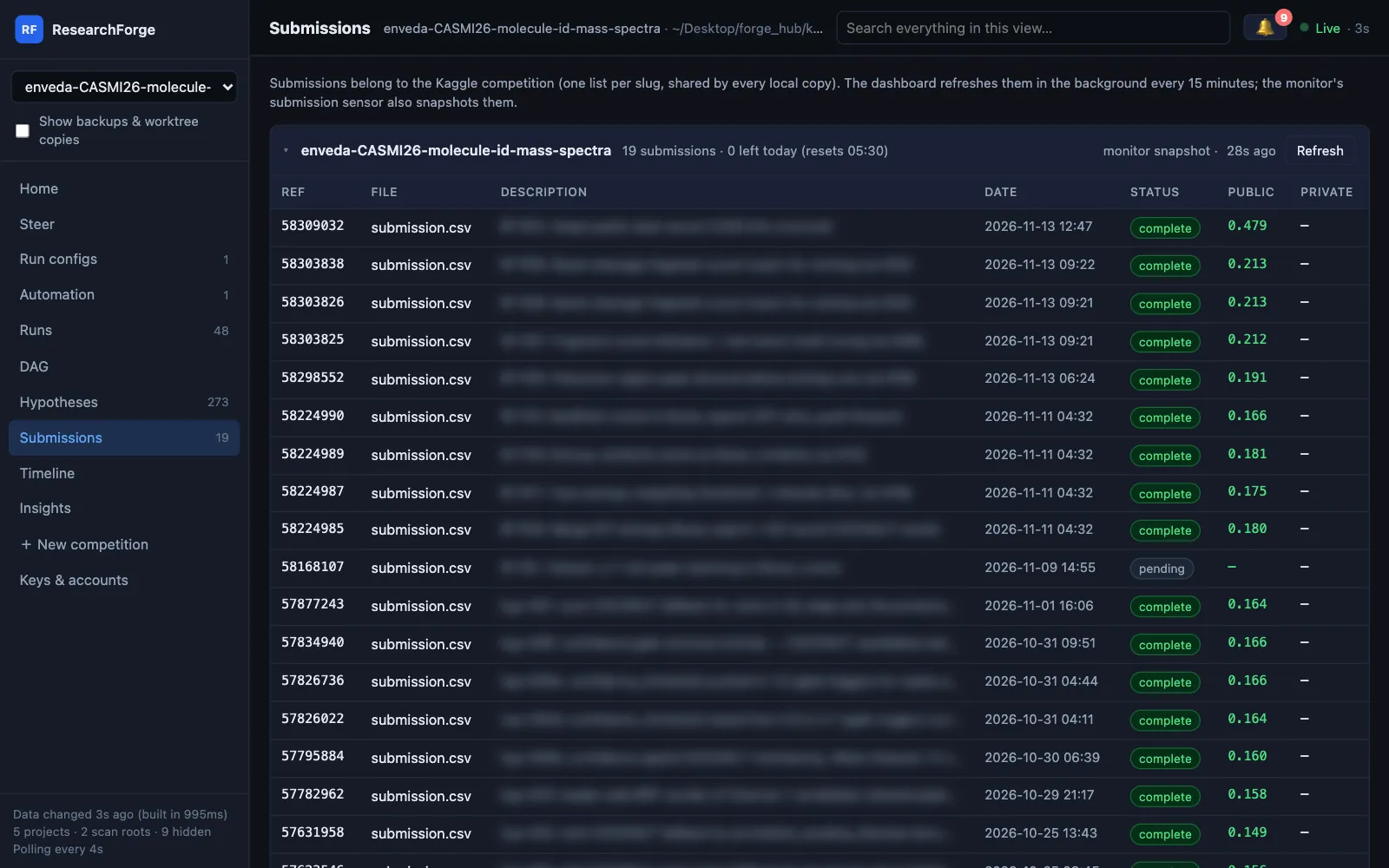
Submissions — with today’s allowance
Every Kaggle submission with its status and score, refreshed every 15 minutes, and how many Kaggle says are left today.
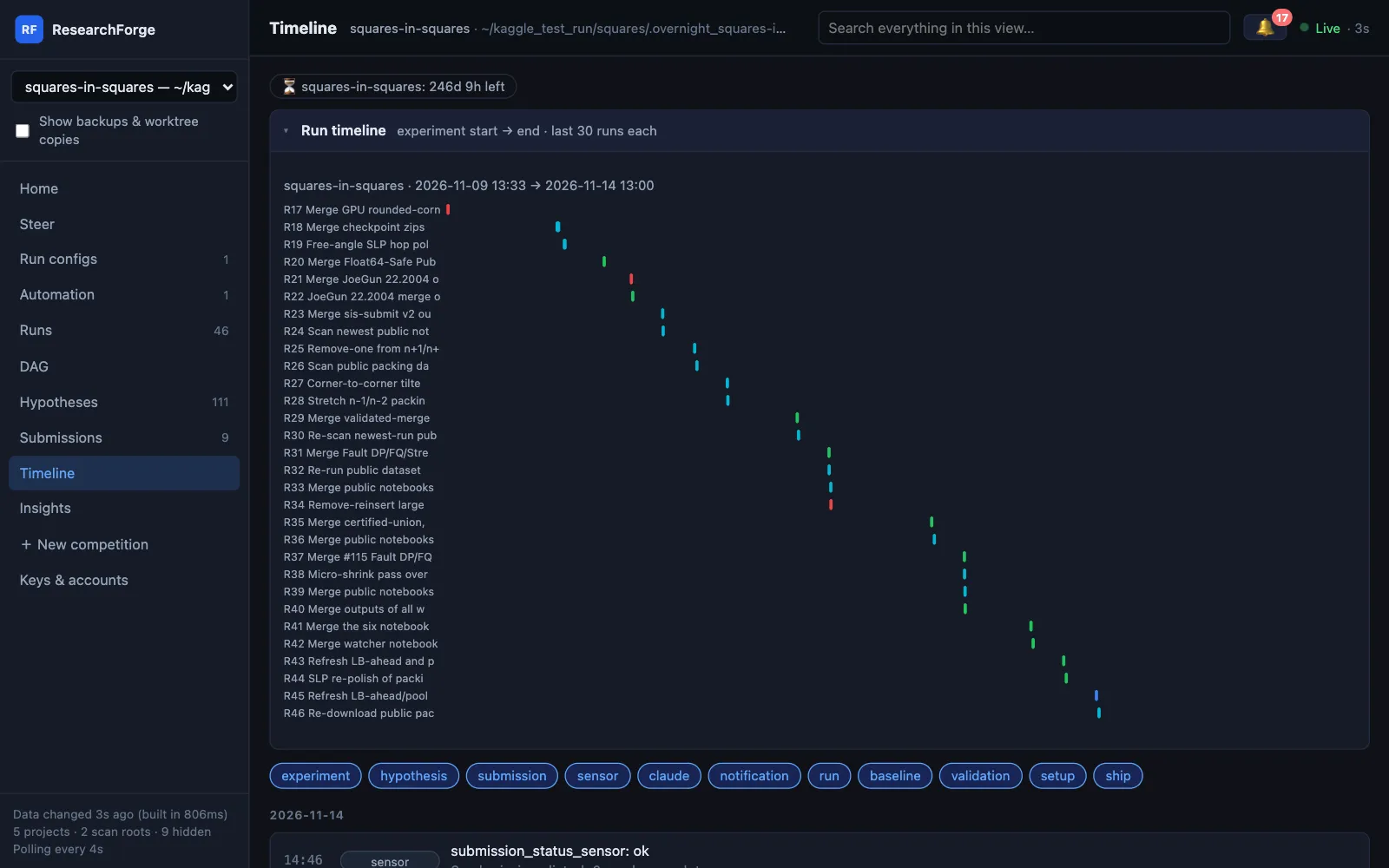
Timeline — the run gantt and every event
Deadline countdowns, a gantt of the last runs per project, and every experiment, submission, sensor result and alert in order, filterable by type.
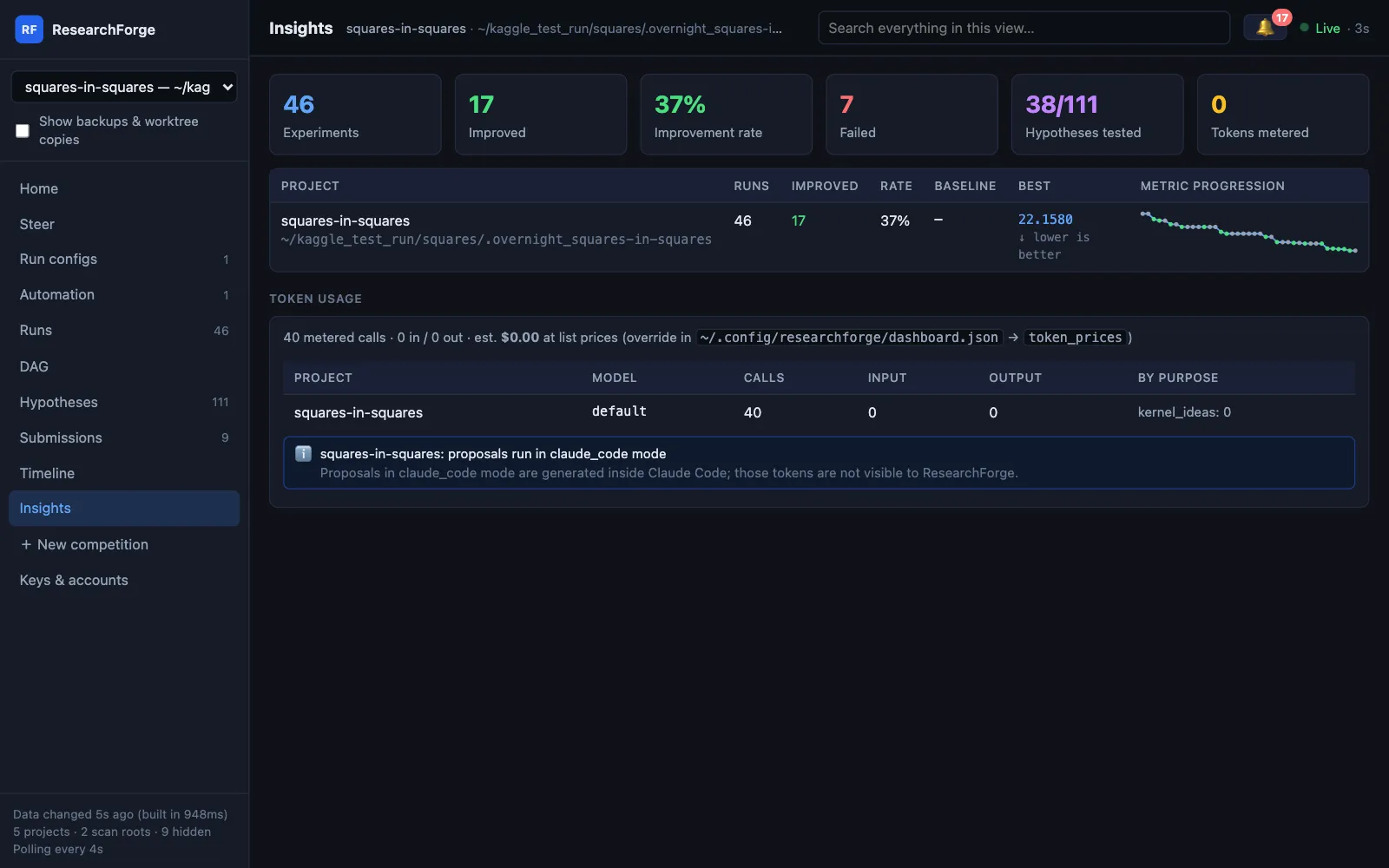
Insights — rates, progression and tokens
Runs, improvements and the improvement rate per project, the metric’s progression, and token use per model and purpose. Tokens a coding agent spends inside its own session are named as not visible, never shown as zero cost.
Every view, field by field.
The dashboard docs walk through each view and every Run configs setting.
Want it on your machine?
pip install researchforge, then researchforge kaggle dashboard --open.