Docs · Dashboard
The live experiment dashboard, view by view
Open it#
$ researchforge dashboard # http://localhost:7842 — /overnight starts it for you$ researchforge kaggle dashboard --open # the same page, opened in your browser
The sidebar lists every view: Home, Steer, Run configs, Automation, Runs, DAG, Hypotheses, Submissions, Timeline and Insights, then + New competition and Keys & accounts. The picker at the top shows one project or all of them. The view, project and search live in the address, so a reload or a shared link opens exactly what you were looking at. The page checks for changes every few seconds.
Home and questions#
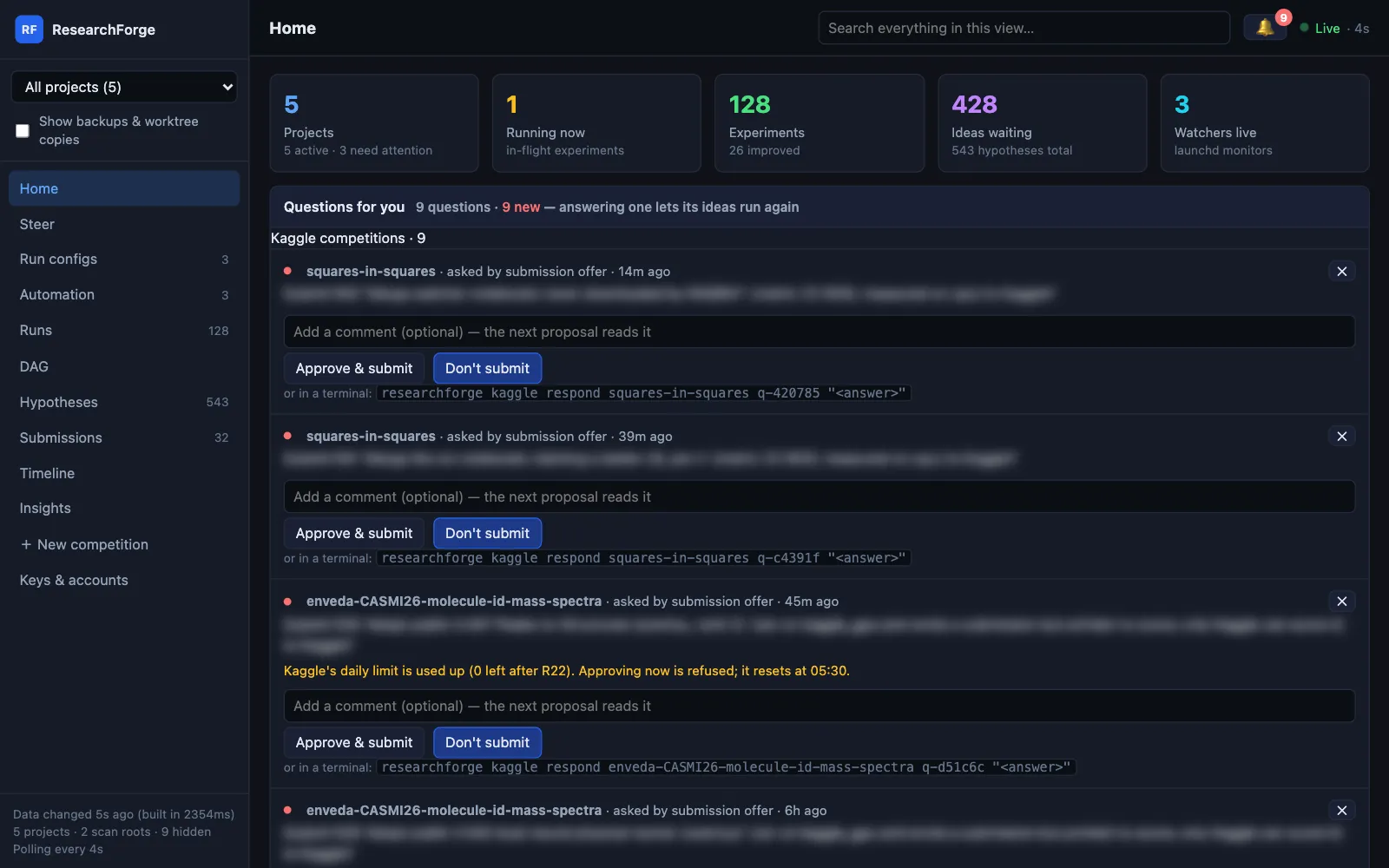
Home shows every project at a glance — how many are running, experiments, ideas waiting, watchers live — grouped into Kaggle competitions, research ideas and repository improvements, with Questions for you at the top.
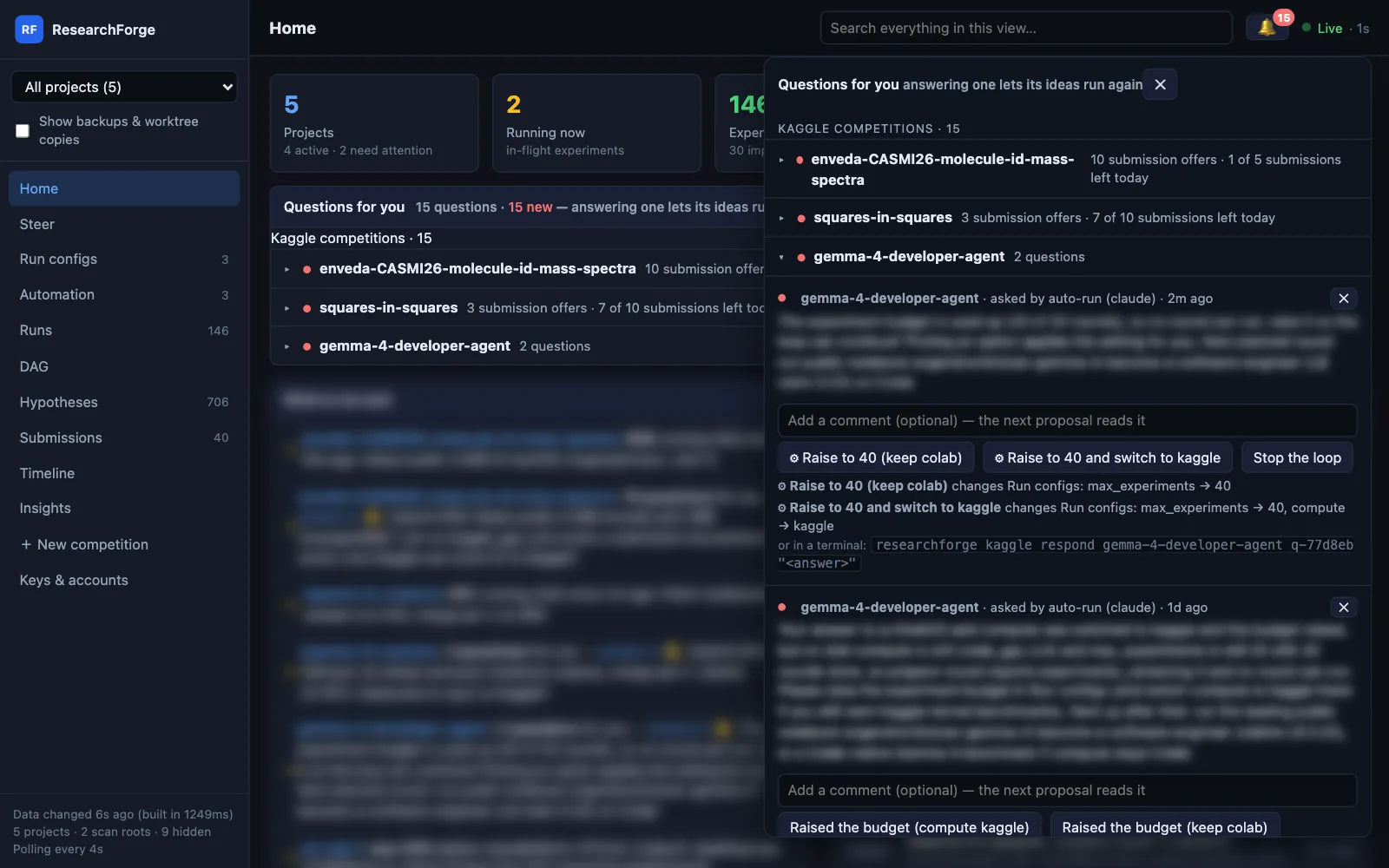
The same questions are under the 🔔 in the header, from any view, with a count of new ones. They are grouped by competition: one collapsible section each, with its count of questions and submission offers and how many Kaggle submissions are left today (for example “7 of 10 submissions left today”). The sections you open are remembered, and with a single project selected its section is open. Each question says when it was asked, and only the ideas it names wait — the rest of the loop keeps running.
| Question | What you can do |
|---|---|
| A submission offer | Approve & submit sends that round to Kaggle at once; Don't submit closes it. Kaggle's submissions left today are shown, and an approval past the limit is refused with the reset time. |
| A question from the loop | Pick an option or type an answer, then Send. |
| An answer marked ⚙ | That answer also changes Run configs: the dashboard lists what it changes and asks you to confirm, then applies it through the same setters as Run configs, logged as “answer to q-…”. A value Run configs would refuse keeps the question open with the reason. |
| A plan waiting for approval (standalone repository projects) | Approve plan asks you to type approve, as in a terminal; Reject cancels it. |
| Any of them | Add a comment — the next proposal reads it. Dismiss with ✕ to close it unanswered; its ideas run again. Every item also shows its terminal command. |
+ New competition#
Paste a Kaggle URL and, if you like, the folder it goes in (by default a new folder named after the competition). Gather facts reads the competition, its leaderboard and notebooks and checks your compute options, in about 30 seconds.
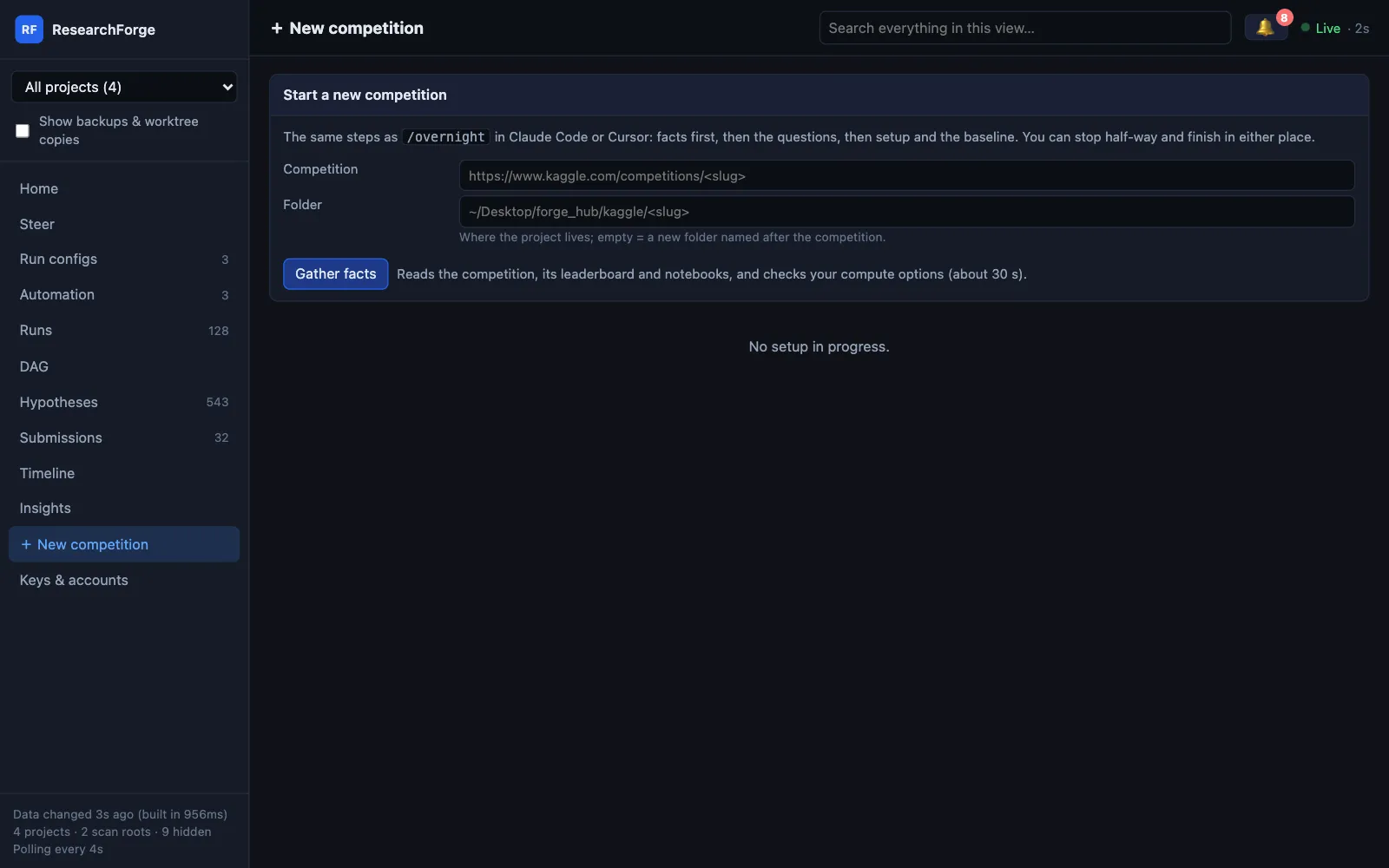
- It shows what it found: the metric and which way it improves (flagged when guessed), the deadline, the notebook to start from, and every compute option with what it found and the recommended one.
- Then the
/overnightquestions as a form: compute (Colab plan and GPU, SSH host, or a cloud provider with its GPUs and prices), time budget, sensors and the background service, auto-run and its driver, what you already know, phone alerts. - Start setup runs the same commands as
/overnight, shows each step's output and stops at the first failure with its reason. A code competition can only pick Kaggle GPU; setup does not start while a key it needs is missing. - Save for later keeps the answers as
setup_draft.json./overnight <slug>in Claude Code or Cursor picks them up and asks only what is left — and a chat can hand its answers to the page withkaggle draft <slug> --start.
$ researchforge kaggle draft <slug> # the draft and the commands it will run$ researchforge kaggle draft <slug> --run # run them in a terminal
Keys & accounts#
Every credential ResearchForge uses, in one list: the Kaggle API token; Anthropic, Gemini and OpenAI keys; the Claude Code token and Cursor API key for unattended drivers; Colab (signed in to Google from the page); RunPod, Lambda and vast.ai keys; and AWS (the AWS CLI's own sign-in). Each row says what it is for, where to get it, whether it is set and where, and the result of the last Test — one harmless call with the stored key.
~/.kaggle, the rest in ~/.config/researchforge/auto_run.env (mode 600) — and is never shown again or given to an agent. In Claude Code or Cursor, /overnight asks which accounts you want and opens this page for the missing ones; it never asks for a key in the chat.$ researchforge kaggle keys status # names and places only, never a value$ researchforge kaggle keys test kaggle$ researchforge kaggle keys open claude # open this page at that key$ researchforge kaggle keys set runpod # hidden prompt, only in your own terminal$ researchforge kaggle keys remove gemini
Steer#
Tell the loop what to do the way you would in a chat — “stop tuning LightGBM, try a transformer next” — for the next round or for every round until you remove it. A direction reaches whoever proposes the next round (the chat agent through prepare-round, an auto-run launch in its prompt) ahead of the idea ranking. Each one shows whether it is waiting, read by a round or applied, with the proposer's reply under it. The same card has Pause, Re-synthesize now and Add idea.
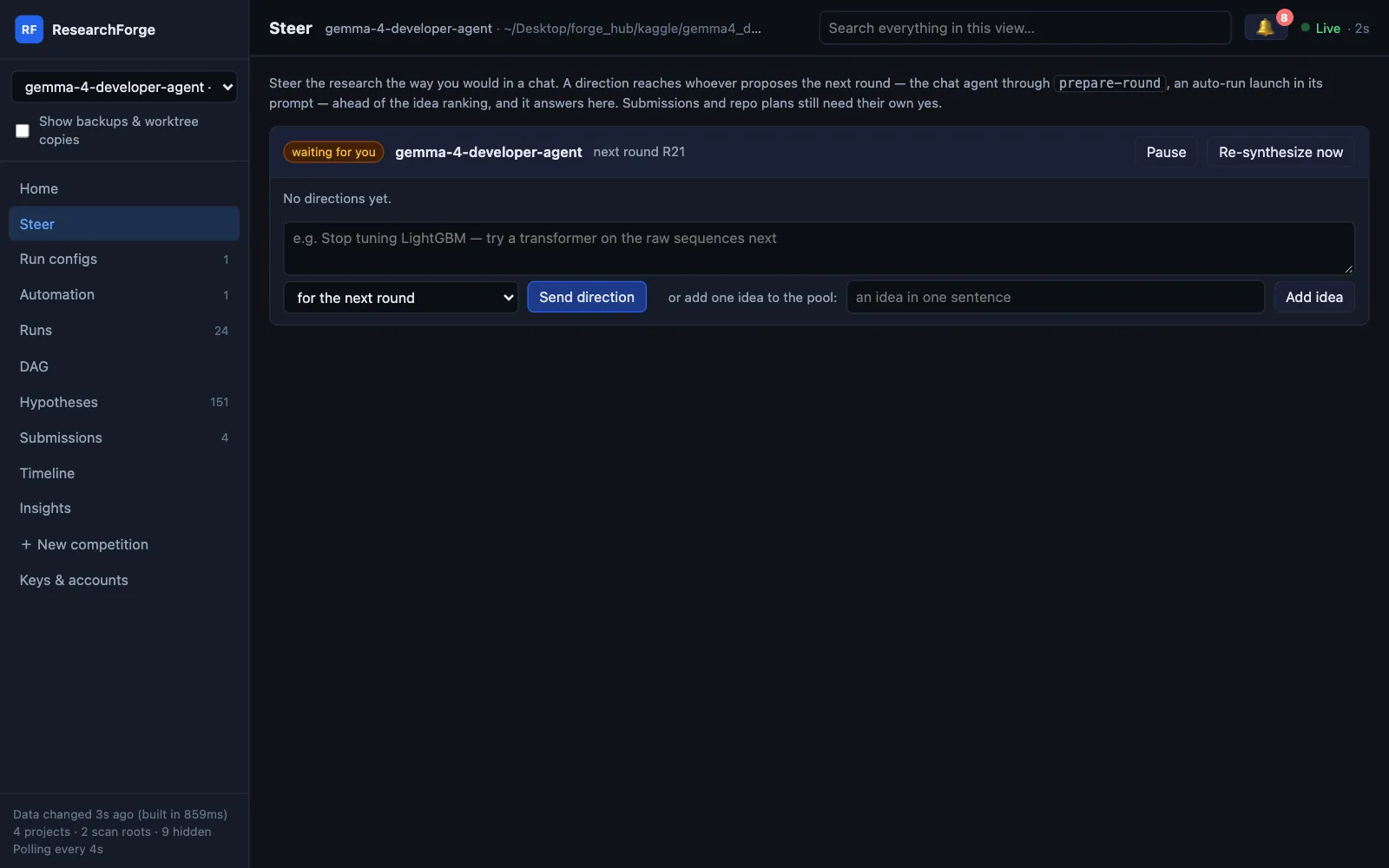
$ researchforge kaggle steer <slug> "stop tuning LightGBM — try a transformer next" --standing$ researchforge kaggle steer <slug> # list directions and replies$ researchforge kaggle steer <slug> --remove <id>$ researchforge kaggle steer <slug> --reply <id> "R18 tries ViT-B/16" # how the proposer answers a direction
A direction can never approve a submission or a plan — those keep their own buttons.
Run configs#
One card per Kaggle competition (a repository project's settings are on its Automation card) with everything setup asked and everything decided since. Edit any field and Save: each change goes through the same setter as the CLI, applies from the next round, launch or proposal — a round already running keeps its settings — and lands in the card's Change log with when and where it was made. Discard drops unsaved edits.
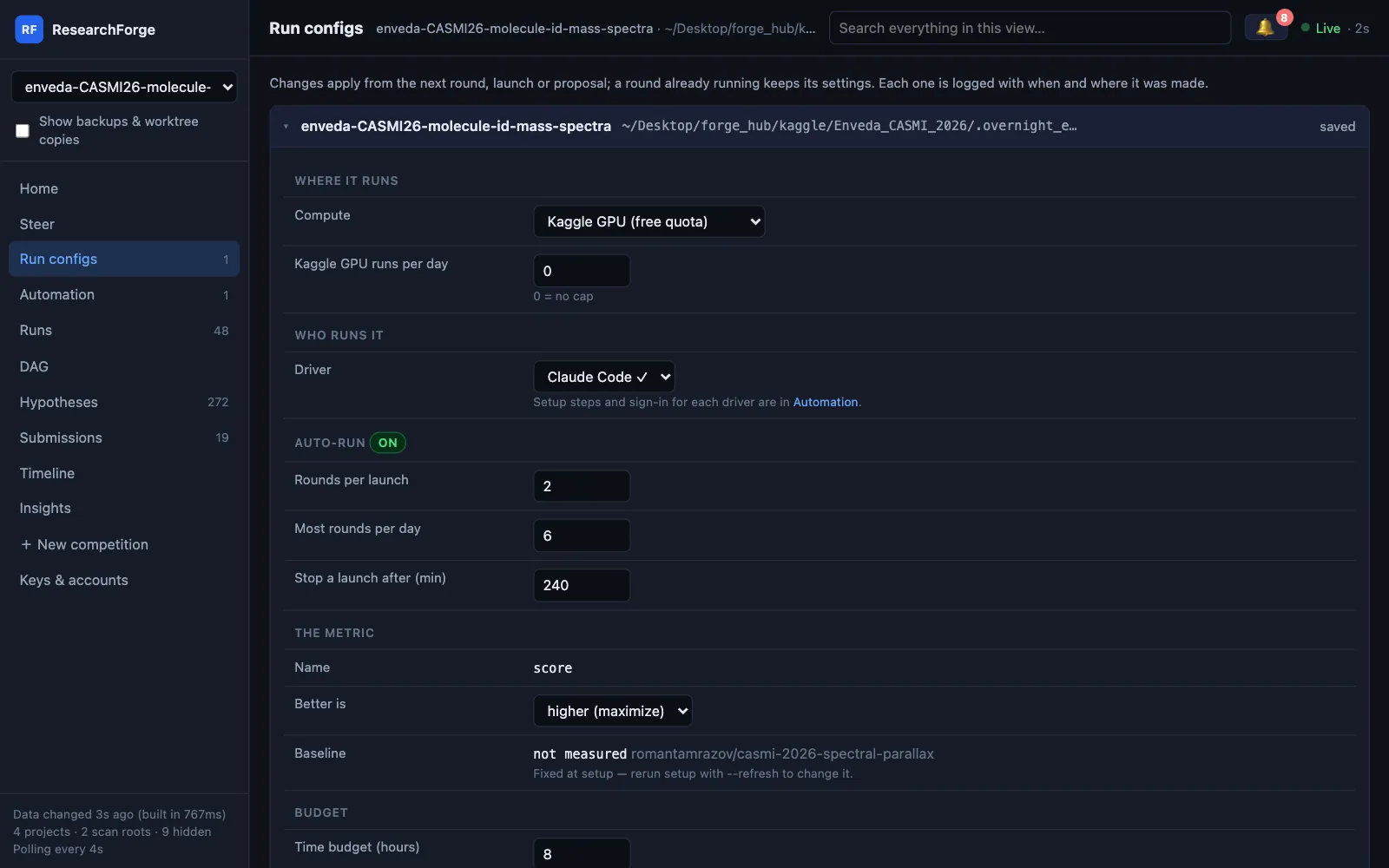
| Section | Field | What it does |
|---|---|---|
| Where it runs | Compute | This machine, Kaggle GPU (free quota), Google Colab, your SSH server, a paid cloud GPU or the competition GPU. The data policy is shown, and a target it forbids is refused. |
| Colab plan · GPU · High-RAM machine | Shown when Colab is picked: Free, Pro, Pro+ or Pay as you go; T4, L4, G4, A100 or H100 as the plan allows; high-RAM on Pro/Pro+. Includes installing the Colab CLI and Sign in. | |
| Kaggle GPU runs per day | 0 = no cap | |
| Who runs it | Driver | Claude Code, the Cursor agent or your API key, with ✓ when signed in. Setup steps are in Automation. |
| Auto-run | Rounds per launch · Most rounds per day · Stop a launch after (min) | The limits for unattended launches; the section shows whether auto-run is on. |
| The metric | Name · Better is · Baseline | Higher or lower is better, with where that came from (leaderboard, evaluation text, metric name or a flagged guess). The baseline is fixed at setup. |
| Budget | Time budget (hours) · Max experiments · Round time limit (min) | The round time limit (30 minutes by default) is how long one round’s full run may take; Colab rounds keep running on the VM through a dropped connection until it. |
| What you told setup | Every answer · Add a note for proposals | Edit what you told setup, or add a new note; proposals read them. |
| Notifications | Phone alerts · How to subscribe · Test · Level · Submission policy · This project’s topic · Machine-wide topic | Where alerts go, how to subscribe, Send test alert, what each level sends, when submissions are offered, and New topic for an unguessable name. |
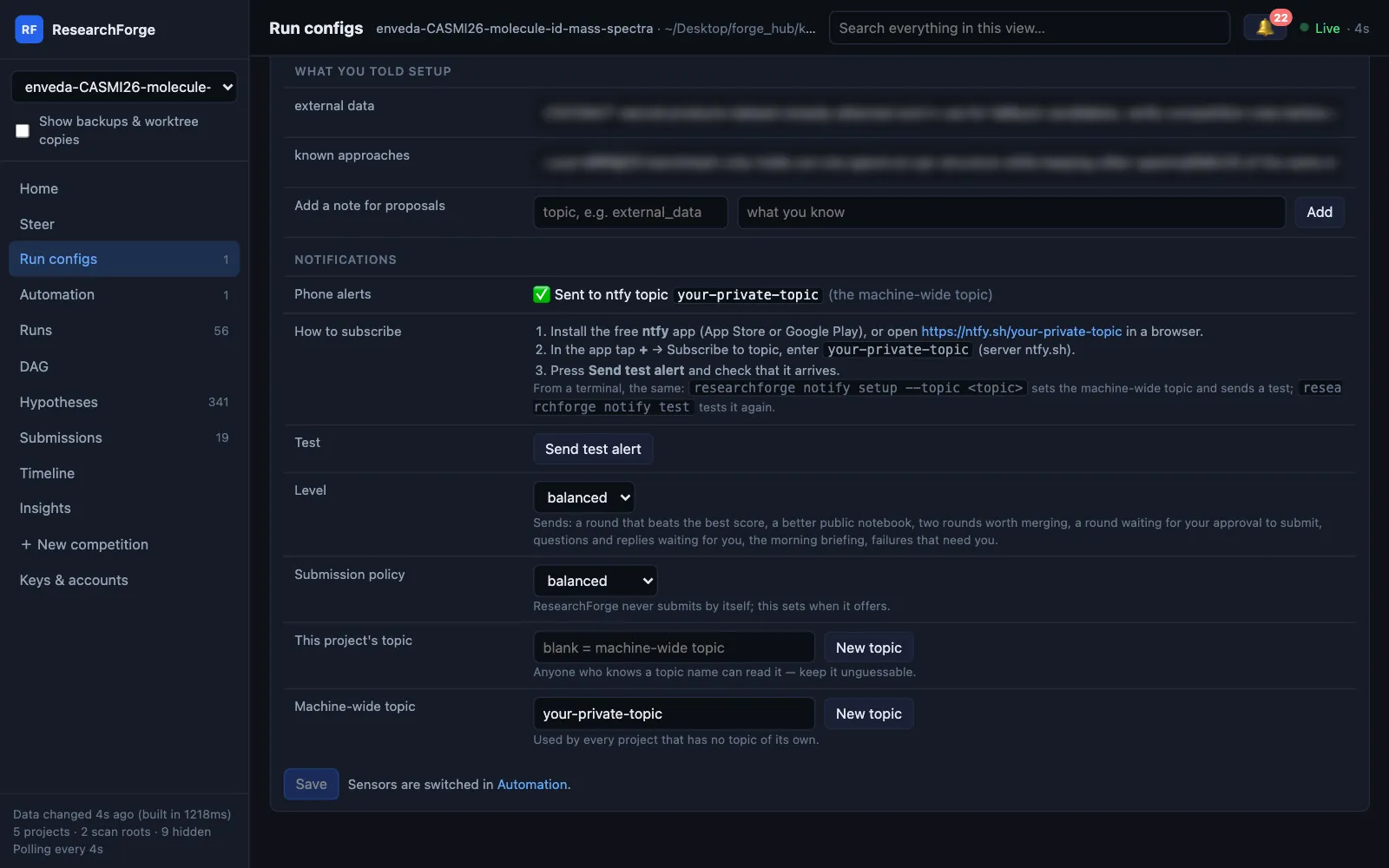
NTFY_TOPIC, then this project's topic, then the machine-wide one; with no topic, nothing is sent. Anyone who knows a topic name can read it, so keep it unguessable.Automation#
The background service, the driver and the sensors for each project. Every switch calls the real CLI: the scheduler switch runs kaggle scheduler-install / scheduler-uninstall, and sensor switches write scheduler_config.json, which the monitor re-reads every cycle. Run monitor once runs a cycle now.
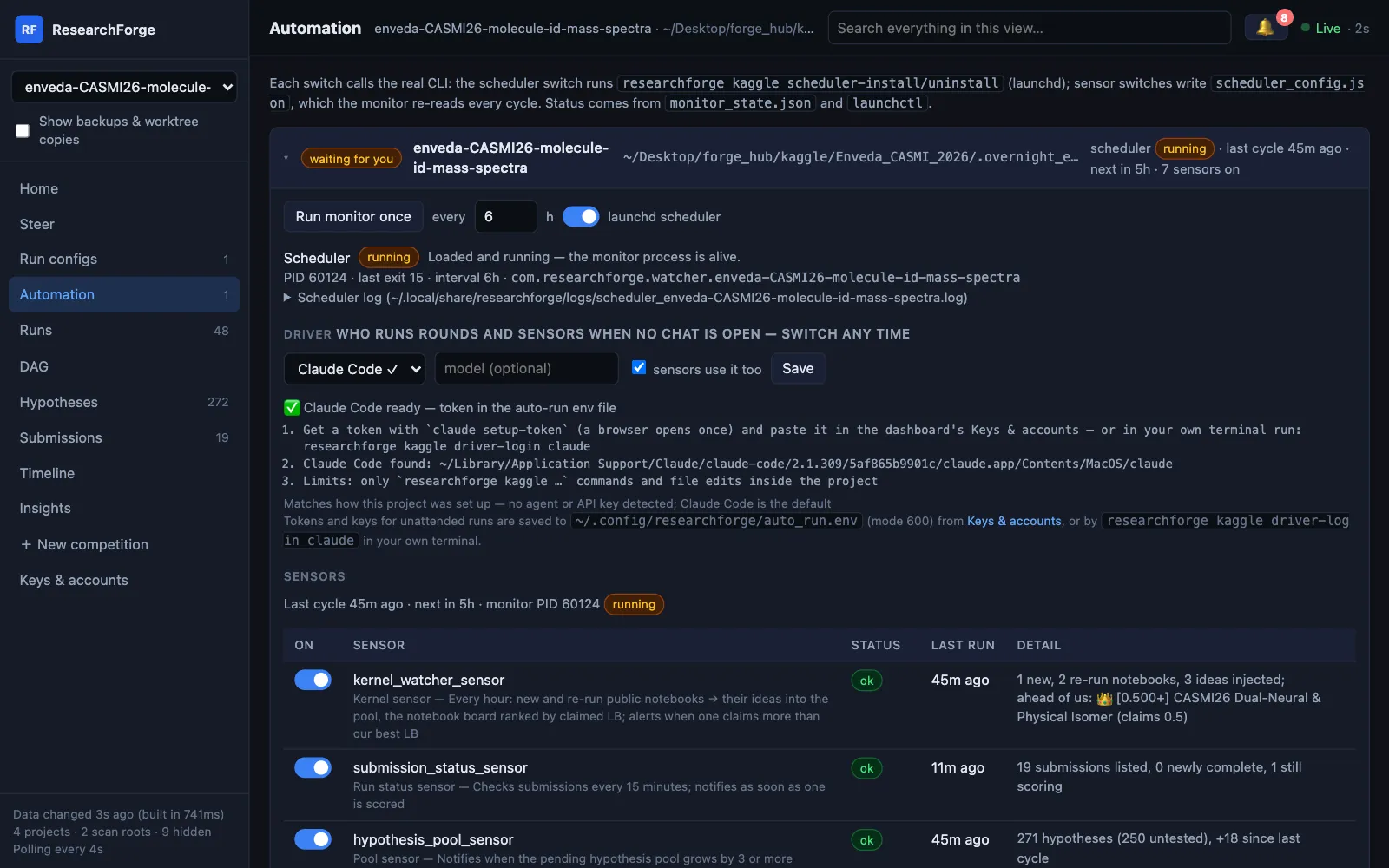
Each competition's card has:
- The scheduler switch (launchd on macOS, a systemd user timer on Linux, Task Scheduler on Windows), its interval and Run monitor once.
- Driver — who runs rounds and sensors when no chat is open. Pick Claude Code, Cursor or your API key and the panel shows that driver's setup steps and sign-in; sensors use it too routes the sensors' AI work through it.
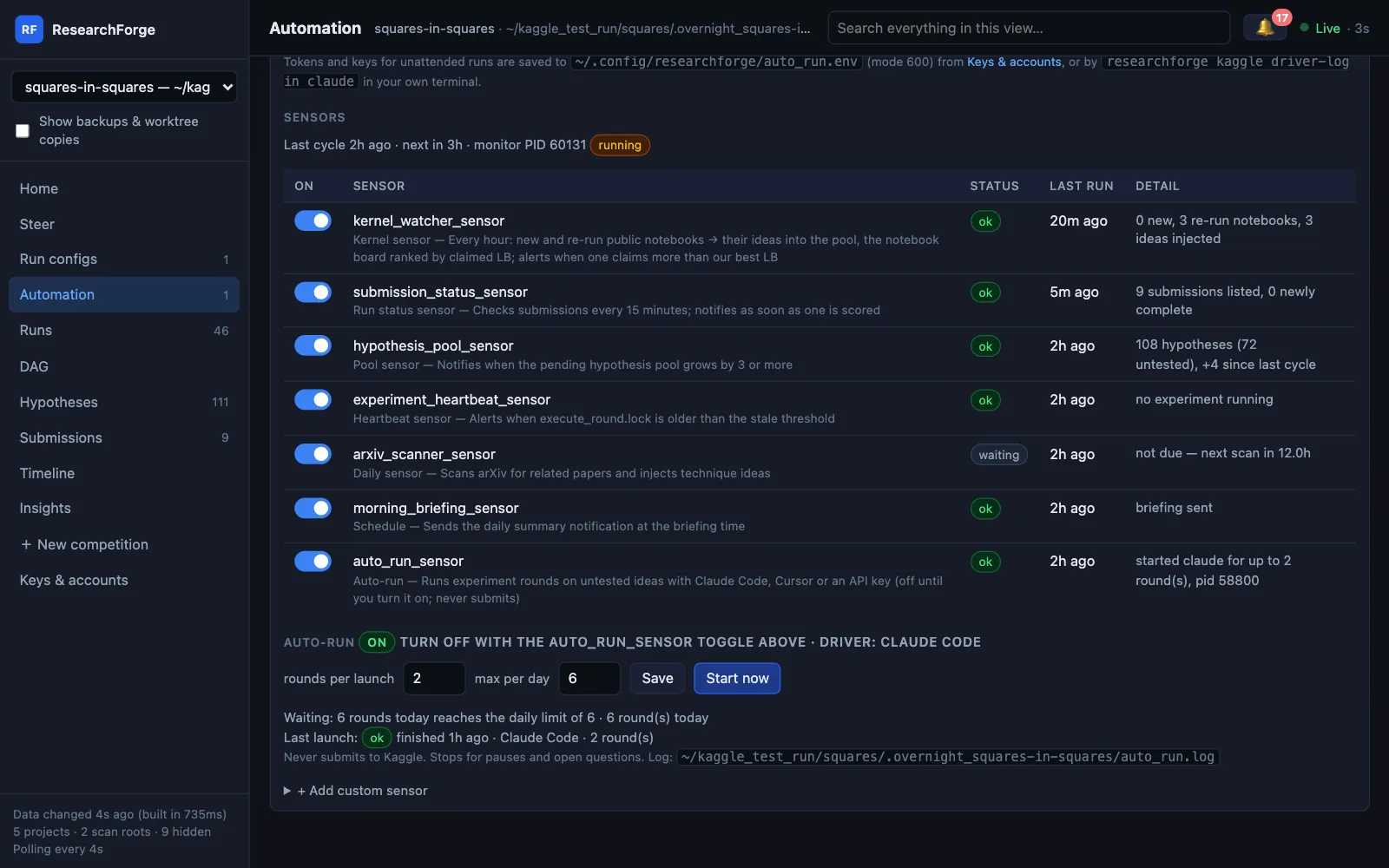
- Sensors — each one's switch, status, last run and what it found: new and re-run public notebooks every hour, submission status every 15 minutes, the idea pool, hung rounds, arXiv, the morning briefing, and auto-run. Add your own: any shell command, where exit 0 means healthy.
- Auto-run — its limits, Start now and Stop launch, which checks are waiting, and the last launch.
- The last and next cycle and the monitor's process, so a stopped service is visible.
Repo projects
New in 0.4.0, for unattended auto-run of a repository: the background service switch, Run monitor once, the driver, auto-run on/off with rounds per launch, the daily maximum, the time limit and how often the monitor runs, merging winners and recording every result, Start now / Stop launch, Pause / Resume, the approval mode — each plan waits for Approve plan, or Give standing approval… (you type approve) and back — the plans waiting, the last launch, the alert topic and each check's last result. Tested on the bundled example repository; not yet switched on for a real project.
Runs#
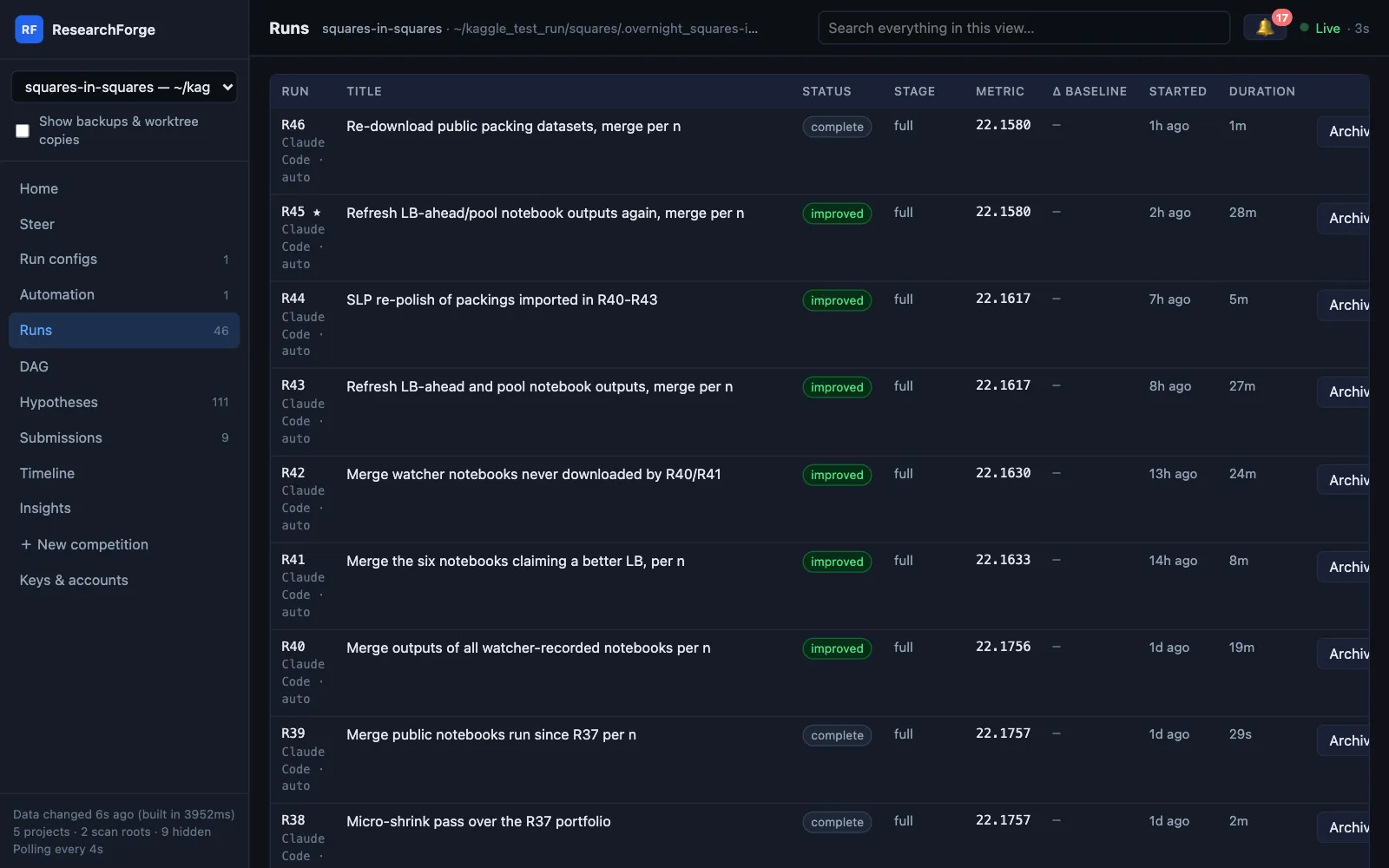
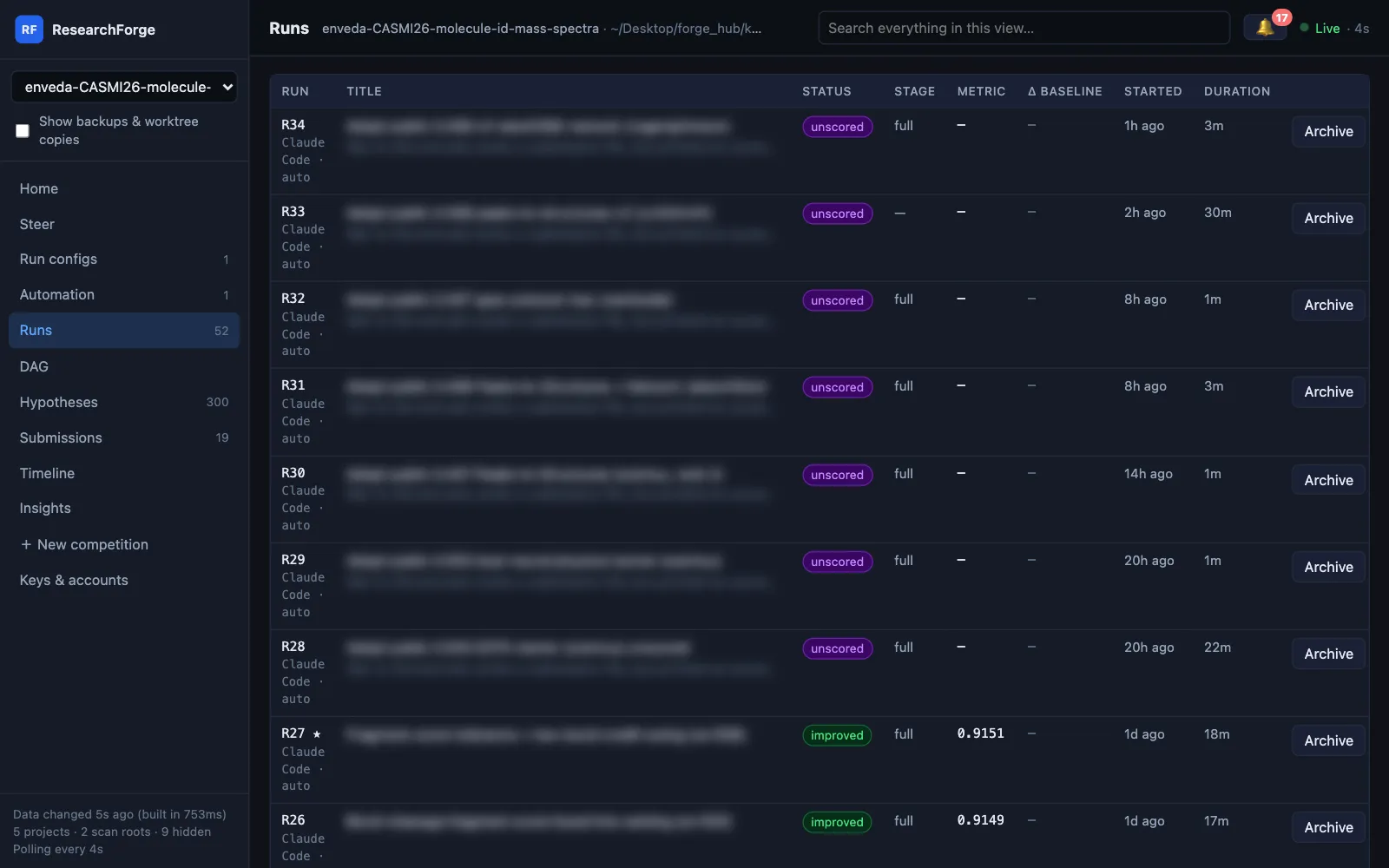
Every round with its status, stage, metric, change against the baseline, start time, duration, tokens used and the driver that ran it. A failed round shows why it failed; a failed run shows no score instead of 0.
| Status | Meaning |
|---|---|
| improved | Beat the best so far (or, with no baseline, every earlier round) |
| complete | Ran and was measured, but did not improve |
| unscored | Ran and left a submission but printed no score — offered for submission, since only Kaggle can score it |
| failed | Did not finish, with the reason |
| running · planned · stale | In flight, waiting to run, or no longer current |
Archive hides a round from every view: it is never a parent and never best, and Runs → Archived restores it. Deleting for good is a separate, confirmed command (kaggle delete-round) that unattended runs may not use.
DAG#
The experiment tree, drawn from the recorded parents. The best round is starred; colours show improved, has a metric, running, failed and no result; planned rounds are outlined and merge candidates dashed. Click a node for its patch, rationale, measurement and merge partners.
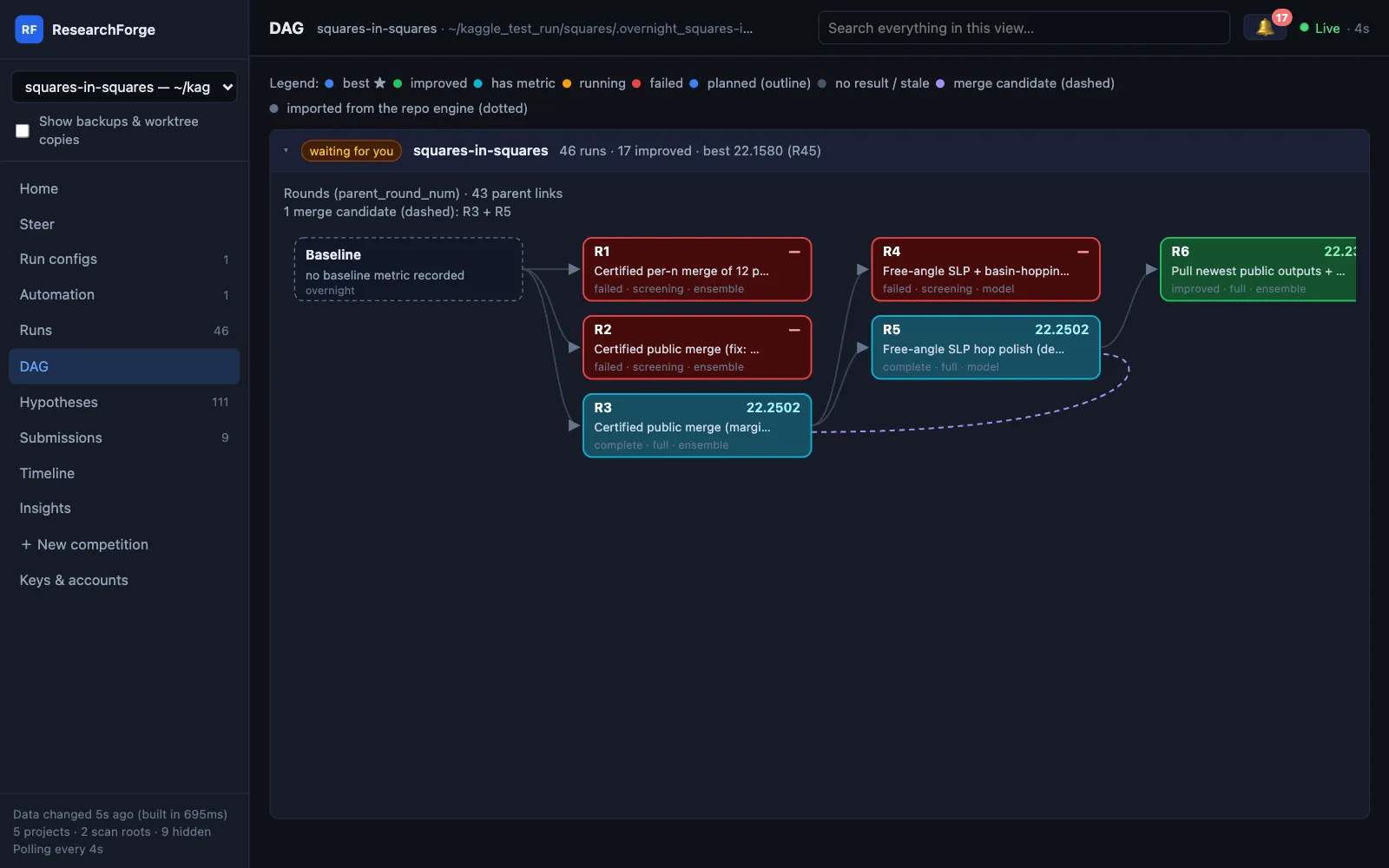
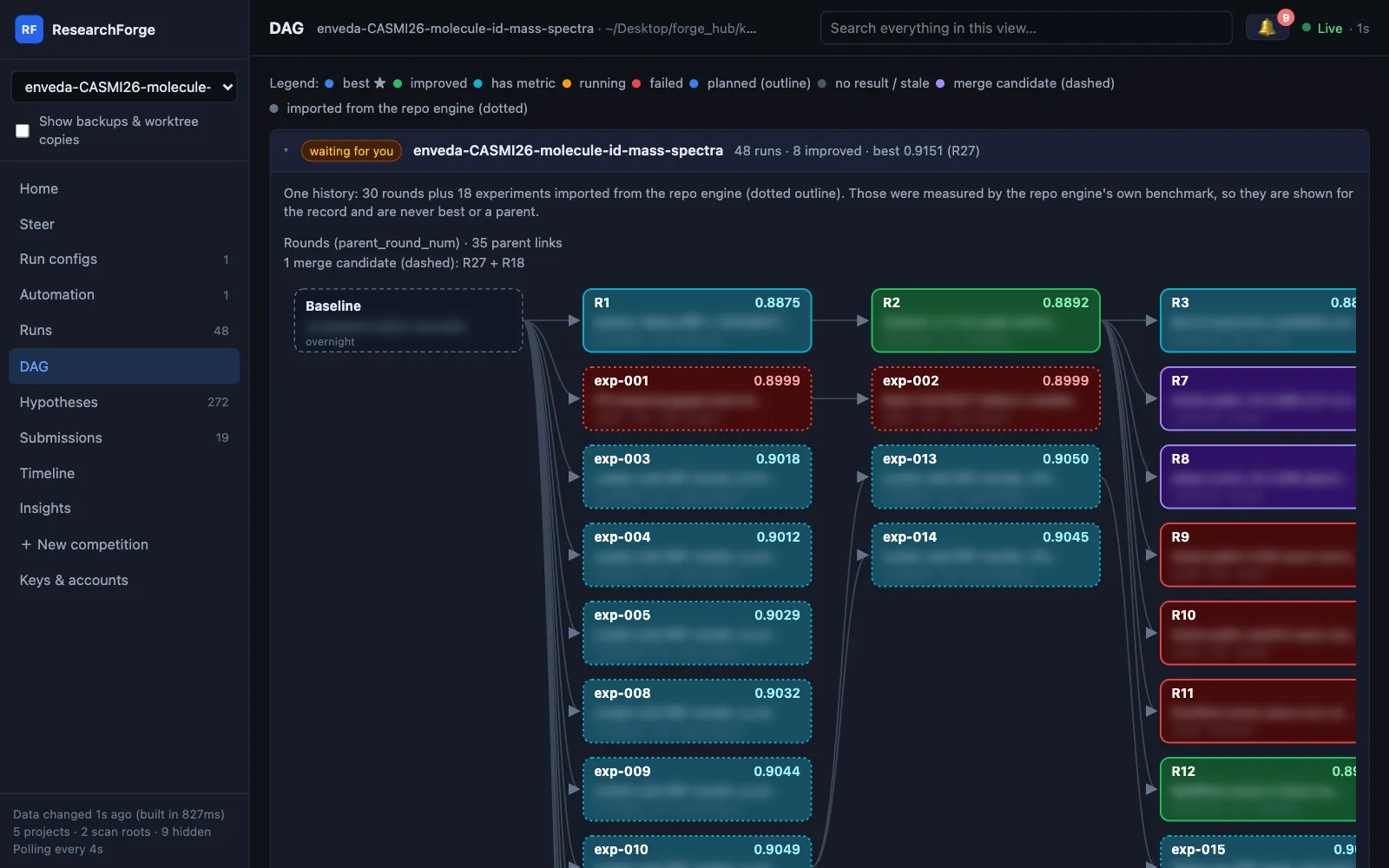
One history per competition. When a repository project sits beside a competition, its finished experiments are imported into this graph with a dotted outline. They were measured by the repository's own benchmark, so they are shown for the record and are never best or a parent.
Hypotheses and the notebook board#
The idea pool — ranked with your own ideas first, then ideas from notebooks claiming a better leaderboard score than yours, then confidence — filtered by Untested, Tested, Drafts, Rejected or All, sorted by pool order or by notebook LB claim. Each idea shows where it came from, its rationale and which round tested it; ideas an unattended run could not do appear under Rejected with the reason.
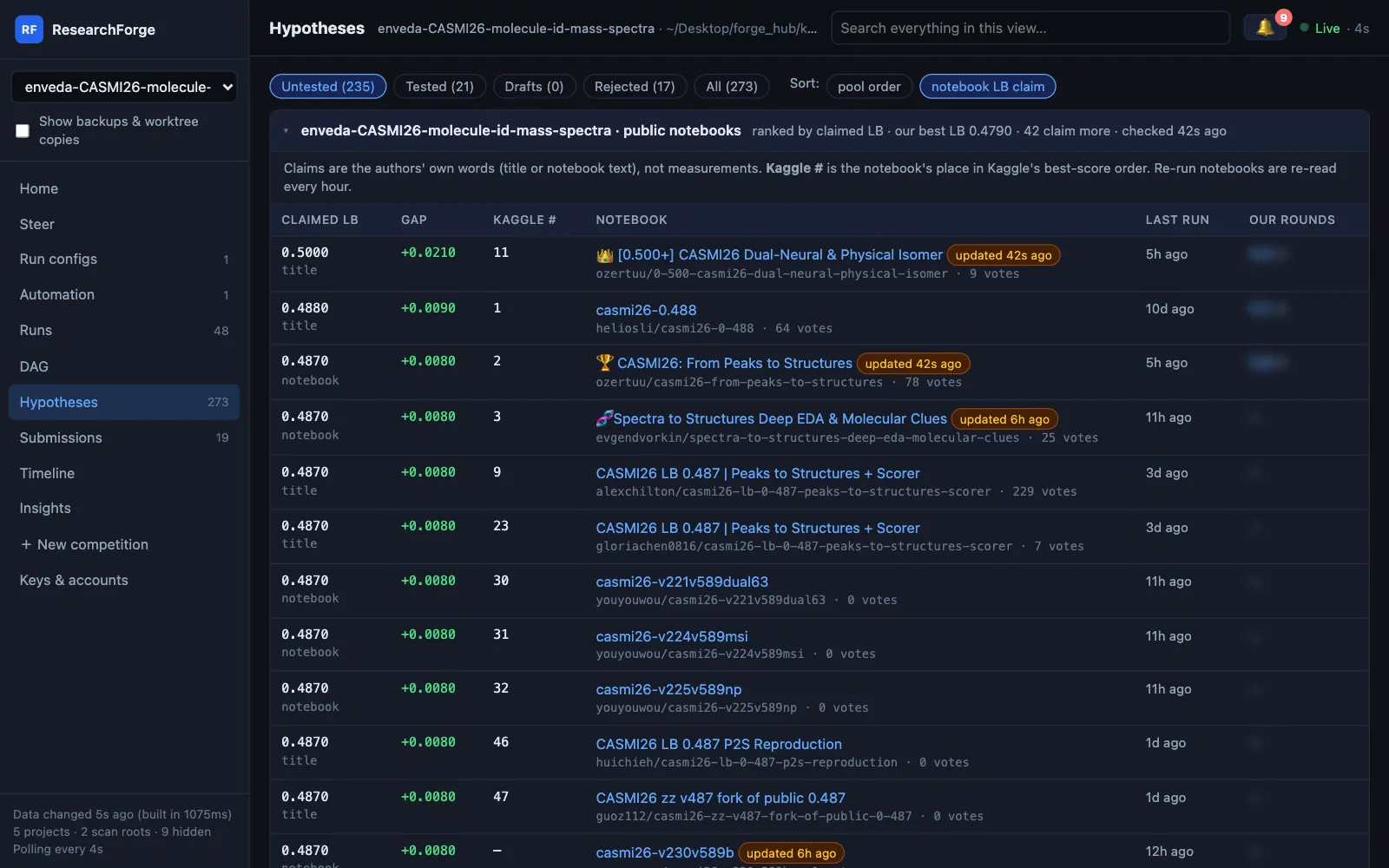
Above the pool, the public notebooks board — rebuilt every hour — lists every notebook by the leaderboard score its author claims, the gap to your best, its place in Kaggle's order, when it last ran (re-run ones are marked) and your rounds that ran it. Claims are the authors' own words, never measurements.
Submissions#
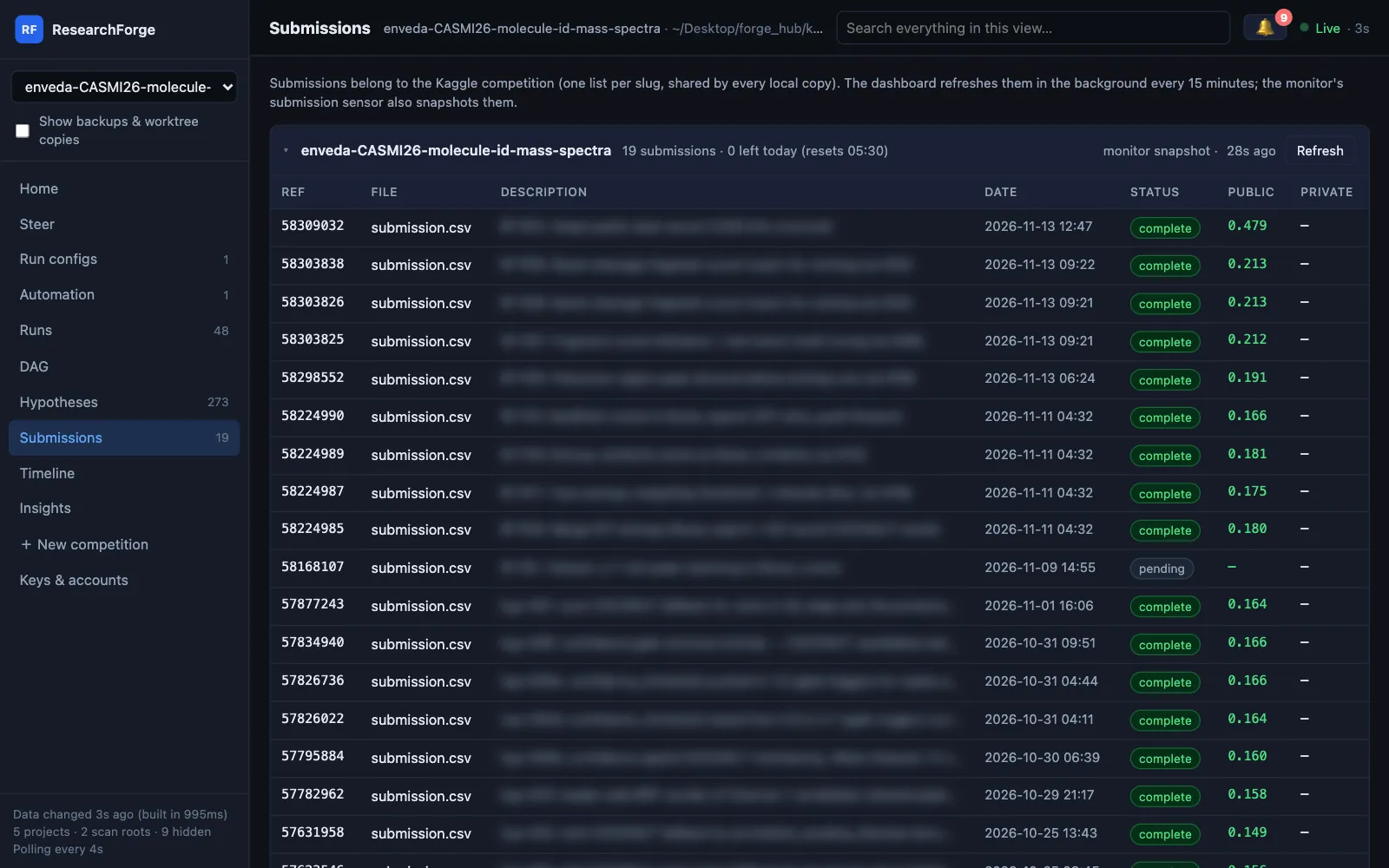
Every Kaggle submission per competition — shared by every local copy — with its file, description, date, status and public and private scores, plus how many submissions Kaggle says are left today and when they reset. It refreshes every 15 minutes, and Refresh checks now. A submission approved from the 🔔 shows up straight away.
Timeline and Insights#
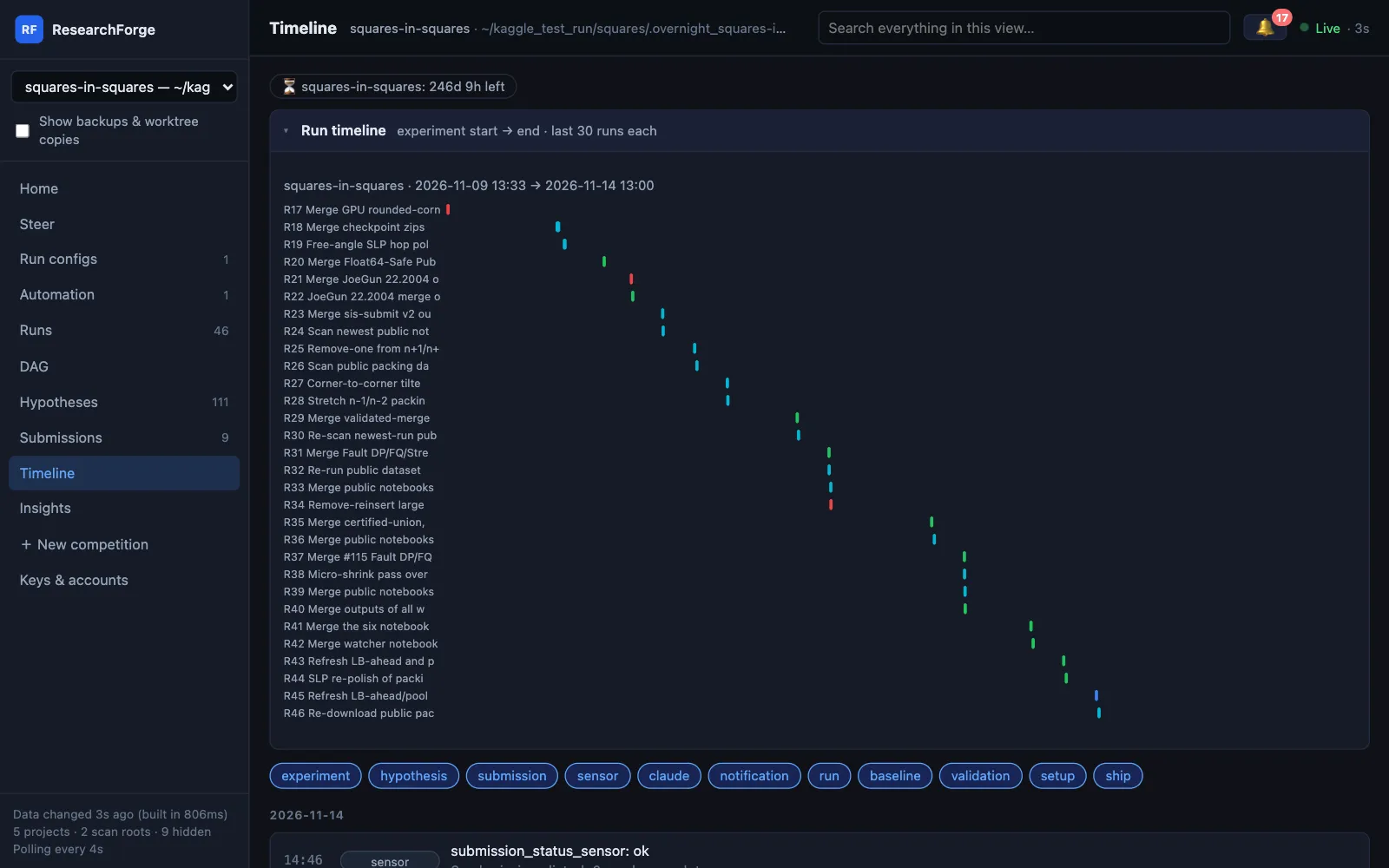
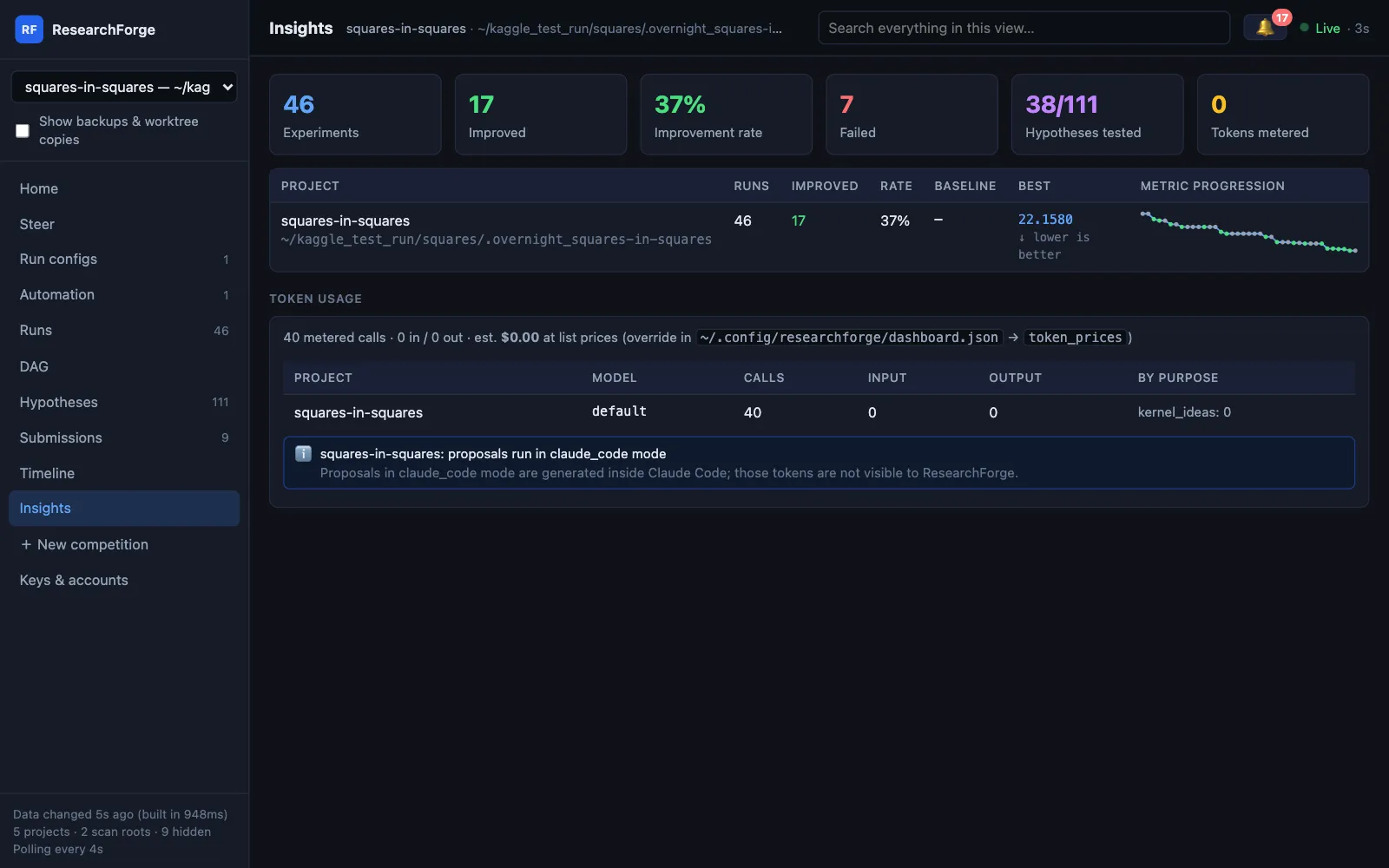
Timeline has the deadline countdown, a run gantt, and every experiment, hypothesis, submission, sensor and notification event, filterable by type. Insights has runs, improvements and improvement rate per project, the metric over time, and token use by model and purpose — with unknown prices named, not shown as zero.
Less clutter#
- Show backups & worktree copies in the sidebar shows the copies that are hidden by default.
- Projects you no longer want to see go in
hidden_rootsin~/.config/researchforge/dashboard.json; the footer counts what is hidden. - Token prices for Insights can be overridden in the same file under
token_prices.
How the loop behind these views works is in Kaggle Overnight and the research loop.