Docs · Compute
Compute: Kaggle GPU, Colab, SSH and cloud GPUs
The targets#
| Target | Set up with | Where the data lives | Status |
|---|---|---|---|
| Kaggle GPU | --gpu kaggle | On Kaggle; uses your weekly GPU quota | Used in real runs |
| Competition-provided GPU | --gpu competition | Where the competition provides it | Used in real runs |
| This machine (CUDA, Apple MPS, CPU) | --gpu local | Downloaded locally, only if the data policy allows it | Used in real runs |
| Google Colab | --gpu colab | A fresh Colab VM per round, released afterwards | Used in real runs |
| Your SSH server | --gpu ssh | On your server | Implemented and tested, not yet used on a real competition |
| RunPod or Lambda GPU | --gpu cloud | On the rented instance, terminated afterwards | Implemented and tested, not yet used on a real competition |
A code competition can only run on Kaggle GPU. An unknown target, or an SSH or cloud target that has not been set up, stops setup with a message instead of quietly falling back to another machine.
How it recommends one#
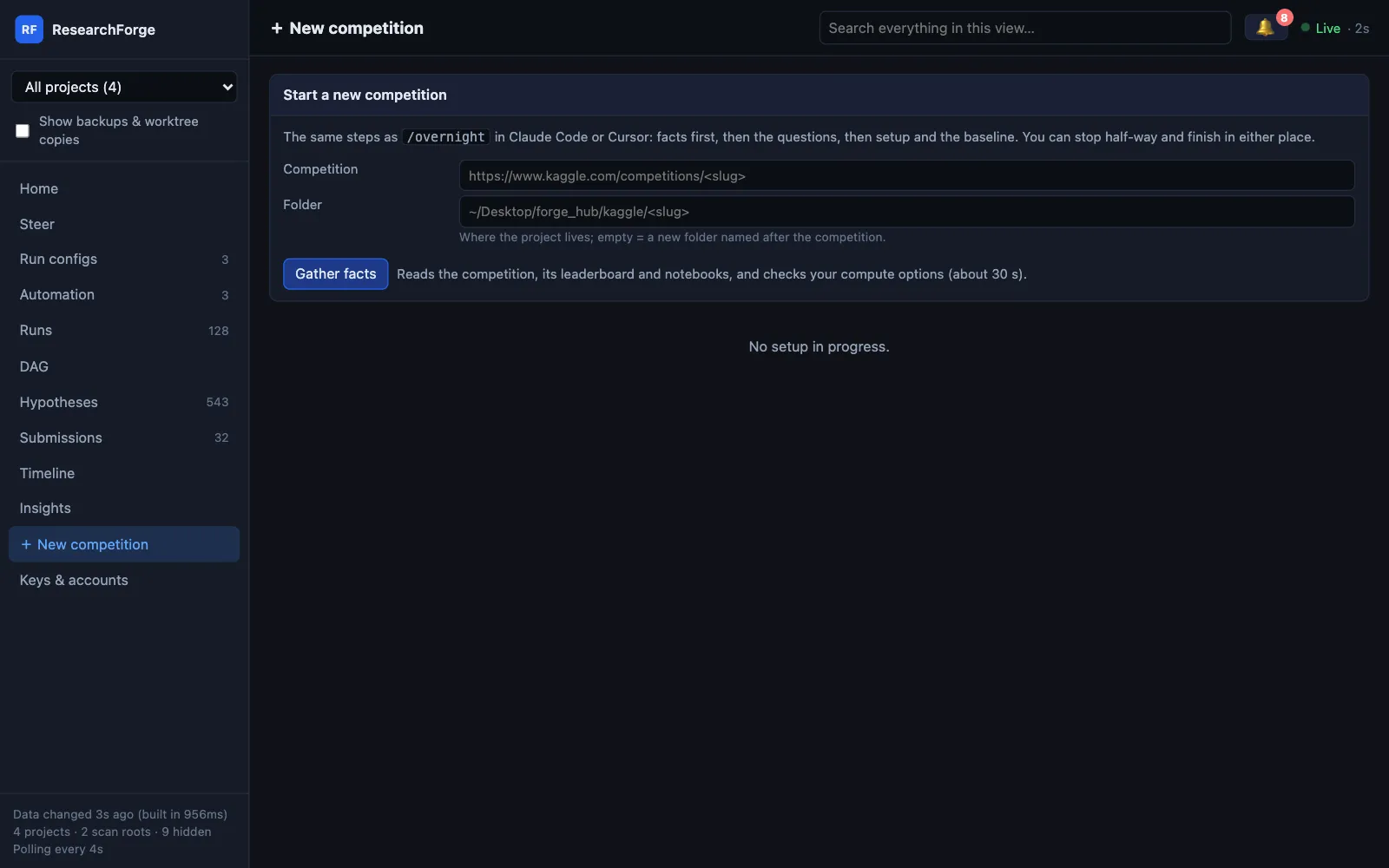
Before it asks you anything, researchforge kaggle gather-facts <slug> collects the data size, whether it is a code competition, the top public notebook, your free disk, your Kaggle GPU quota and this machine's GPU, then recommends one target and says why. The dashboard's + New competition shows every option with what it found.
Change it while it runs#
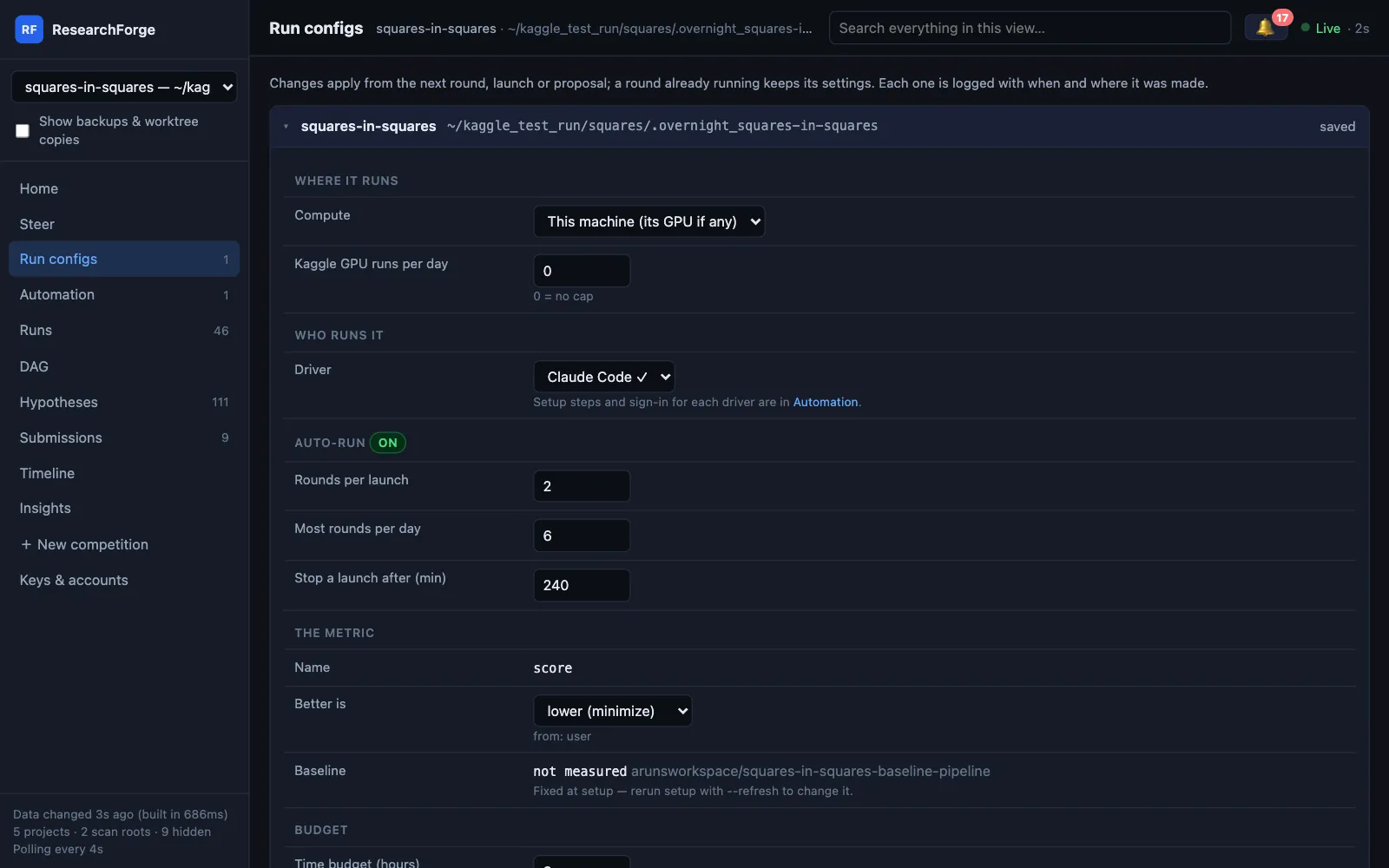
$ researchforge kaggle compute <slug> colab # local | kaggle | colab | ssh | cloud | competition$ researchforge kaggle settings <slug> --kaggle-gpu-daily-cap 3
Or in Run configs → Where it runs. A round already running keeps its target; the change applies from the next round, and it is logged with when and where it was made.
Google Colab, without clicking Run all#
Colab goes through Google's official Colab CLI. Each round rents a fresh VM with the GPU your plan allows — T4, L4, G4, A100 or H100, optionally high-RAM — downloads the competition data there with your Kaggle key, runs the round in the background, brings the output and submission file back and releases the VM.
$ researchforge kaggle colab-setup <slug> --plan pro --gpu L4 --install # plan: free | pro | pro_plus | payg$ researchforge kaggle driver-login colab # sign in, in your own terminal
- Survives a dropped connection. The round is checked every minute with short calls that renew the access token, so it no longer dies at 30 minutes with “Connection was lost”.
- Colab only means Colab. With Colab picked, a round is the whole experiment on the VM; one that pushes a Kaggle notebook is refused.
- No silent fallback. If Colab cannot assign the GPU you asked for, the round fails with that reason; without a sign-in, Colab rounds wait. Neither runs on this machine instead.
Your SSH server, RunPod or Lambda#
$ researchforge kaggle ssh-setup <slug> --host user@box --key ~/.ssh/id_ed25519 --test$ researchforge kaggle cloud-gpu-setup <slug> --provider runpod --list-gpus$ researchforge kaggle cloud-gpu-setup <slug> --provider lambda --gpu-type <type> --max-price 1.50
A cloud GPU is provisioned, used and terminated per round, and reads its provider key from the same keys file as everything else, so a background monitor can use it. Keys go on the dashboard's Keys & accounts page or in your own terminal — never in a chat.
Time limits and caps#
| Setting | What it does | Where |
|---|---|---|
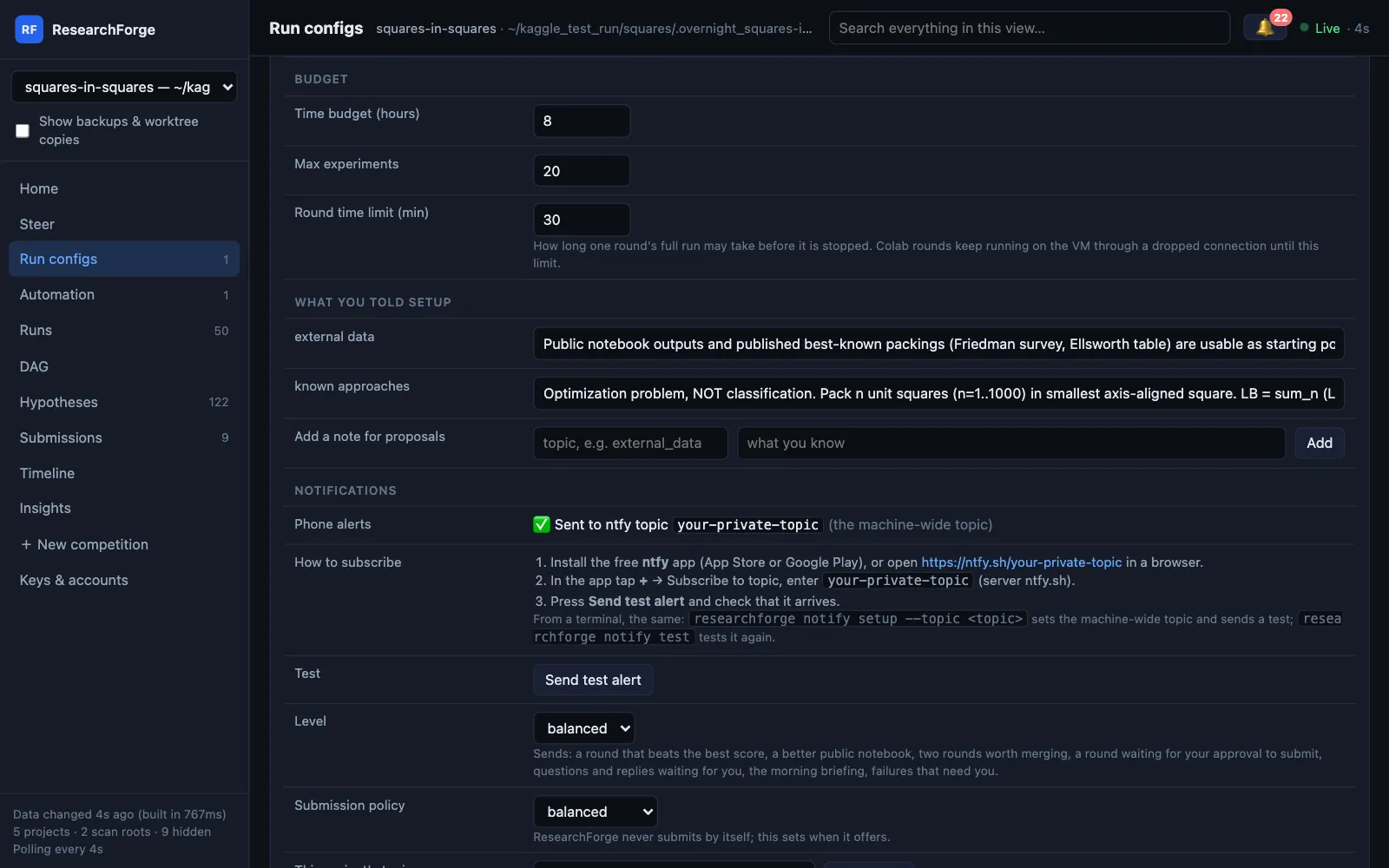
| Round time limit | How long one round’s full run may take before it is stopped; 30 minutes by default. Colab rounds keep running through a dropped connection until it. | Run configs → Budget |
| Kaggle GPU runs per day | Refuses Kaggle-GPU rounds once today’s cap is reached; 0 means no cap | --kaggle-gpu-daily-cap |
| Time budget and max experiments | How long, and how many, before the loop stops | Run configs → Budget |
| Stop a launch after | Stops an auto-run launch still running after this many minutes (240 by default) | Run configs → Auto-run |
Kaggle has no API for the remaining GPU quota, so treat the dashboard's estimate as a guide and check Kaggle's own page. More in the Kaggle Overnight docs.