Docs · Submissions & approvals
Kaggle submissions and plan approvals
How a submission happens#
- A round finishes and is better than every earlier round (or ran a public notebook that prints no local score).
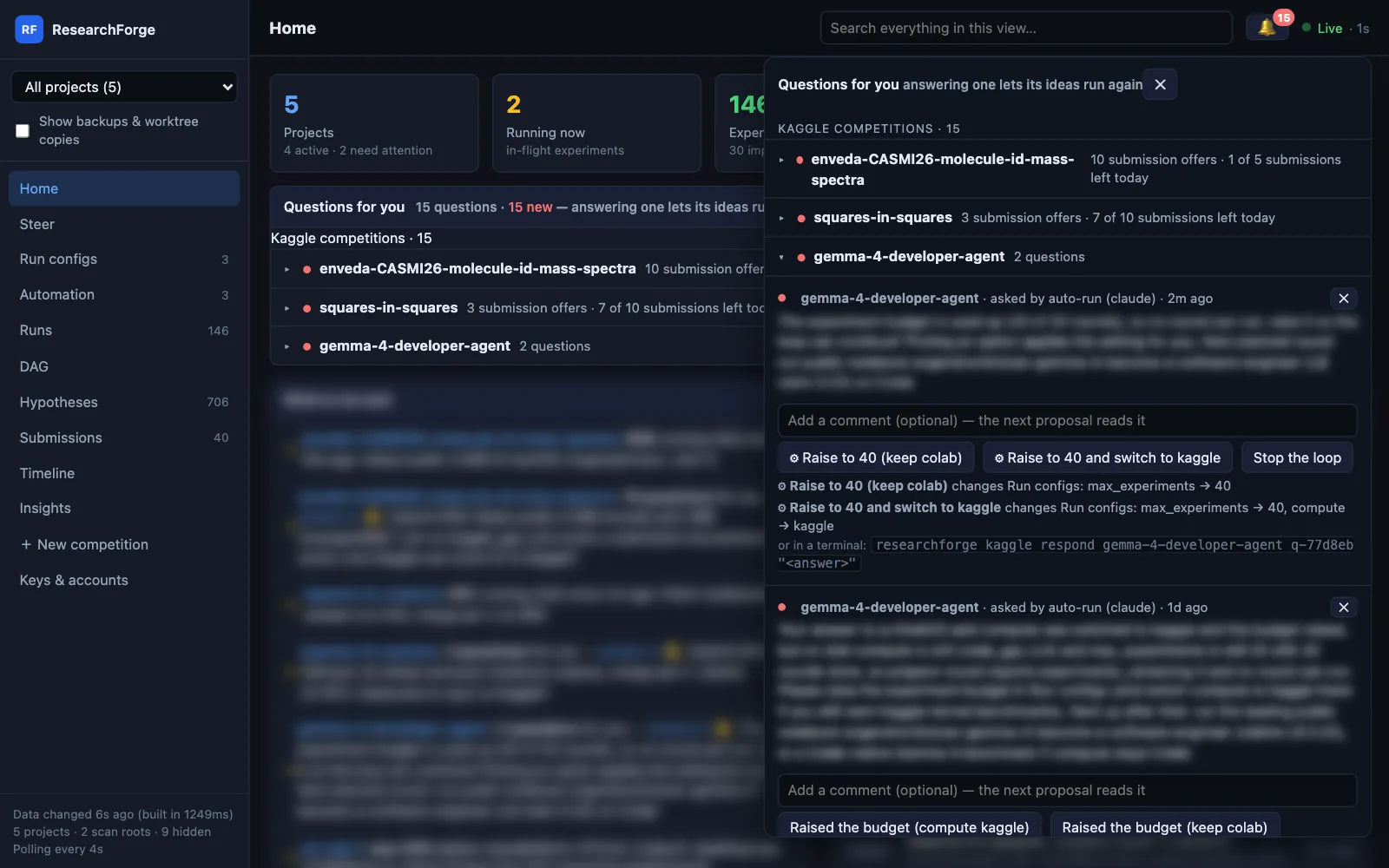
- If your submission policy allows it, the loop records a submission question for that round. It reaches your phone as an alert and the dashboard under the 🔔 and on Home.
- You answer Approve & submit or Don't submit. Only an approval sends anything to Kaggle.
- The public score comes back to the Submissions page and the round's node in the DAG.
When it offers one#
| Submission policy | Offers a submission |
|---|---|
aggressive | After any improved round, even one that left nothing to submit |
balanced | After an improved round that left something Kaggle takes — its Kaggle notebook or a submission file — wherever it ran. The default. |
conservative | Never on its own; you ask for candidates yourself |
$ researchforge kaggle settings <slug> --submission-policy balanced$ researchforge experiment submission-candidates # rank candidates by evidence, any time
The policy only changes how often you are asked. It never submits anything by itself. The same setting is in Run configs → Notifications on the dashboard.
Approve & submit#
Approving submits that round to Kaggle at once. A code competition gets the round's Kaggle notebook and version; any other competition gets the file the round wrote, which every round keeps. The same answer from a terminal:
$ researchforge kaggle respond <slug> <question-id> yes$ researchforge kaggle respond <slug> <question-id> no --comment "wait for the merge"$ researchforge kaggle respond <slug> <question-id> --dismiss # close it unanswered
What it checks first#
- Kaggle's daily limit. Every submission offer, and each competition's section under the 🔔, shows how many are left today — “7 of 10 submissions left today”. The count comes from Kaggle's reply to today's last submission or, before one, from the competition's daily limit (read once from Kaggle's API by the 15-minute submission check) minus today's submissions. With none left, an approval is refused before Kaggle is called, with the reset time (00:00 UTC), and the question stays open.
- Never twice. A round that was already submitted is refused, and one competition sends one submission at a time.
- Readable refusals. If Kaggle refuses, its reason is shown in words and the question stays open — not a bare “400 Bad Request”.
- Nothing to submit, no question. A submit question about a round that left nothing Kaggle takes is refused.
- Never unattended. An auto-run launch cannot submit or answer a submission question; the guard is in the submission code itself.
Answers that change a setting#
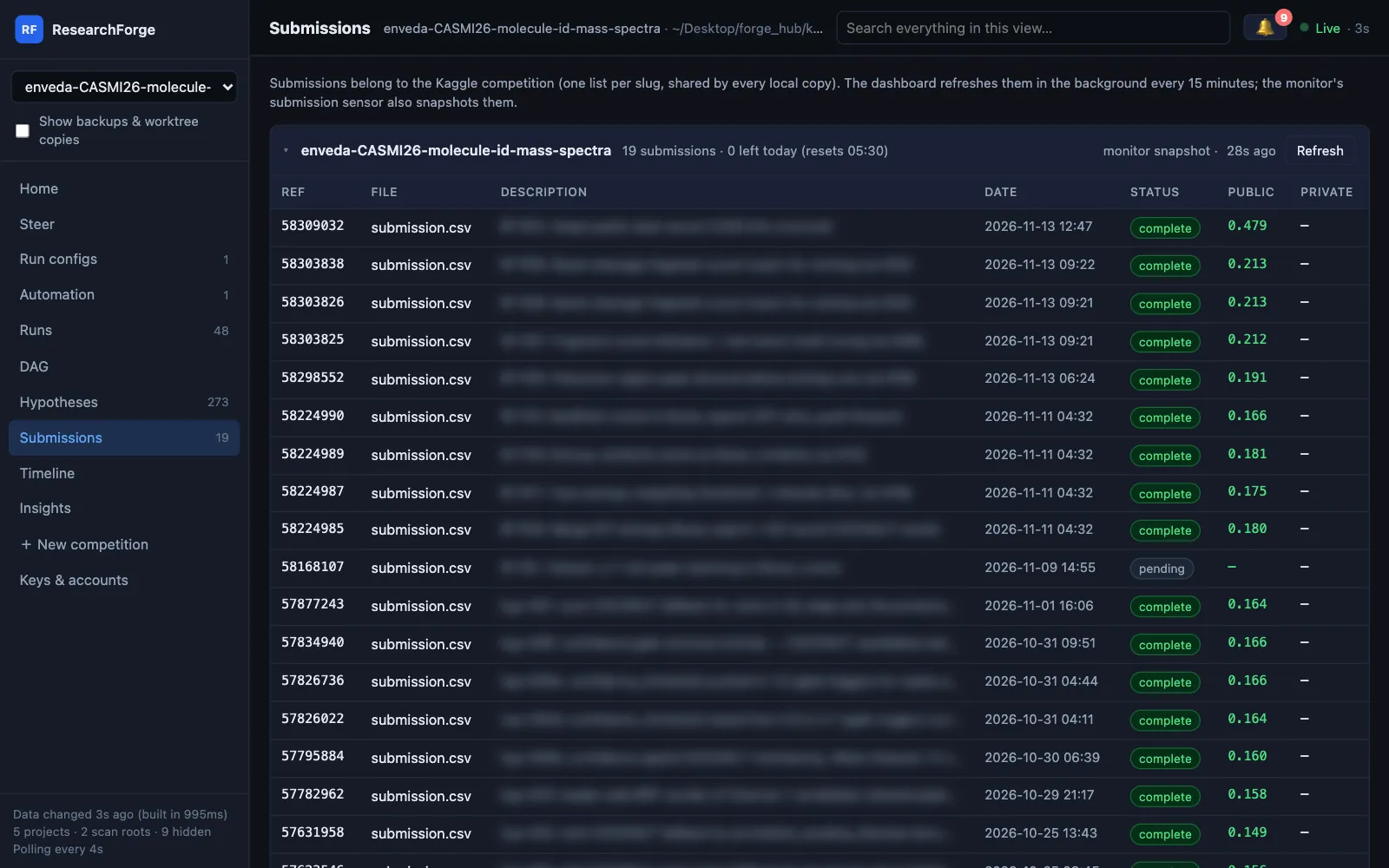
Some questions are really about a setting — “Colab has no A100 today; switch compute to Kaggle?”. The loop can tie an answer to Run configs changes, so picking it does the work instead of only recording your words:
$ researchforge kaggle ask <slug> "Colab has no A100 today. Switch?" --options "yes,no" --action "yes => compute:kaggle, max_experiments:40"$ researchforge kaggle respond <slug> <question-id> yes # applies both changes
- On the dashboard such an answer is marked ⚙, lists what it changes and asks you to confirm.
- The changes go through the same setters as Run configs and land in its change log as “answer to q-…”. A value Run configs would refuse keeps the question open, with the reason.
- Only a person can pick it: an unattended run is refused.
- An answer can change
compute,max_experiments,time_budget_hours,round_time_limit_minutes,kaggle_gpu_daily_cap,colab_plan,colab_gpu,colab_high_memandmetric_direction.
Rounds with no local score#
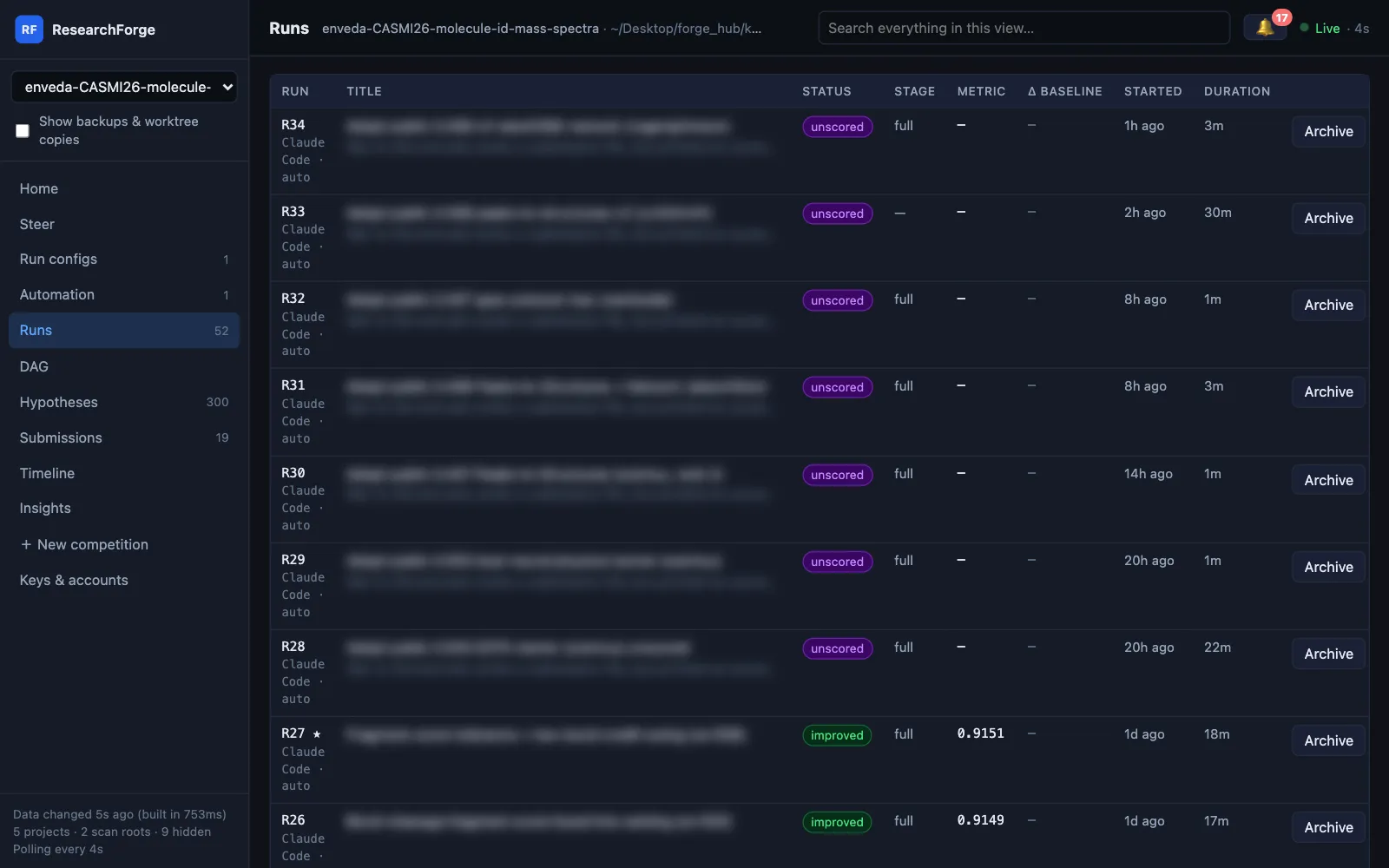
A public notebook for a hidden test set writes a submission but prints no score, so there is nothing to measure locally. Such a round is kept, marked unscored (purple in Runs and the DAG), keeps its notebook or file, and gets a submission question: Kaggle's score is the only measure of it. An agent can offer one itself with researchforge kaggle offer-submission <slug> <round> --note "…"; your yes then submits that round.
Repository projects: Approve plan#
A repository project has no Kaggle submission. Its decision is the plan: before a plan's experiments run, it waits for you. With repo auto-run on, a high-priority alert reaches your phone:
$ plan-002 waits for your approval: … (3 experiment(s)). Approve plan on the dashboard, or researchforge experiment approve plan-002.
On the dashboard, Approve plan under the 🔔 asks you to type approve, exactly like the terminal; Reject cancels the plan. To stop being asked for every plan, give a standing approval once — also typed by you:
$ researchforge experiment approve plan-002$ researchforge auto-run approval standing # type approve once; later plans run without asking$ researchforge auto-run approval ask # back to asking for every plan
Shipping a winner#
Auto-run never ships. The winning change stays an experiment until you run researchforge ship, which rebuilds it as a clean branch from the baseline with an engineering report, and can open a pull request. Shipping is a terminal command; the dashboard has no ship button. See Validate and ship.