Docs · Research loop
The research loop: from an idea or a repo metric to a validated result
Two ways in#
| Explore a research idea | Improve a repository | |
|---|---|---|
| You bring | A question | A repository and a metric |
| You get | Papers, research directions, ranked hypotheses, a cited report | A validated change on a clean branch, with a report and the full record |
| Mode | explore_research_idea | improve_repository |
The easiest start is your editor: /researchforge-start in Claude Code or @researchforge-start in Cursor asks what you want and runs the right commands. The CLI steps below are what it runs.
.researchforge/). Run researchforge paths to see every location a project uses.Explore a research idea#
Create the project
$ researchforge init --claude # or --cursor, or neither$ researchforge project create --mode explore_research_idea --objective "Distil YOLO detectors for edge devices"
Find papers
The AI writes arXiv queries from your objective. Results are deduplicated, ranked and stored.
$ researchforge research search$ researchforge research search -q "knowledge distillation YOLO" --since 2024-01-01 -c cs.CV
Map the field and form hypotheses
With an API key or local model, one command writes the landscape and the hypotheses. From the editor, the landscape and hypotheses skills do the same.
$ researchforge research synthesize$ researchforge hypotheses list
Get the report
$ researchforge report build # .researchforge/reports/research-report.md$ researchforge paper package # optional: BibTeX, related work, evidence matrix, outline
Improve a repository#
This is the order researchforge status walks you through: it always prints the next command. project create works without init.
Create the project and scan the repository
$ researchforge project create --mode improve_repository --objective "Improve F1 without exceeding 200 ms p95"$ researchforge repo scan .
Ground it in research
Papers first, then the landscape and hypotheses the experiments will test, then a short report.
$ researchforge research search$ researchforge research synthesize # or the landscape and hypotheses skills from your editor$ researchforge report build
Write, check and approve the contract
Edit the draft (especially execution.full_command), then validate and approve it. The approval is typed, and the approved version cannot change.
$ researchforge contract generate # drafts researchforge.yaml from the project and the scan$ researchforge contract validate$ researchforge contract approve
Freeze the baseline
Measured in a detached worktree before anything changes. On a noisy benchmark, freeze the mean of several runs.
$ researchforge baseline run --n-runs 3
Run experiments and read the results
$ researchforge autorun --target 0.85 --max-hours 8 # round after round — see autorun below$ researchforge results show
Or one plan at a time:
$ researchforge experiment plan hyp-001 --synthesize # or let your editor write the plan and patches$ researchforge experiment approve plan-001 # or Approve plan in the dashboard's 🔔 — also typed$ researchforge experiment run plan-001 # screening, then the full benchmark, one at a time$ researchforge results show run-001
The contract#
researchforge.yaml fixes the rules before anything runs: the metric and its direction, hard limits, what the AI may edit and what it may not, and the commands that measure a change.
version: 1
project:
  name: simple-python
  mode: improve_repository
objective:
  description: "Improve sentiment classification F1 without exceeding the latency budget"
  primary_metric:
    name: f1
    direction: maximize
  hard_constraints:
    - name: p95_latency_ms
      operator: "<="
      value: 200
repository:
  baseline_ref: main
execution:
  screening_command: "python benchmarks/evaluate.py --quick"
  full_command: "python benchmarks/evaluate.py"
  result_file: artifacts/results.json
  timeout_minutes: 5
  max_experiments: 6
permissions:
  editable_paths: [src/]
  protected_paths: [benchmarks/]
network:
  mode: none
validation:
  repeat_finalists: 2
shipping:
  allow_branch_creation: true
allow_draft_pr: false- hard_constraints fail a change automatically, whatever its main metric.
- protected_paths are never edited. A patch that touches one is recorded as rejected and never runs.
- screening_command is a quick check: only changes that pass it get the full benchmark.
- network.mode: none blocks outbound connections inside Docker-mode experiments (venv mode does not isolate the network).
How results are measured#
ResearchForge does not read your logs. Your benchmark script writes one file, and that file is the result. Write the script once, in a protected path, so no experiment can change how it is scored.
{
  "schema_version": 1,
  "primary_metric": { "name": "f1", "value": 0.83 },
  "secondary_metrics": { "p95_latency_ms": 72.0 }
}
autorun, overnight#
autorun is the autoresearch loop: it repeats plan → run → record → resynthesize, building on winners and merging independent ones. You approve the contract and the first batch; --yes skips only the round-1 prompt. Every later round runs unattended.
$ researchforge autorun --target 0.85 --max-hours 8 --yes$ researchforge autorun --resume # continue after Ctrl-C, same budget and stall counter$ researchforge autorun --dry-run --json # the next move it would make — nothing runs, no AI call
| It stops when | Flag |
|---|---|
| The target is reached | --target |
| Time runs out | --max-hours |
| A number of rounds is reached | --max-rounds |
| A branch stops improving / the whole search stops improving | --stall / --global-stall |
When the local metric is only a signal — as on Kaggle — --no-metric-gate records every result instead of rejecting, --kaggle also tags how far each local number can be trusted, and --judgment asks you per experiment.
Unattended auto-run for a repository#
researchforge autorun stops when you close the terminal. researchforge auto-run keeps the loop going with nothing open, the way a competition's auto-run does: a background monitor starts launches, and each launch runs the plans you approved, then rounds of the real engine — choose a node, plan, run in worktrees, measure, merge winners, re-synthesize.
$ researchforge auto-run settings --on --driver claude # or cursor, or byok (see below)$ researchforge auto-run service # background monitor: launchd, systemd timer or Task Scheduler$ researchforge auto-run status # checks, the last launch, plans waiting, the service$ researchforge auto-run start | stop | pause | resume
BYOK (bring your own key) means the terminal calls Anthropic, Gemini or OpenAI directly, or a local Ollama model (RESEARCHFORGE_LLM=ollama/<model>). It is independent of any Claude Code or Cursor setup.
- Launches. Every 15 minutes (
--poll-minutes) the monitor starts a launch when its checks pass, up to--rounds-per-launchrounds,--daily-maxa day, and stops one that runs past--max-minutes. - Drivers only write text. Claude Code and Cursor run through their command-line tools with every tool switched off, and
byokuses an API key. Patches, imports and runs stay with the engine. Keys come from the dashboard's Keys & accounts page orkaggle driver-login. - Approval stays yours. Every plan waits for Approve plan in the 🔔, with a phone alert.
auto-run approval standingmakes you typeapproveonce, and plans then run without asking;auto-run approval asktakes it back. An unattended run can never give that approval, approve a plan or ship. - Checks before each launch: auto-run is on, the contract and baseline exist, the loop isn't paused, no question holds it, no launch is running, no plan waits for you, the driver's usage limit hasn't been hit, today's rounds are under the cap and the target isn't reached.
- Also on: a daily arXiv check on the objective that the next re-synthesis draws on, a daily summary at
--briefing-at, and--ntfy-topicfor the project's own alerts.
The dashboard's Automation → Repo projects card has all of it: the service switch, Run monitor once, driver, auto-run and its limits, Start now / Stop, Pause, the approval mode, the topic and each check's last result.
execution.mode; Colab and cloud GPUs are for competition rounds only.More on each piece: Drivers (who runs the launches and their limits), Notifications (the plan alert and the daily summary) and Approve plan.
Validate and ship#
$ researchforge validate run-001 --n 5 --stdev-max 0.01 # a winner whose repeats swing too much is refused$ researchforge ship branch exp-007 # a clean local branch on the baseline (never pushed)$ researchforge report build # engineering report$ researchforge ship pr exp-007 # opt-in: push that branch and open a DRAFT PR
From Claude Code or Cursor#
Each step has a skill. In Claude Code they are slash commands (/researchforge:… from the plugin); in Cursor, the same names as rules (@researchforge-start). No API key: your editor's AI does the thinking.
| Skill | Use it to |
|---|---|
/researchforge-start | Start or resume a project; it reads the state and names the next step |
/researchforge-papers | Search arXiv for relevant papers |
/researchforge-landscape | Group the papers into research directions |
/researchforge-hypotheses | Turn the landscape into testable hypotheses |
/researchforge-baseline | Set up the contract and measure the baseline |
/researchforge-plan | Write experiment variants for a hypothesis |
/researchforge-run | Run approved experiments |
/researchforge-autorun | Drive the loop round after round |
/researchforge-results | Summarise results from the record |
/researchforge-validate | Repeat-validate the winners |
/researchforge-ship | Ship as a clean branch and optional PR |
/researchforge-paper | Build a research bundle with citations |
/researchforge-doctor | Check dependencies |
Dashboard and cost#
$ researchforge dashboard --open
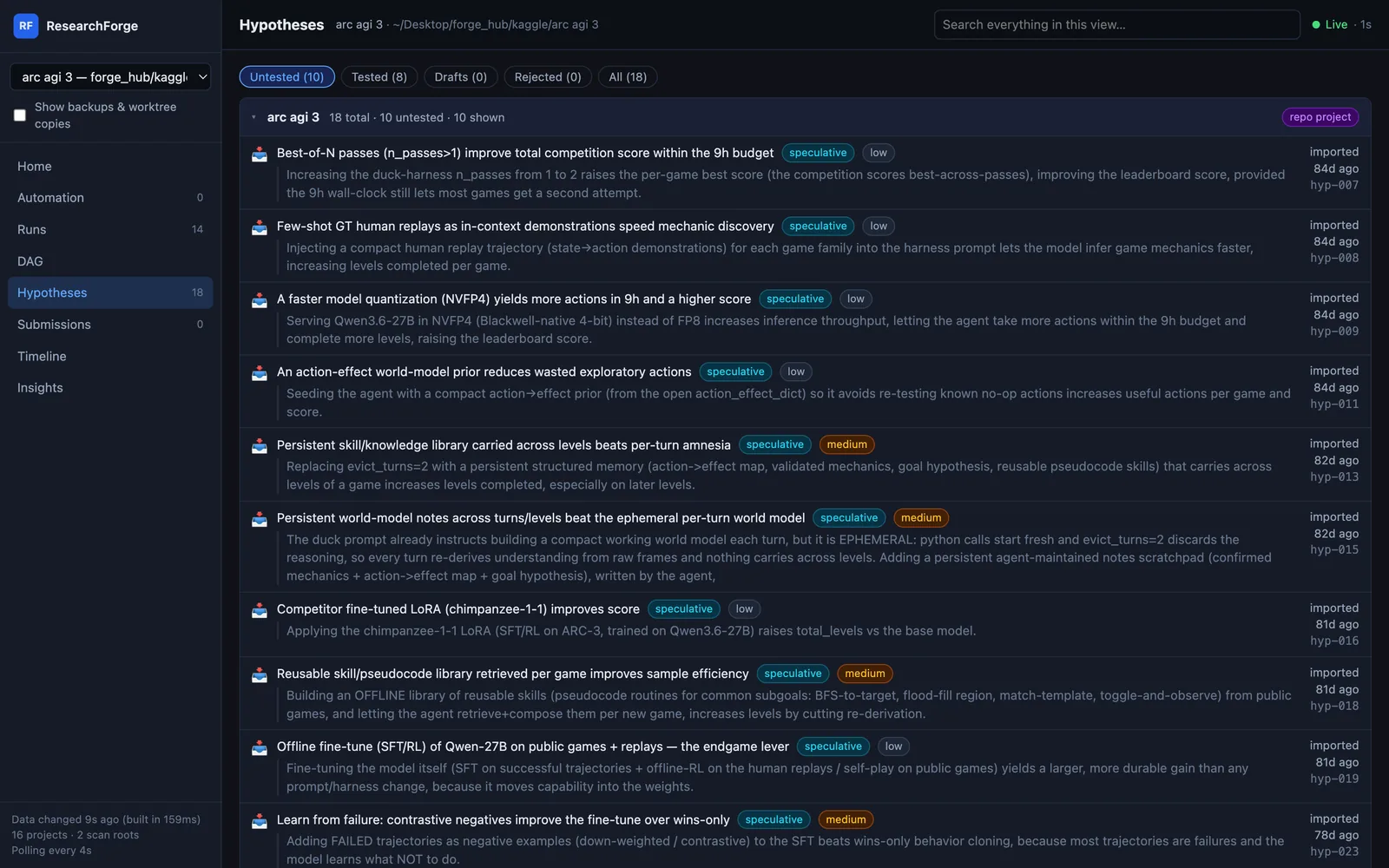
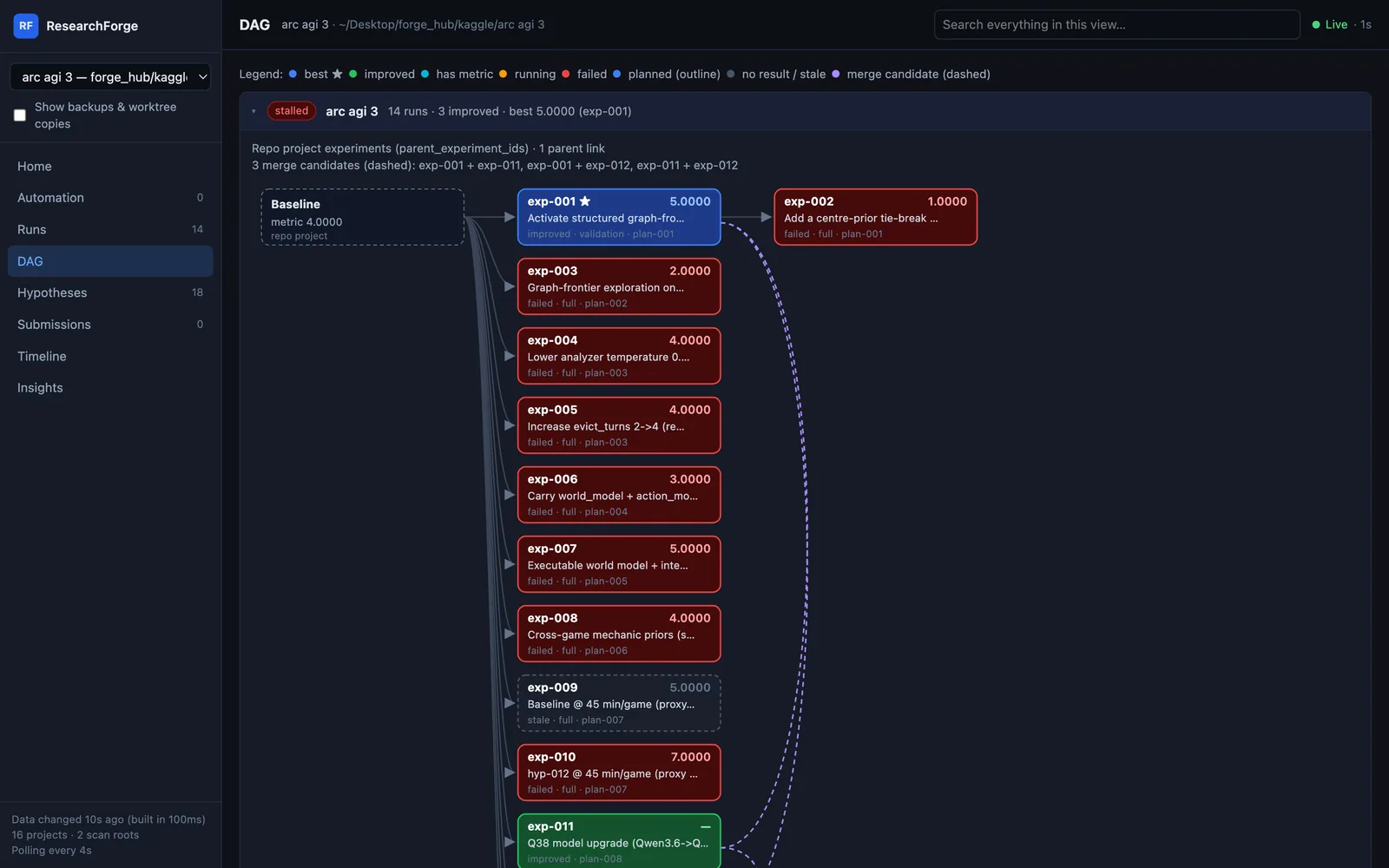
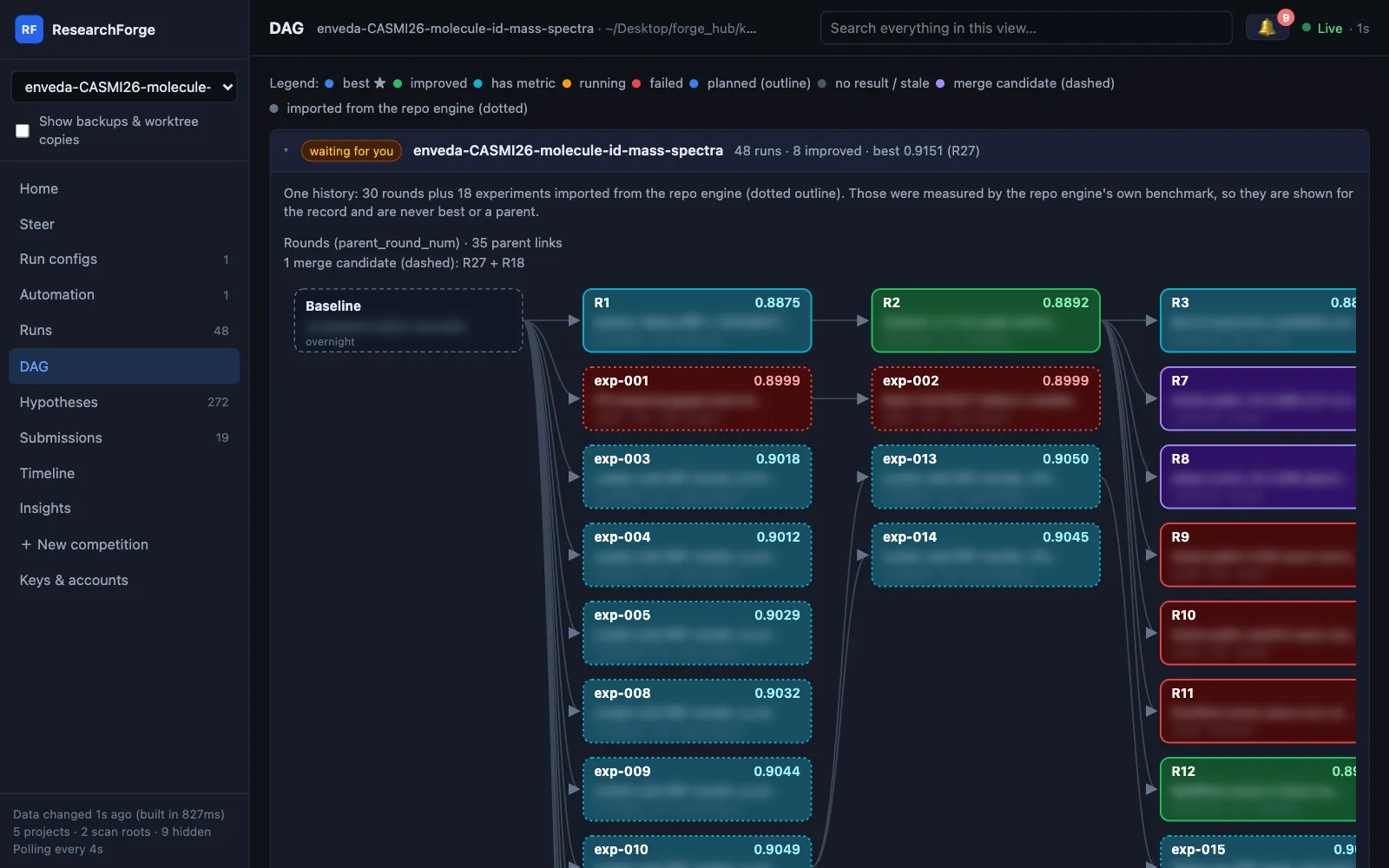
The same local dashboard as Kaggle Overnight shows the experiment tree, the hypotheses and what the run cost: compute by stage and by how each experiment ended, and tokens per model and purpose. Models without a known price are named rather than shown as free; local models count as zero.
Plans waiting for approval show under the 🔔 in the dashboard header and at the top of Home. Approve plan asks you to type approve, exactly as in a terminal; unattended runs never approve plans. A repository project beside a Kaggle competition gets no plan approvals: its finished experiments are merged into the competition's history.
Every view is described in the dashboard docs.