Docs · Kaggle Overnight
Kaggle Overnight: improve a Kaggle score while you sleep
Before you start#
- Install ResearchForge and your editor's skills — see Install.
- Put your Kaggle API token in
~/.kaggle/kaggle.json(Kaggle → Settings → Create New Token), or exportKAGGLE_USERNAMEandKAGGLE_KEY. It is checked with a read-only call and never logged. You can also paste it on the dashboard's Keys & accounts page. - Join the competition on kaggle.com and accept its rules — the Kaggle API cannot do that for you.
The full loop#
This is one real run on Enveda CASMI 2026 (identifying molecules from mass spectra), driven from Claude Code. Every excerpt is the actual output, shortened.
Once
- 1Competition URL
- 2Gather facts
- 3Setup questions
- 4Baseline
Every round
↻ every 5 rounds: resynthesize · merge winners · refresh ideas
sensors feed new ideas in between
At the end
Start it
In Claude Code or Cursor, give it the competition URL:
› /overnight https://www.kaggle.com/competitions/enveda-CASMI26-molecule-id-mass-spectra# Cursor: @overnight <competition-url> Plugin: /researchforge:overnight <competition-url>
Running it again on a project that is already set up resumes it — status, untested ideas, open questions and the next command — instead of redoing setup. --refresh starts over.
Or start from the dashboard: + New competition takes the URL and asks the same questions as a form — see Set up from the dashboard.
It gathers the facts first
Before asking you anything, it reads the competition, the top public notebooks and your machine, and works out where experiments can run. This is researchforge kaggle gather-facts:
{
  "slug": "enveda-CASMI26-molecule-id-mass-spectra",
  "metric_direction": "maximize",
  "is_code_competition": false,
  "internet_allowed_in_kernels": true,
  "data_size_gb": 3.0,
  "top_kernel": { "title": "LB [0.468] balanced acquisition evidence", "lb_score": 0.468 },
  "local":      { "viable": true, "reason": "Data fits locally (3 GB, 115 GB free). Apple Silicon GPU available." },
  "kaggle_gpu": { "viable": true, "reason": "Kaggle free GPU available (~30h/week quota). Data stays on Kaggle's servers.",
                  "quota_hours_remaining": 30.0 },
  "colab":      { "viable": true, "reason": "Free T4/A100. You open a generated notebook and click Run All." },
  "recommended_compute": "local",
  "recommended_reason": "Local Apple Silicon GPU available and data fits (3.0 GB)."
}
Which way the metric goes is read from the leaderboard's order, and the source is recorded: the leaderboard, the evaluation text, the metric name, or a flagged guess. Lower-is-better competitions are tracked correctly everywhere. If it is wrong: researchforge kaggle settings <slug> --metric-direction minimize.
You answer a few setup questions
It shows a short summary, then asks only what it cannot work out itself: where to run (here it recommended local, we chose Kaggle GPU), how many hours, which background sensors to turn on, where to send notifications, and anything you already know about the problem. The compute question always lists every option — this machine, your Kaggle GPU quota, Colab, an SSH server, a paid cloud GPU — and an unknown or unconfigured target stops setup instead of running somewhere else. It also offers auto-run and turns it on only if you say yes. What you know becomes context for every proposal. In this run we wrote down what we had already submitted by hand and one direction not to repeat:
"known_approaches": "Entropy-weighted spectral library search … with a COCONUT 2.0 exact-mass fallback
  … currently scores real LB 0.136 (library search alone) and LB 0.156 (with the fallback).
  A test that reranked fallback candidates … REGRESSED to 0.149 -- do not repeat that direction."
It sets up the baseline
Setup records the competition, your answers, the compute and a starting notebook in .overnight_<slug>/overnight_setup.json. Every later round is compared with the best result so far.
Each round: propose → run → measure → keep or reject
prepare-round hands the AI the state of the experiment tree, the ranked ideas and a recommended next move:
{
  "round_num": 6,
  "experiments_remaining": 15,
  "resynthesize_due": true,
  "dag_state": { "total_rounds": 5, "improved": 1, "failed": 4, "best_round_num": 5, "best_metric": 0.8994 },
  "merge_opportunity": null,
  "recommended_next": "Widen the COCONUT exact-mass fallback window from 20ppm to a two-tier schedule (20ppm, then 100ppm …)"
}
The AI writes one proposal — code plus its reasoning — building on a parent round. Here it builds on round 5, the only one that had worked:
{
  "title": "COCONUT fallback: two-tier ppm window (20, then 100)",
  "description": "Builds on round 5 (library search + COCONUT exact-mass fallback, LB 0.156). Widens the fallback's mass window …",
  "code_changes": "<the full Python for this round, left out here>",
  "rationale": "Pure recall widening, no reranking -- directly follows the community gap-analysis finding.",
  "expected_impact": "Unknown on the real leaderboard. Local proxy expected to stay ~0.90.",
  "parent_round_num": 5,
  "branch_tag": "features"
}
execute-round runs it on the chosen compute (a Kaggle GPU kernel in this run), measures it and records the outcome — kept, or rejected with the reason. The record so far:
round parent branch result1 — baseline no result — kernel status polled under the wrong ref2 — baseline no result — same polling bug3 1 features no result — kernel title/slug mismatch4 1 features no result — same polling bug5 1 features 0.8994 kept (library search + COCONUT fallback)6 5 features 0.8994 kept (two-tier ppm window)
Every five rounds: step back
The loop re-reads everything so far, writes down what it learned and refreshes the idea pool. Branches that both improved become a merge candidate and are tried first.
$ researchforge kaggle resynthesize enveda-CASMI26-molecule-id-mass-spectrarounds analyzed 5 · improved 1 · best 0.8994what we learned:• Rounds 1–4 failed on infrastructure, not the idea: every status pollreturned "Cannot access kernel". Once fixed, the same logic ran in ~2 min.• The local proxy (~0.90 for every variant) cannot tell these variantsapart. Real validation needs a leaderboard submission.
In the morning: the report
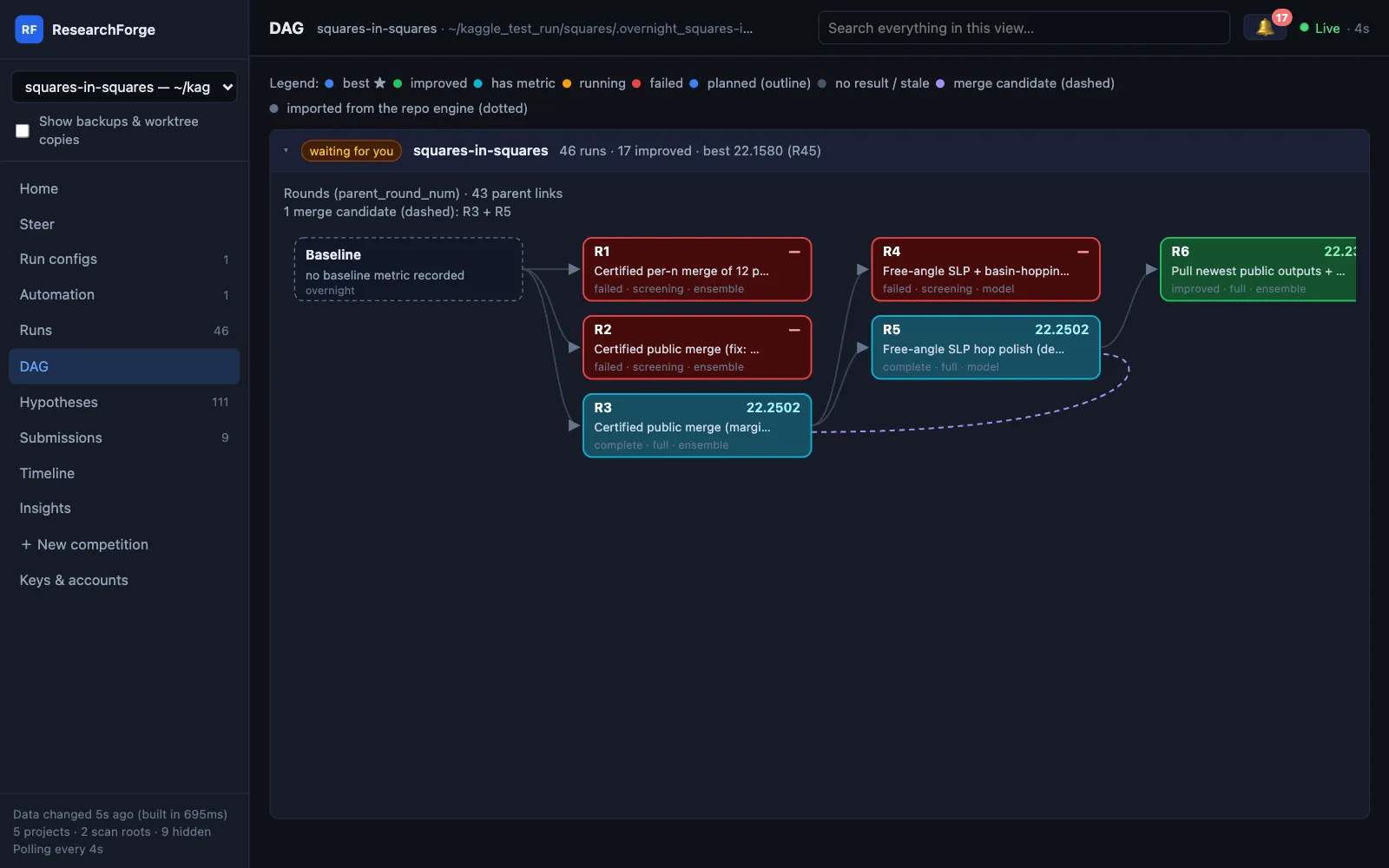
When the time or experiment budget runs out, researchforge kaggle finish <slug> writes the summary (rounds tried, rounds improved, best score) and sends it to your phone. The dashboard shows the whole tree.
You decide what to submit
Nothing is ever submitted for you. With the default balanced policy, every improved round that left something Kaggle takes — its Kaggle notebook, or a submission file from a local or Colab run — raises a submission question in the 🔔 and on your phone, with Approve & submit and Don't submit. Approving submits that round at once: a code competition gets the round's notebook and version, any other competition the file the round wrote.
- Each approval shows how many submissions Kaggle says are left today. Once they are used up, an approval is refused with the reset time (00:00 UTC) and the question stays open.
- A round is never submitted twice, and one competition sends one submission at a time. If Kaggle refuses anyway, its reason is shown in words instead of a bare “400 Bad Request”.
- A round that ran but printed no score — a public notebook for a hidden test set — is kept as unscored and offered the same way, since only Kaggle can score it.
- A Kaggle kernel still running when a round stops waiting is collected when it finishes, and offered if it improved.
$ researchforge kaggle respond <slug> <id> yes # approve from a terminal$ researchforge kaggle offer-submission <slug> 21 --note "notebook claims 0.49" # how an agent offers a round$ researchforge experiment submission-candidates # candidates ranked by evidence
Steer a running loop#
You can change course without stopping it. A round already running finishes; the change applies from the next one.
| Command | What it does |
|---|---|
kaggle status <slug> | State, compute, best round, rounds done, untested ideas, settings |
kaggle pause <slug> | No new rounds start. Sensors keep running. |
kaggle resume <slug> | Carry on from where it paused |
kaggle add-hypothesis <slug> "idea" | Your idea goes to the front of the queue |
kaggle respond <slug> <question-id> "answer" | Answer a question the loop asked. Only the ideas it names wait; --dismiss closes it unanswered. |
kaggle compute <slug> <target> | Switch compute. Refuses targets the data policy forbids. |
kaggle settings <slug> … | --notify-level, --submission-policy, --kaggle-gpu-daily-cap, --metric-direction |
kaggle driver <slug> <driver> | Switch who runs unattended rounds and the sensors’ AI work: claude, cursor or byok |
kaggle archive <slug> R7 | Hide a round from every view; never a parent, never best. --restore brings it back. |
kaggle pull-kernel <slug> <owner/notebook> | Download a public notebook into reference_kernels/ to read or port from |
kaggle propose-from-kernel <slug> <owner/notebook> --title … | Turn a public notebook into this round’s proposal; execute-round runs it on the chosen compute |
kaggle steer <slug> "direction" [--standing] | Tell the proposer what to try or avoid, for the next round or every round |
kaggle skip-idea <slug> "idea" --reason … | Take an idea out of the ranking; it stays listed as skipped, with the reason |
Steer with directions
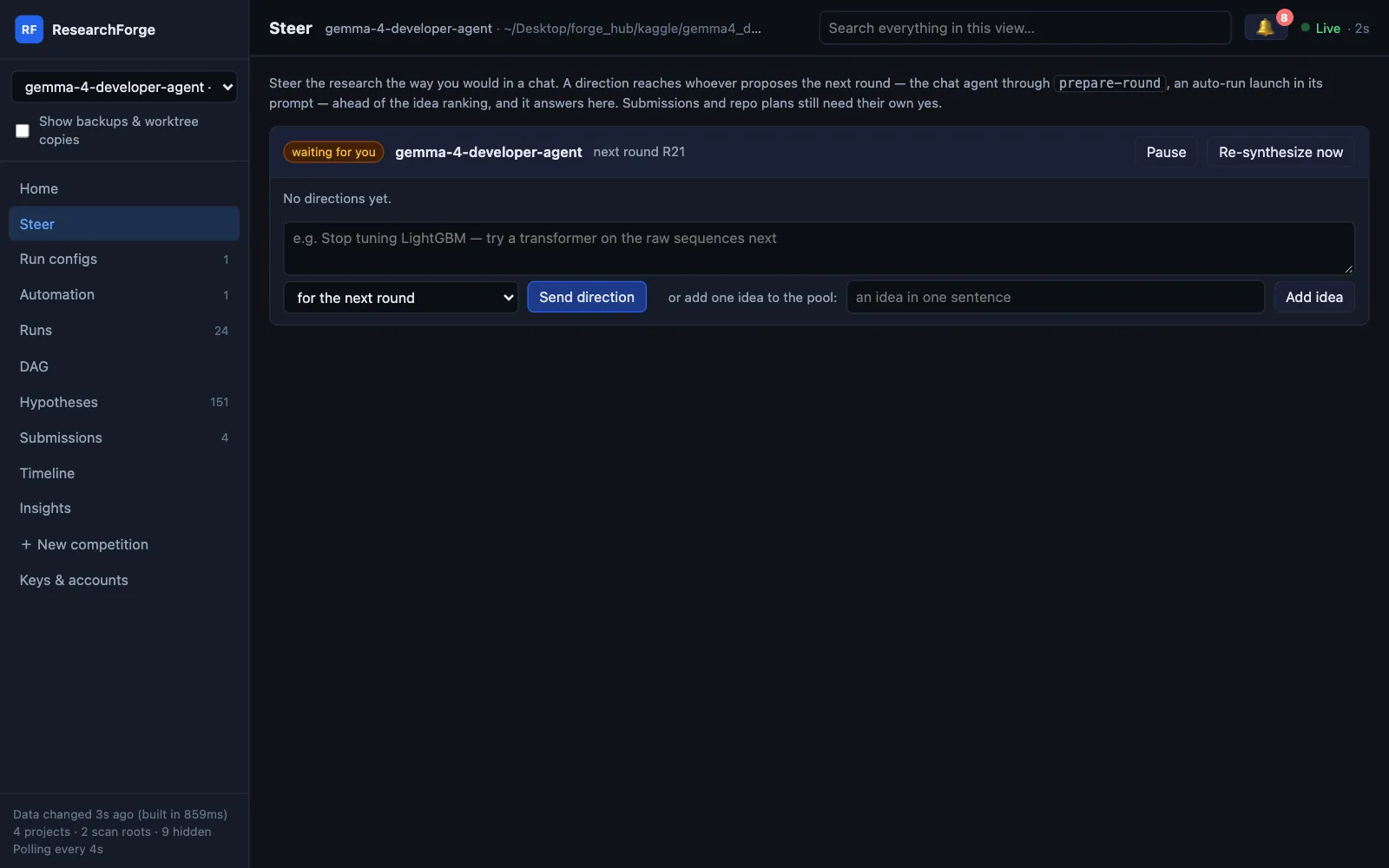
Tell the loop what to do the way you would in a chat — “stop tuning LightGBM, try a transformer next” — for the next round, or with --standing for every round until you remove it. A direction reaches whoever proposes the next round, ahead of the idea ranking, and the proposer answers it (“R18 tries ViT-B/16 on the raw spectra”). The dashboard's Steer page does the same and also pauses, resumes, re-synthesizes and adds ideas. A direction can never approve a submission or a plan.
$ researchforge kaggle steer <slug> "stop tuning LightGBM — try a transformer next" --standing$ researchforge kaggle steer <slug> # list directions and replies$ researchforge kaggle steer <slug> --remove <id>$ researchforge kaggle steer <slug> --reply <id> "R18 tries ViT-B/16" # how the proposer answers a direction
Deleting a round for good is a separate, confirmed command, kaggle delete-round, that unattended runs may not use.
From Claude Code the same verbs work as /overnight status, /overnight pause and so on.
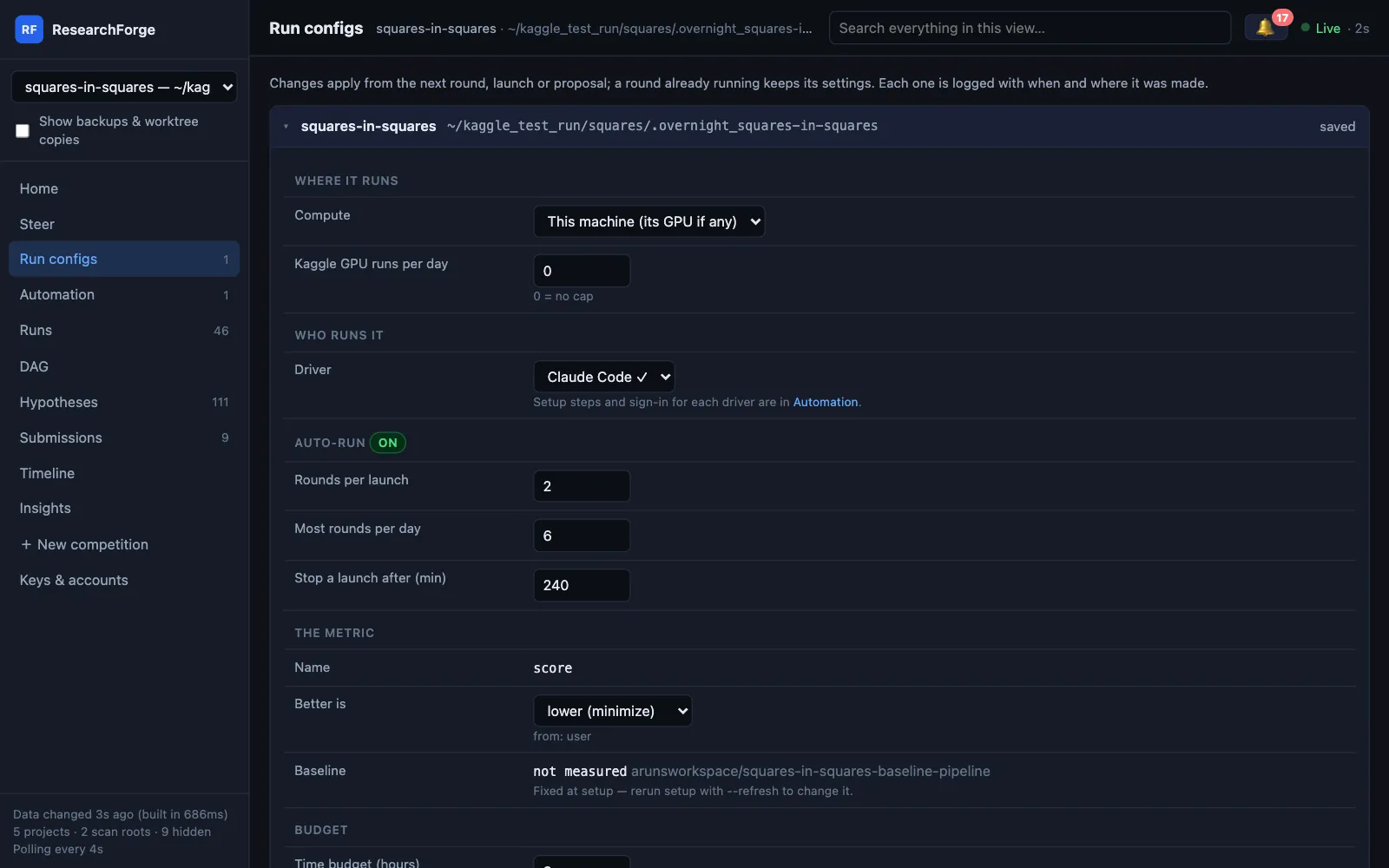
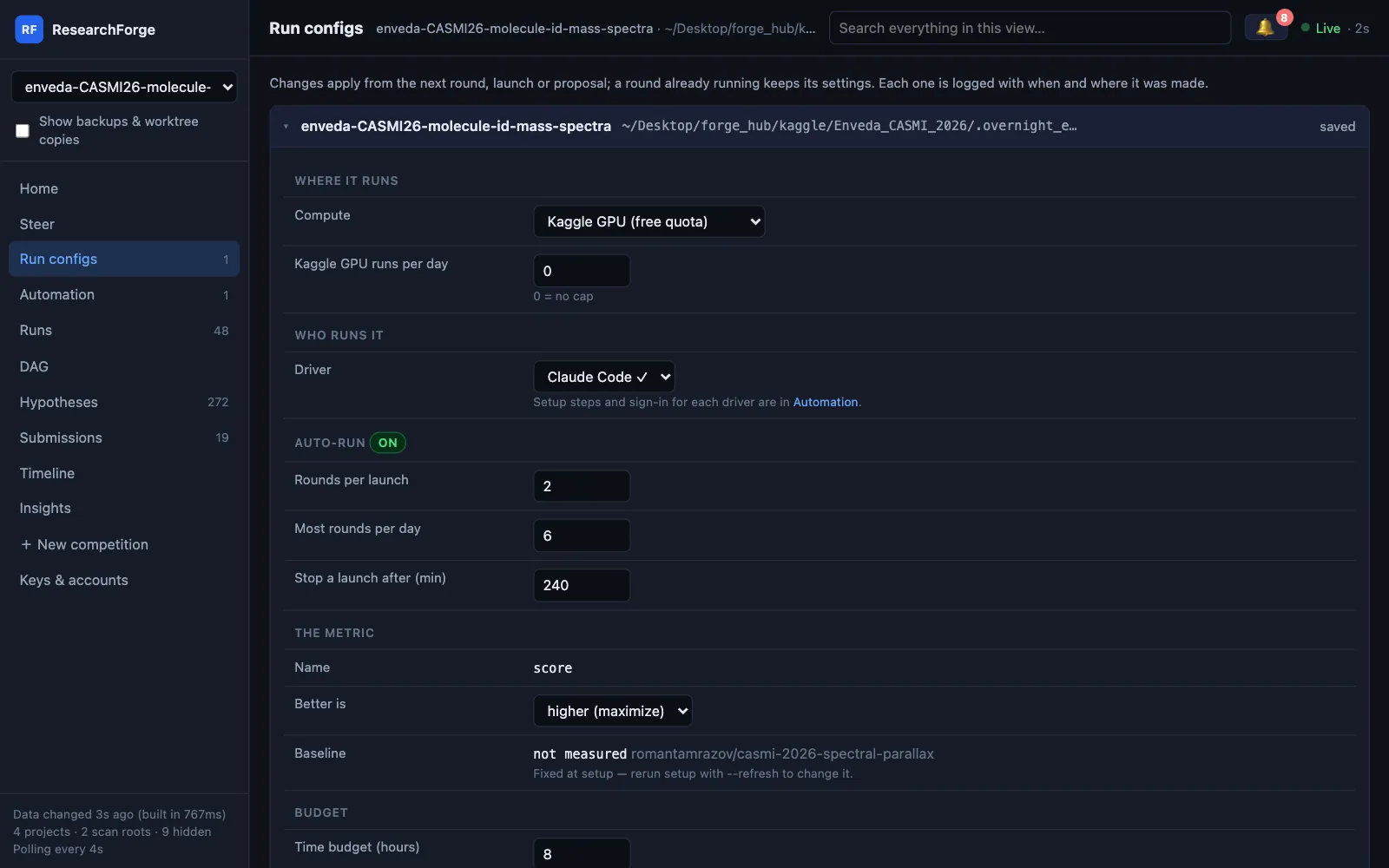
Every setting — compute, the Kaggle GPU cap, driver, auto-run limits, metric direction, budgets, the round time limit, your setup answers and notifications — can also be changed in the dashboard's Run configs, with a change log.
Compute targets#
| Target | Set up with | Where the data lives | Status |
|---|---|---|---|
| Kaggle GPU | --gpu kaggle | On Kaggle. Uses your weekly GPU quota; cap it per day with kaggle settings. | Used in real runs |
| Competition-provided GPU | --gpu competition | Where the competition provides it | Used in real runs |
| This machine (CUDA, Apple MPS, CPU) | --gpu local | Downloaded locally, only if the data policy allows it | Used in real runs |
| Google Colab (Free, Pro, Pro+, Pay as you go) | --gpu colab, then kaggle colab-setup <slug> --plan pro --gpu L4 | On a fresh Colab VM per round, downloaded there with your Kaggle key; the VM is released afterwards | Used in real runs |
| Your SSH server | kaggle ssh-setup <slug> --host user@box --key ~/.ssh/id_ed25519 | On your server | Implemented and tested, not yet used on a real competition |
| Paid cloud GPU: RunPod or Lambda | kaggle cloud-gpu-setup <slug> --provider runpod|lambda | On the rented instance, which is terminated afterwards | Implemented and tested, not yet used on a real competition |
Without --gpu, setup asks. An unknown target, or an SSH or cloud target that has not been set up, stops setup with a message instead of falling back to another machine. kaggle run-parallel sends two proposals to two targets at once. Every target, its setup and its limits are on the Compute page.
Colab without clicking Run all
Colab goes through Google's official Colab CLI. Each round rents a fresh Colab VM with the GPU your plan allows — T4, L4, G4, A100 or H100, optionally high-RAM — downloads the competition data on the VM with your Kaggle key, runs the round and releases the VM. Picking Colab at setup or in the dashboard's Run configs offers to install the CLI and sign you in. The plan and GPU are settings like any other.
A round runs in the background on the VM and is checked every minute, so a dropped connection no longer kills it at 30 minutes, and its output and submission file come back before the VM is released, so you can approve it. With Colab picked, a round is the whole experiment on the VM: one that pushes a Kaggle notebook is refused.
$ researchforge kaggle colab-setup <slug> --plan pro --gpu L4 --install # plan: free|pro|pro_plus|payg · add --high-mem on Pro/Pro+$ researchforge kaggle driver-login colab # in your own terminal, or from Run configs
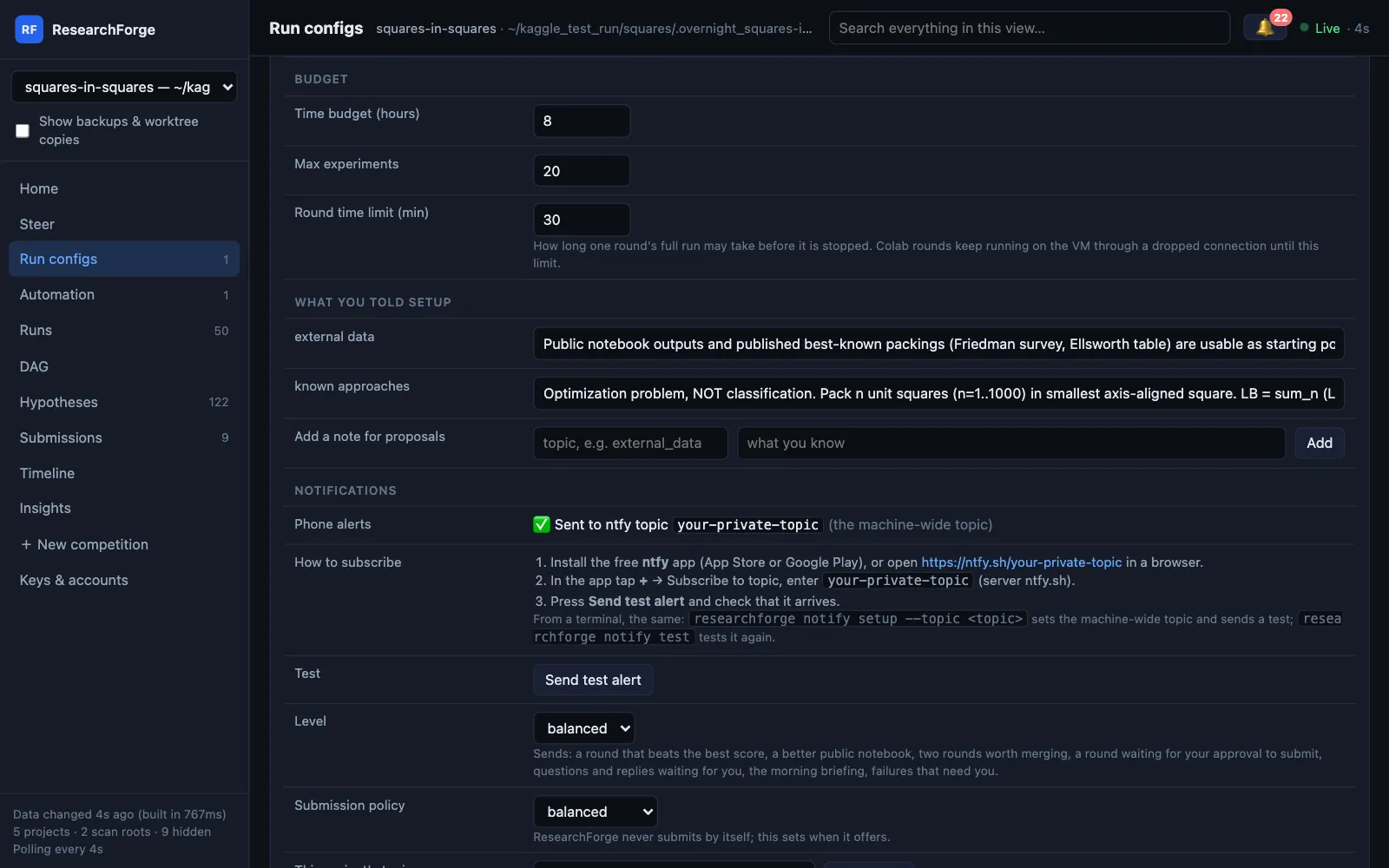
Each round's full run may take 30 minutes by default; change it as the round time limit in Run configs → Budget.
Sensors and scheduler#
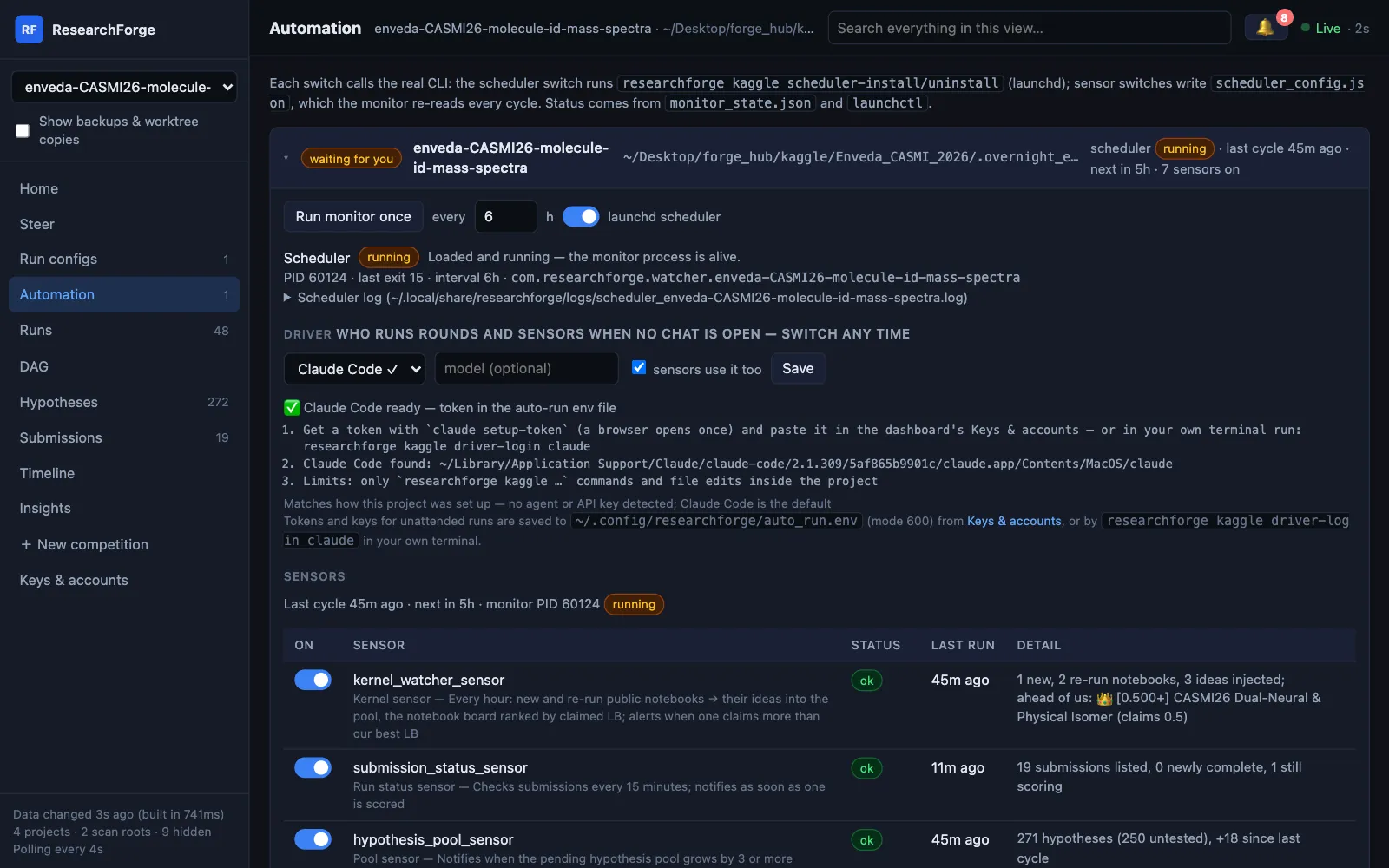
Sensors watch things between rounds: new public notebooks (turned into ideas), your submission results, the idea pool, hung experiments, new arXiv papers and the morning briefing. A seventh, auto_run_sensor, runs ideas instead of collecting them and is off until you turn it on — see Auto-run. You can add your own: any shell command, where exit 0 means healthy.
$ researchforge kaggle sensors titanic[on ] kernel_watcher_sensor ok 2026-11-04T17:42:26[on ] submission_status_sensor ok 2026-11-04T17:42:28[on ] hypothesis_pool_sensor ok 2026-11-04T17:42:30[on ] experiment_heartbeat_sensor ok 2026-11-04T17:42:30[off] arxiv_scanner_sensor disabled 2026-11-04T17:42:30[on ] morning_briefing_sensor skipped 2026-11-04T17:42:30
$ researchforge kaggle sensors <slug> --disable arxiv_scanner_sensor$ researchforge kaggle sensors <slug> --add gpu-temp --command "nvidia-smi --query-gpu=temperature.gpu --format=csv"$ researchforge kaggle scheduler-install <slug> --interval-hours 6 # launchd (macOS), systemd user timer (Linux), Task Scheduler (Windows)$ researchforge kaggle scheduler-install <slug> --uninstall
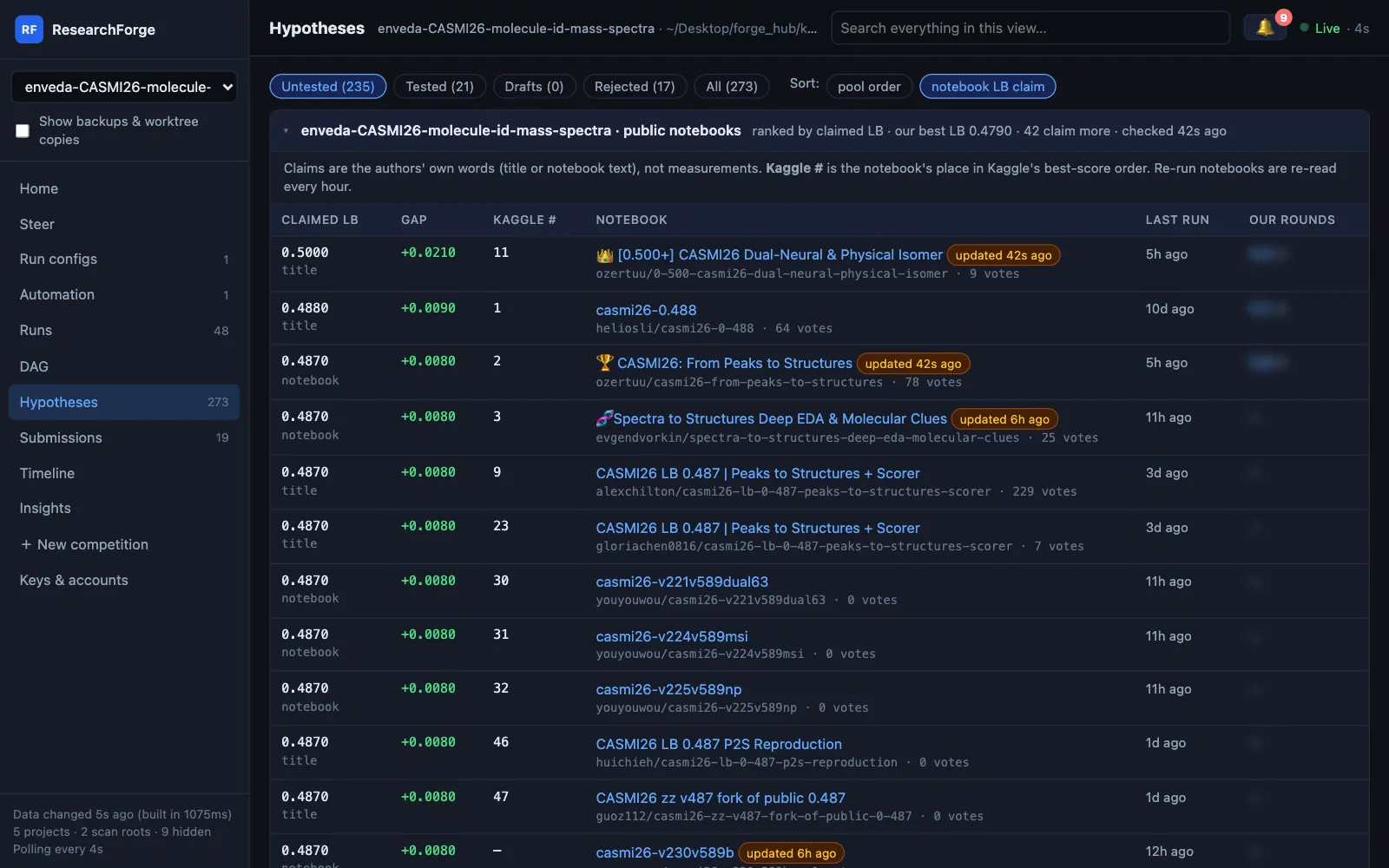
Public notebooks are checked every hour, including ones re-run since they were last seen. Each check rebuilds the notebook board: every notebook with the leaderboard score its author claims, when it last ran and which of your rounds ran it. Notebooks claiming more than your best leaderboard score rank first in the idea pool, highest claim first — a claim is never treated as a measurement. Submissions are checked every 15 minutes, so you hear when one is listed, scored or failed.
~/.local/share/researchforge/logs/. You can also run researchforge kaggle monitor <slug> yourself. In every mode the loop runs on the machine where you start it, so that machine stays on. Want your laptop free? Start it on an always-on server over SSH.$ researchforge kaggle monitor <slug> --kernel-minutes 60 --submission-minutes 15 # the defaults
Run a public notebook as a round
Sensors turn notebooks into ideas, never into code. To run one, pull it explicitly: propose-from-kernel writes the round's proposal from the notebook, pulling it first if needed. Its code cells become one script — !cmd and %pip lines become subprocess calls, %%bash and %%writefile cells become plain Python — the notebook's datasets are attached, and the script is checked to parse. Then execute-round runs it on the competition's compute; nothing runs on your machine.
$ researchforge kaggle propose-from-kernel <slug> <owner/notebook> --title "…" --append score.py --parent R3 --dataset owner/slug$ researchforge kaggle execute-round <slug>
Auto-run: experiments with no chat open#
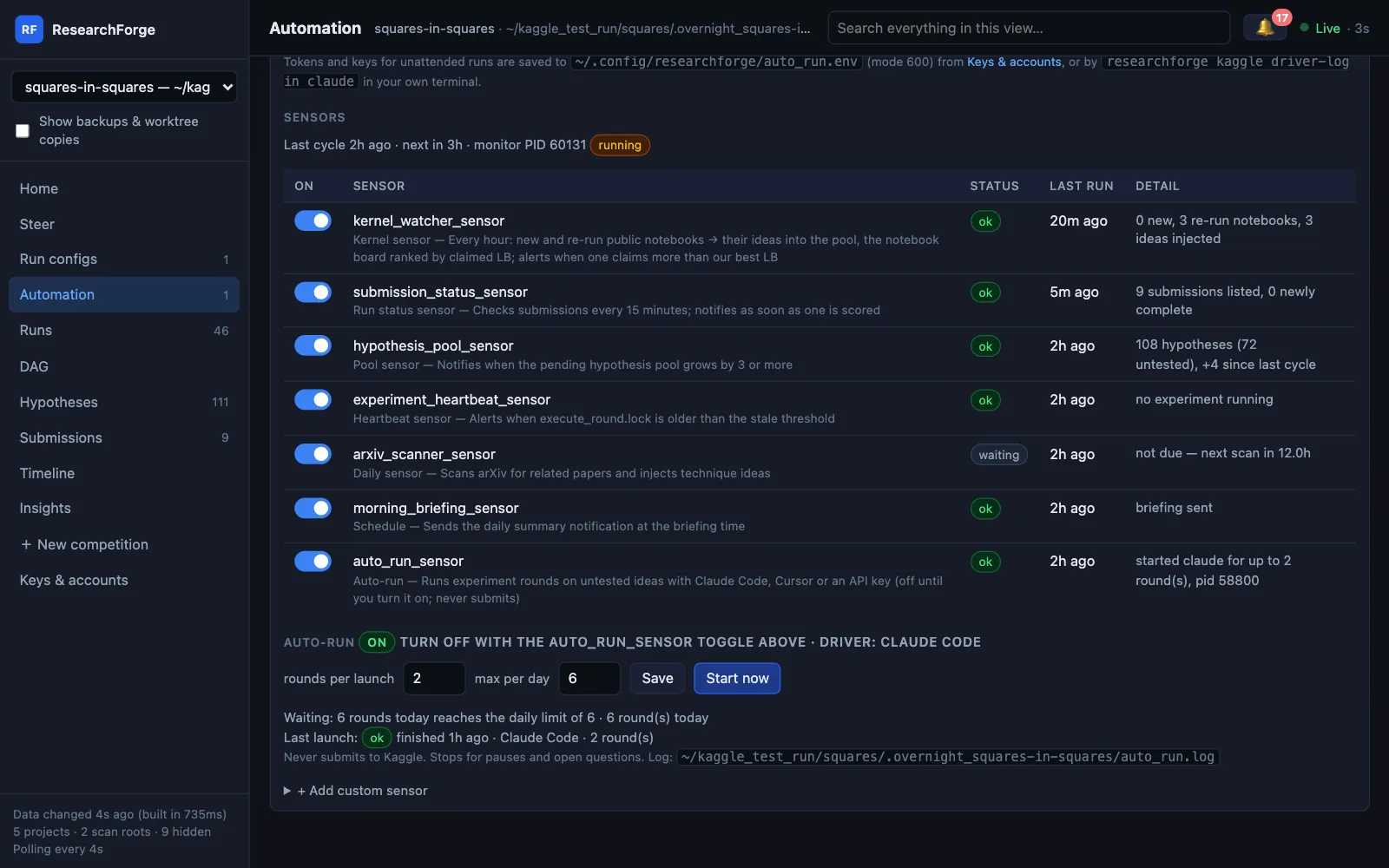
The other sensors only collect ideas. auto_run_sensor runs them: each monitor cycle, if the pool has untested ideas, it starts up to N rounds with the driver you pick and records what happened. It is off by default.
$ researchforge kaggle auto-run <slug> --on # driver detected: the agent you use, or your API key$ researchforge kaggle auto-run <slug> --driver cursor --rounds 2 --daily-max 6 # or pick one yourself$ researchforge kaggle auto-run <slug> # status: driver ready? which checks are waiting? last launch$ researchforge kaggle auto-run <slug> --dry-run # the exact command it would run$ researchforge kaggle auto-run <slug> --now # start one launch now$ researchforge kaggle auto-run <slug> --stop # stop a launch that is running now$ researchforge kaggle auto-run <slug> --off
| Driver | Runs | Sign in once | Status |
|---|---|---|---|
claude | headless Claude Code (claude -p) following the overnight skill, allowed only researchforge kaggle … commands and edits inside the project | driver-login claude | Used in real runs |
cursor | the Cursor agent CLI (cursor-agent -p) with the same instructions | cursor-agent installed, then driver-login cursor | Tested |
byok | researchforge kaggle run --rounds N, calling Anthropic, Gemini or OpenAI directly, or a local Ollama model | driver-login byok | Tested |
--force, which allows any command, so for the cursor driver the limits are instructions only. Claude Code's limits are enforced by its allowed tools.BYOK (bring your own key) means the terminal calls Anthropic, Gemini or OpenAI directly, or a local Ollama model (RESEARCHFORGE_LLM=ollama/<model>). It is independent of any Claude Code or Cursor setup.One driver per project, switchable any time
The driver you pick also does the sensors' AI work — notebook ideas, arXiv scans, re-synthesis — through a one-shot call with no tools, so they get real AI with no API key (--no-sensors keeps them on a key). Switch from the dashboard's Driver panel or:
$ researchforge kaggle driver <slug> # current driver, readiness and setup steps$ researchforge kaggle driver <slug> cursor # the next launch and sensor call use it
A launch already running finishes on its old driver unless you stop it, and every round records which driver ran it.
When it starts, and when it does not
A launch starts only when setup is done, the loop is not paused, no question is holding it, no round is running, today's count is under --daily-max and the Kaggle GPU cap is not reached. If the driver hits its usage limit (Claude's weekly limit, for example), auto-run reads the reset time, tells you once and waits until then — or switch driver in Run configs. A launch still running after --max-minutes (default 240) is stopped. It never submits to Kaggle and cannot answer a submission question.
Who the driver can be, how to sign it in and what it may do are on the Drivers page.
An unattended run never asks you to run a command or script. An idea it cannot do with researchforge kaggle commands is skipped with its reason and shown under Rejected in Hypotheses.
One history per competition
The Kaggle loop is a competition's only engine, and auto-run always continues it. A repository project beside a competition is folded in rather than run: its finished experiments appear in the same graph — dotted and marked imported — and its untested hypotheses join the pool. The repository engine scored them with its own benchmark, so they are shown for the record but never count as best or as a parent. The monitor does this every cycle; kaggle merge-history <slug> does it now.
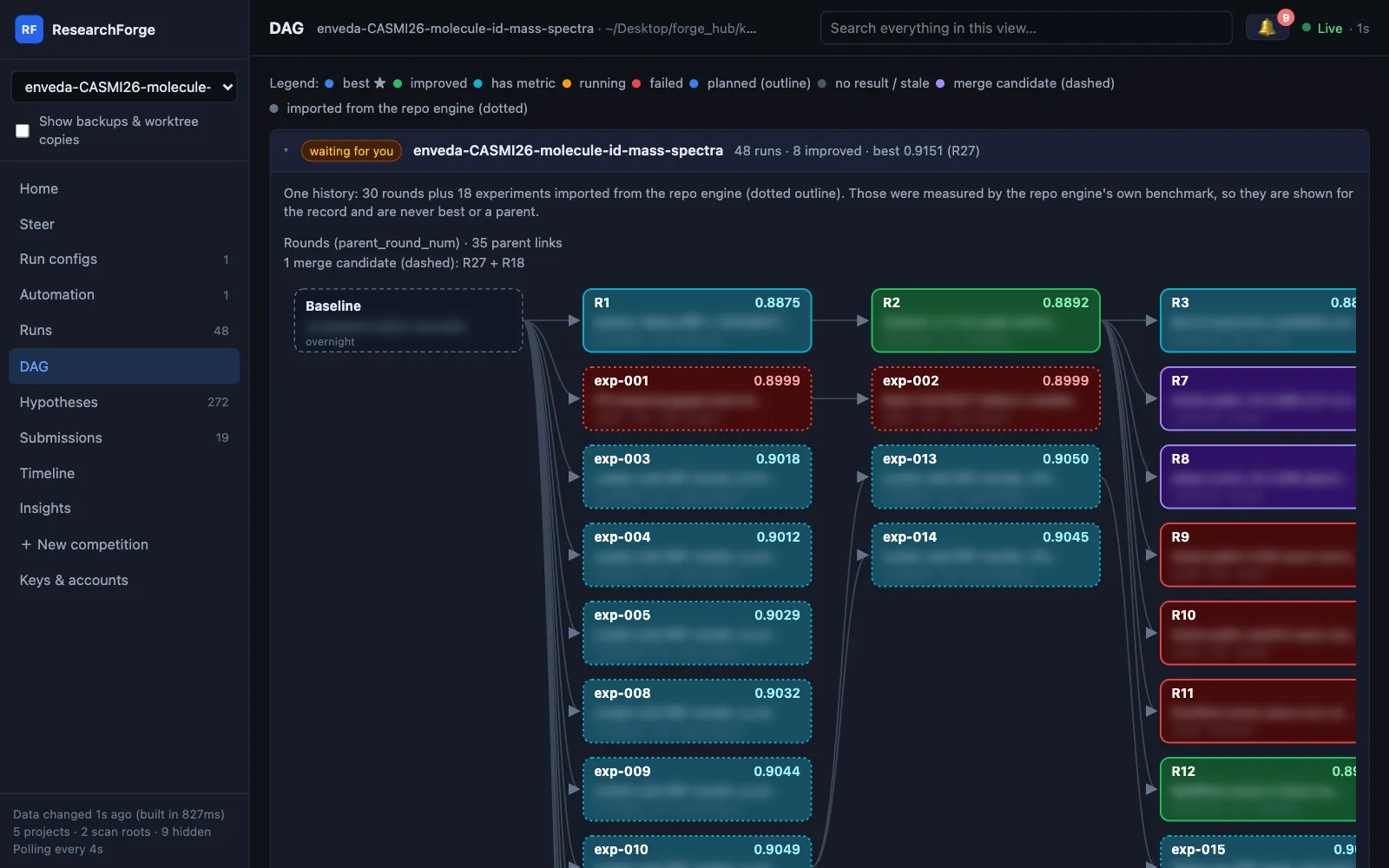
With no baseline, a round must beat the best earlier round to count as improved, and only then is it offered for submission.
Signing a driver in
Paste the token or key on the dashboard's Keys & accounts page, or run one command in your own terminal:
$ researchforge kaggle driver-login claude # or cursor, byok — and colab for the Colab compute target
For Claude Code it runs setup-token (a browser opens once) and asks you to paste the token it prints; for an API key it asks at a hidden prompt. Background jobs do not read your shell profile, so the value goes to ~/.config/researchforge/auto_run.env (mode 600) and is passed only to the driver. It refuses to run without a terminal, so no other program can pass it a value.
Questions come to you#
When a loop needs a decision — a setup follow-up, a submission approval, or an unattended run that is unsure — it asks instead of stopping:
$ researchforge kaggle ask <slug> "Use the 5-fold split?" --options yes,no --blocks "<idea>"$ researchforge kaggle respond <slug> # list open questions$ researchforge kaggle respond <slug> <id> "yes"$ researchforge kaggle respond <slug> <id> --dismiss # close it unanswered; its ideas run again
The question reaches your phone and shows under the 🔔 in the dashboard header and at the top of Home, grouped by Kaggle competitions, research ideas and repository improvements. Only the ideas it names wait, so the rest of the loop keeps running; --hold stops new rounds until it is answered. For a standalone repository project, plans waiting for approval are listed there too: Approve plan asks you to type approve, exactly as researchforge experiment approve does, and unattended runs never approve plans. A repository project beside a competition gets no plan approvals — its finished experiments are merged into the competition's history. Every question has a comment box (kaggle respond … --comment "…"), and the next proposal is told to follow what you wrote.
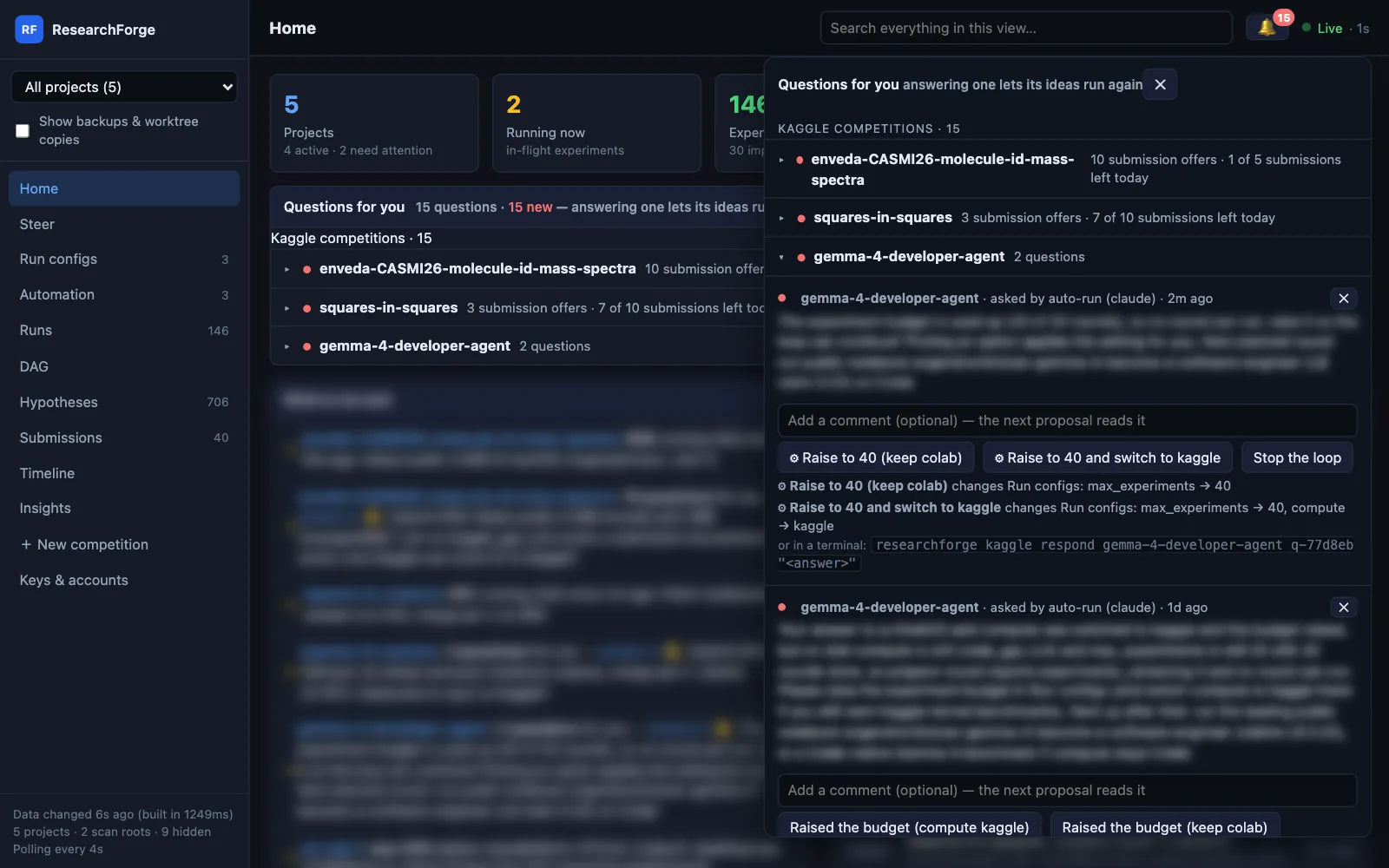
What Approve & submit checks first, when a submission is offered and how repository plans are approved: Submissions and approvals.
Set up from the dashboard#
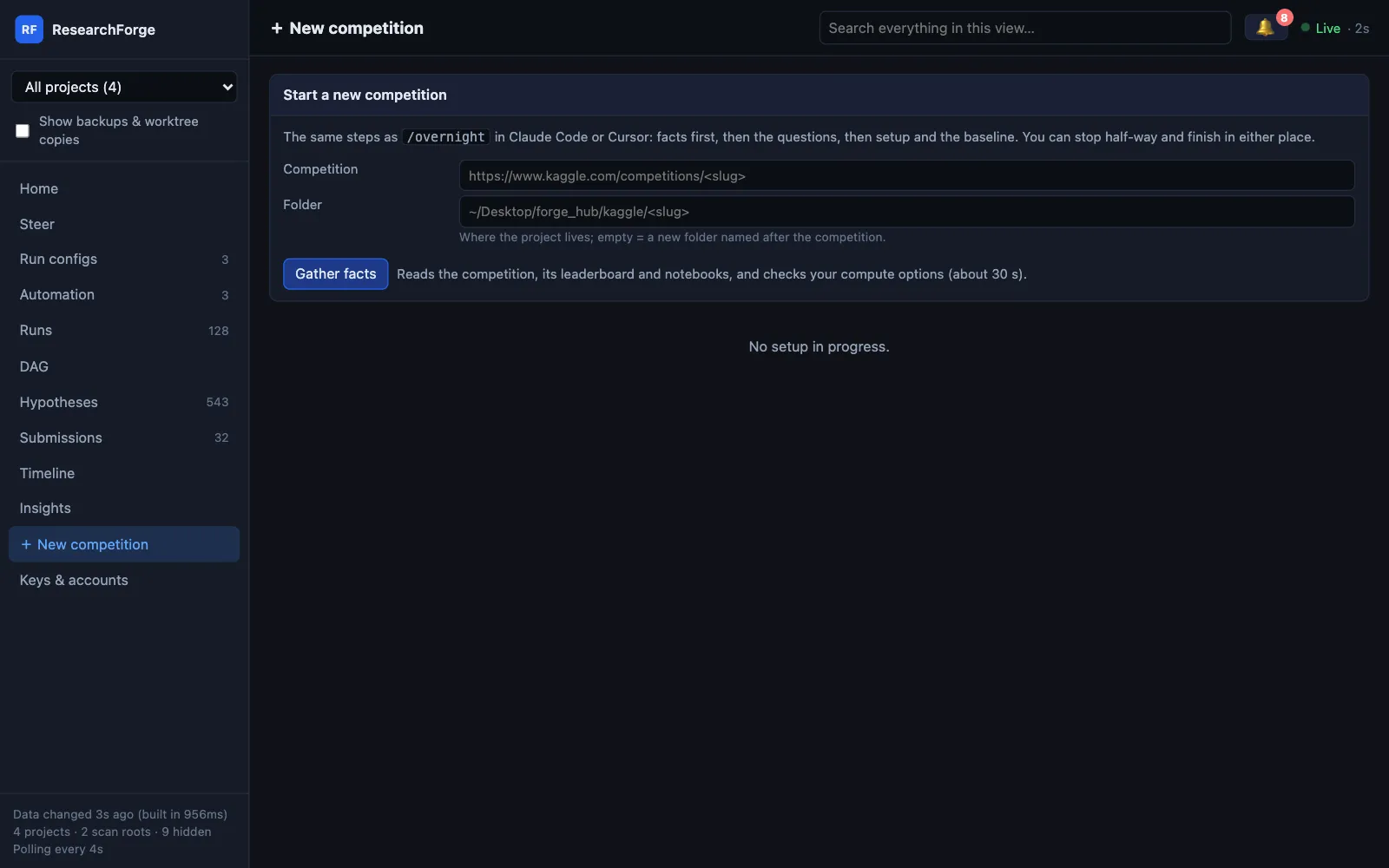
+ New competition takes a Kaggle URL, runs gather-facts and shows what it found — the metric and which way it improves, the deadline, the notebook to start from, and every compute option with the recommended one. Then the /overnight questions as a form. Start setup runs the same commands /overnight does, shows each step's output and stops at the first failure with its reason. A code competition can only pick Kaggle GPU, and setup does not start while a key it needs is missing.
The answers are a shared draft (setup_draft.json): stop half-way and finish in Claude Code or Cursor, which asks only what is left — or the other way round.
$ researchforge kaggle draft <slug> # the draft and the commands it will run$ researchforge kaggle draft <slug> --run # run them in a terminal$ researchforge kaggle draft <slug> --start # make a draft for the page from gather-facts output$ researchforge kaggle overnight <slug> --answers-json setup_draft.json # what Start setup runs first
Keys & accounts#
Every credential ResearchForge uses is on one dashboard page — Kaggle, Anthropic, Gemini and OpenAI keys, the Claude Code token and Cursor key for unattended drivers, Colab, RunPod, Lambda, vast.ai and AWS — with what it is for, where to get it, where it is set and the result of the last Test, one harmless call with the stored key. A pasted value is saved where ResearchForge reads it (Kaggle's in ~/.kaggle, the rest in ~/.config/researchforge/auto_run.env, mode 600) and is never shown again or given to an agent. In Claude Code or Cursor, /overnight asks which accounts you want and opens this page for the missing ones; it never asks for a key in the chat.
$ researchforge kaggle keys status # names and places only, never a value$ researchforge kaggle keys test anthropic$ researchforge kaggle keys set runpod # hidden prompt, only in your own terminal
Notifications#
Results reach your phone through ntfy (free app, no account) or Telegram.
$ researchforge notify setup --topic <an-unguessable-topic> --test# Telegram instead: export TELEGRAM_BOT_TOKEN=… TELEGRAM_CHAT_ID=…$ researchforge kaggle settings <slug> --notify-level minimal # verbose | balanced | minimal$ researchforge kaggle settings <slug> --ntfy-topic <topic> # this competition's own topic
Alerts go to NTFY_TOPIC, then the competition's own topic, then the machine-wide one. With no topic set, nothing is sent. Run configs → Notifications shows where alerts go and how to subscribe, and has New topic and Send test alert.
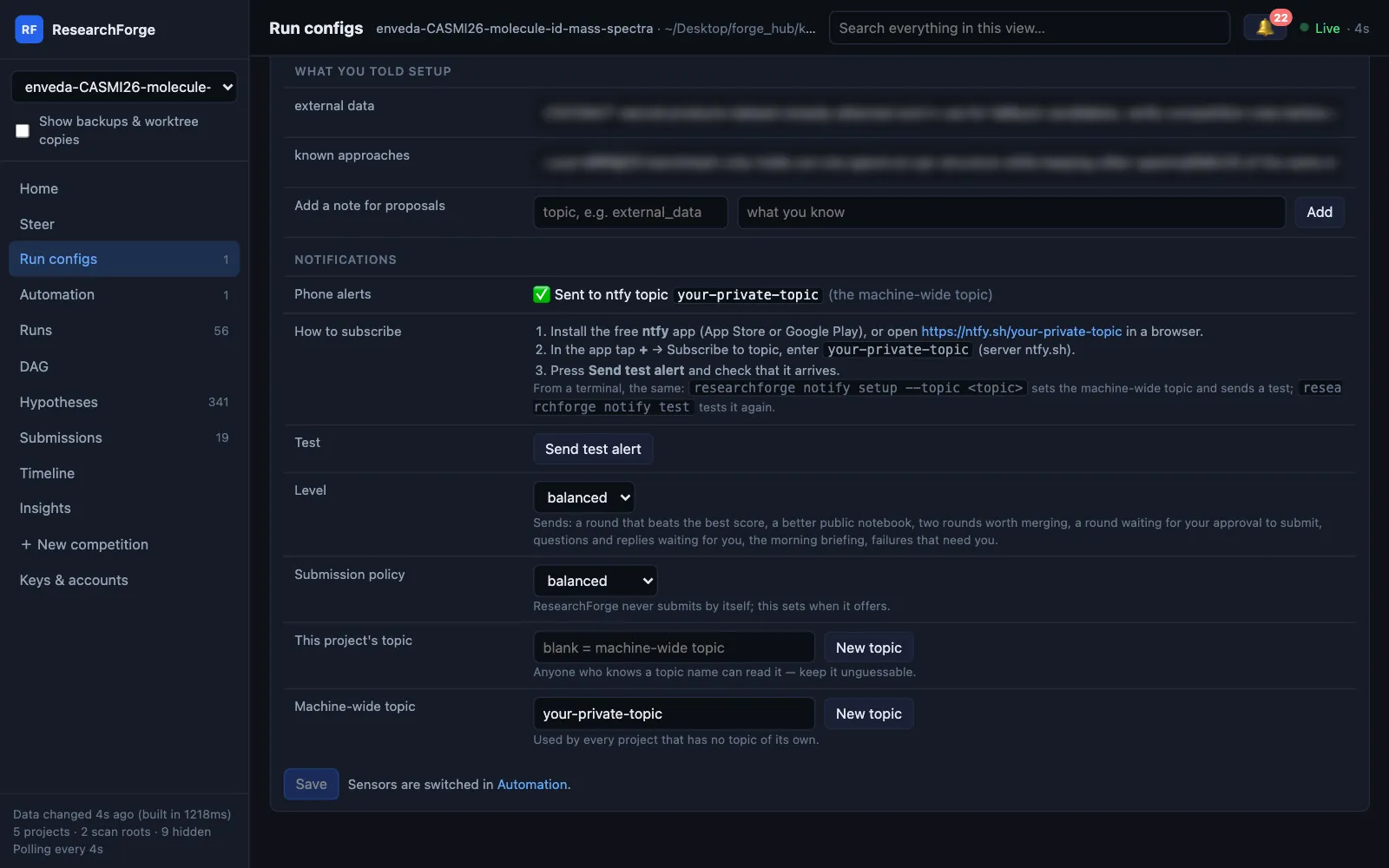
Exactly what each level sends: Notifications.
Dashboard#
$ researchforge kaggle dashboard --open # or: researchforge dashboard
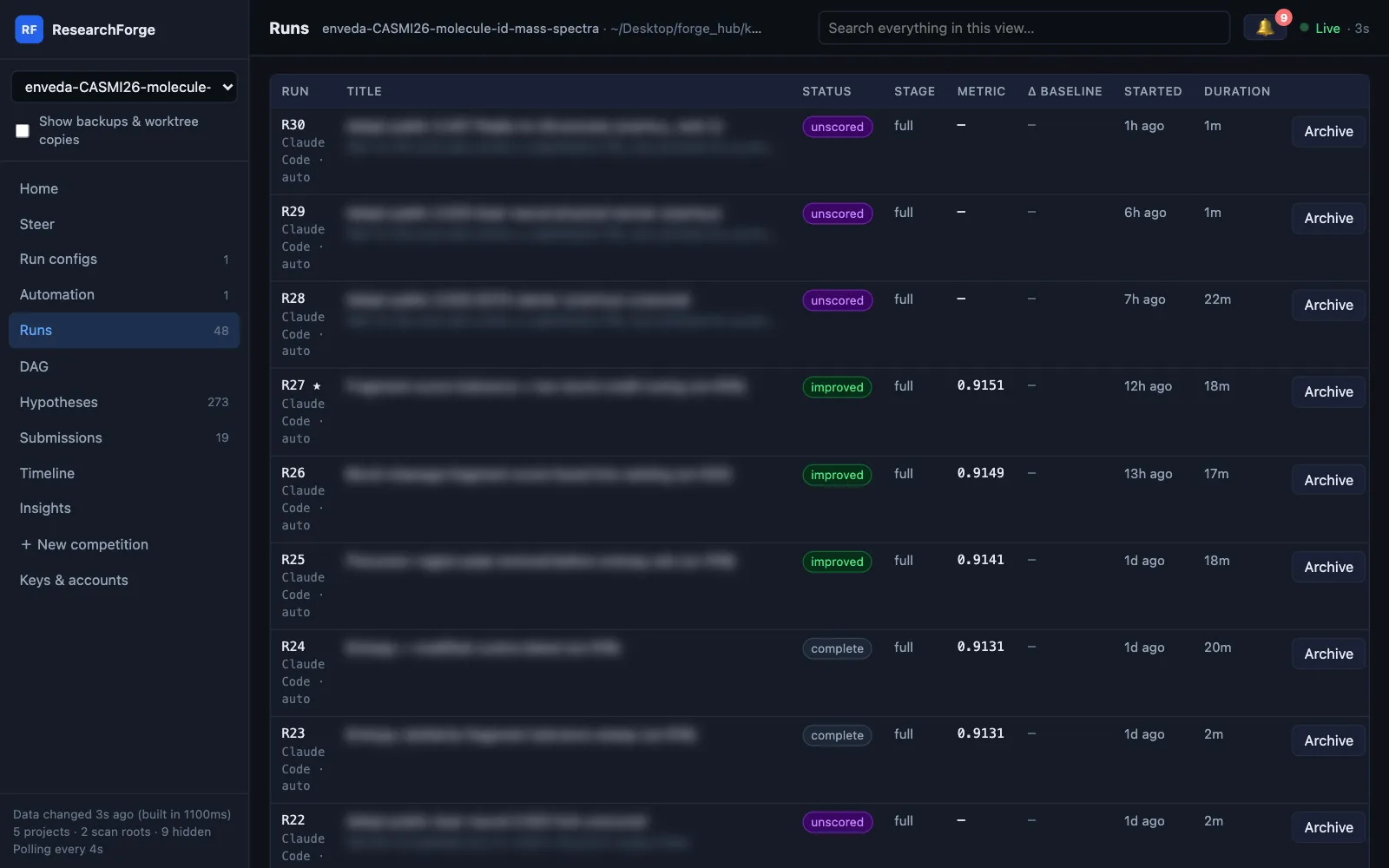
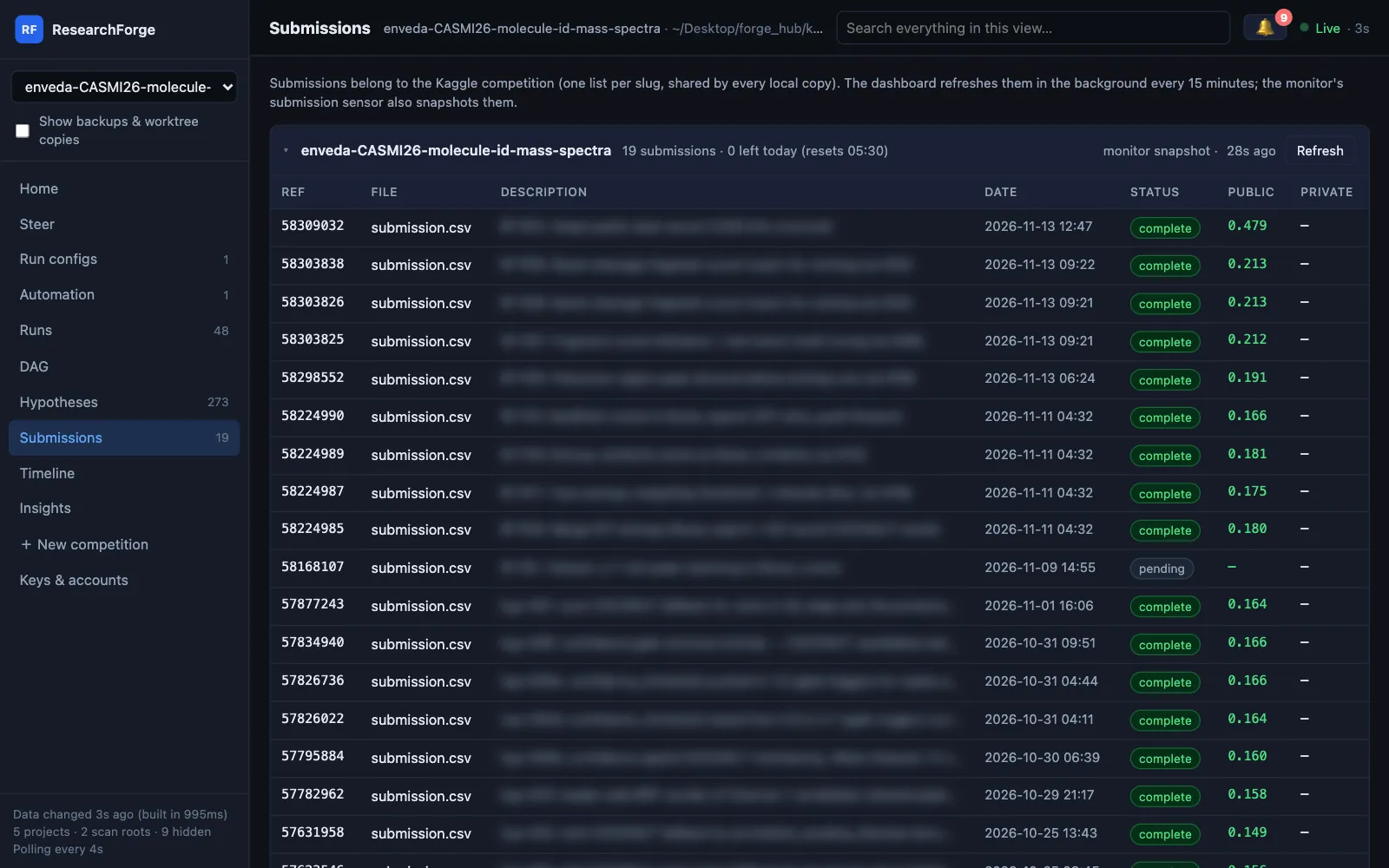
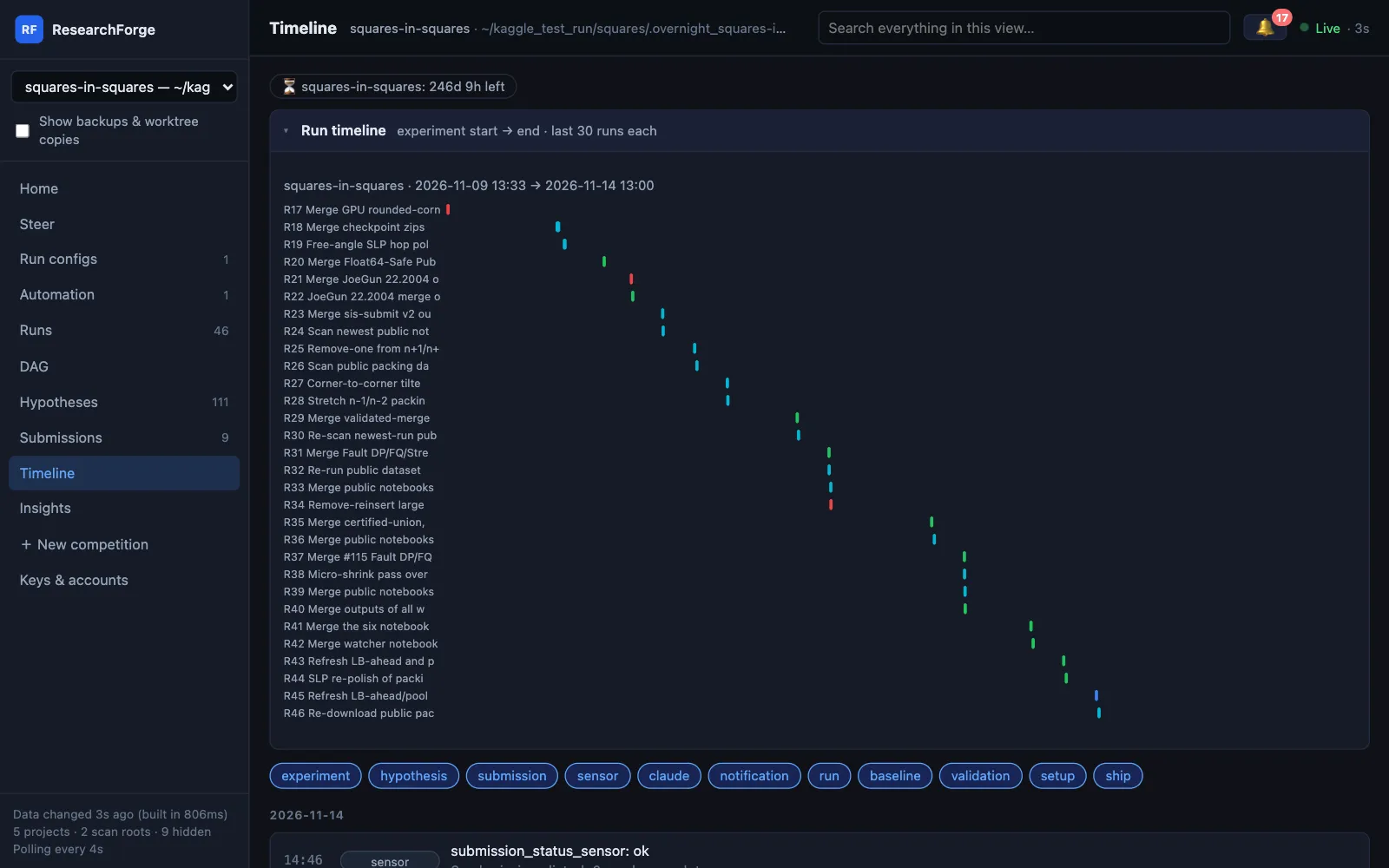
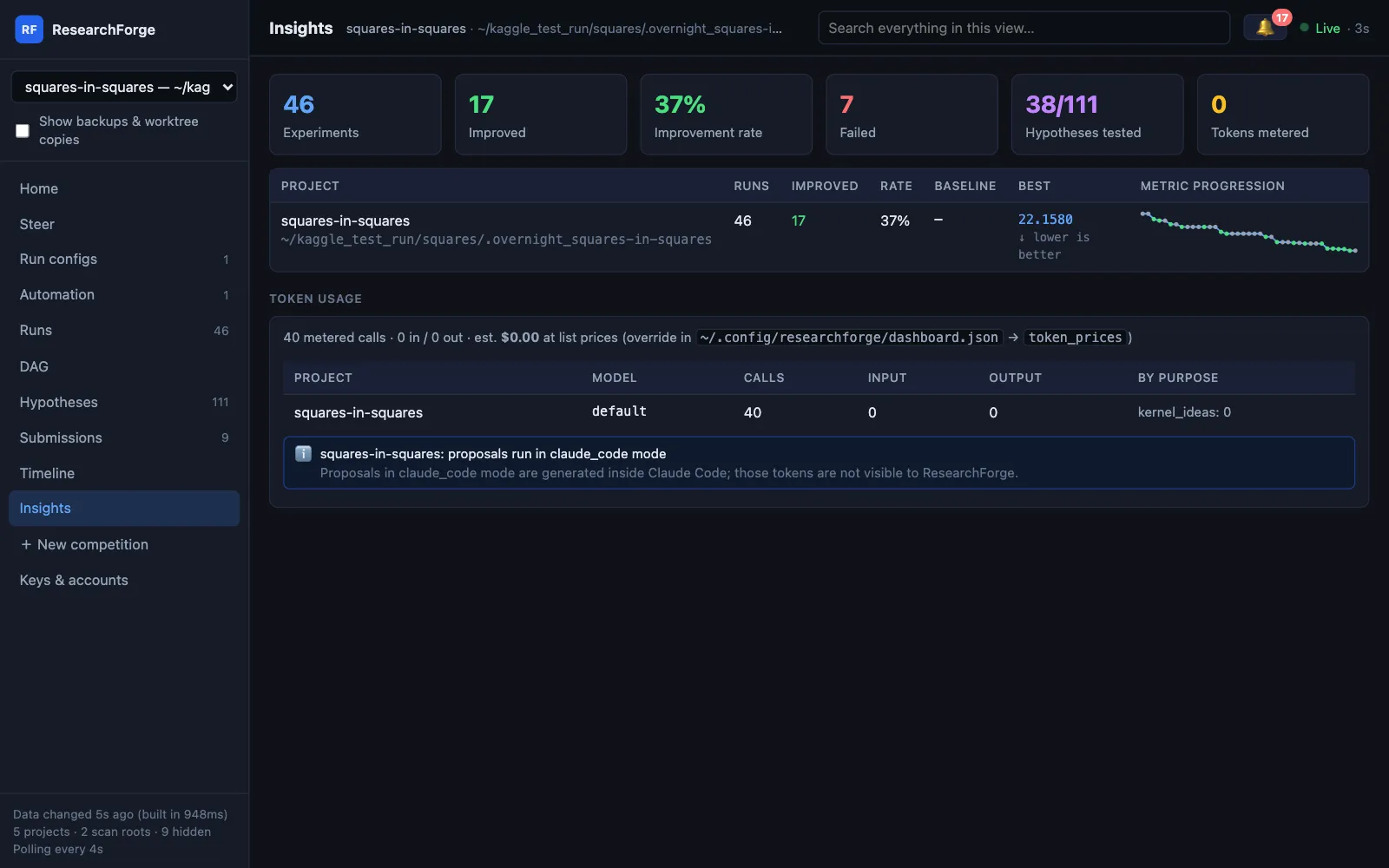
One local page for every competition and repository on this machine: what is running or waiting for you, the experiment tree, the idea pool, submissions, a timeline and token use. The Run configs view shows every setting for a competition — compute and the Kaggle GPU cap, driver, auto-run, metric direction, budgets, your setup answers, notifications — editable on the fly through the same commands as the CLI, with a change log. Changes apply from the next round or launch. New competition, Keys & accounts and Steer pages cover setup, credentials and directions. It never sends anything off your machine. Every view and every Run configs field is described in the dashboard docs.
Without the editor#
With an API key or a local Ollama model, ResearchForge proposes the experiments itself, so no editor has to stay open. To have new ideas run on their own, turn on auto-run with the byok driver.
$ export RESEARCHFORGE_LLM=ollama/qwen3:14b # or ANTHROPIC_API_KEY / GEMINI_API_KEY / OPENAI_API_KEY$ researchforge kaggle overnight <competition-url> --gpu kaggle --time-hours 8 --max-experiments 20$ researchforge kaggle run <slug>$ researchforge kaggle finish <slug>
Where things live#
Everything is plain files in .overnight_<slug>/ next to where you started it:
| File | What it holds |
|---|---|
facts.json | What gather-facts found |
user_answers.json | Your setup answers and anything answered later |
overnight_setup.json | Competition, compute, budget, AI mode |
experiment_log.db | Every round: code, parent, result, reason (SQLite) |
proposal_round_N.json | Each proposal as written |
pending_hypotheses.json | The idea pool |
loop_control.json | Pause state and settings |
token_usage.jsonl | Model calls ResearchForge made, with tokens |
Troubleshooting#
“403” or “Cannot access kernel” from Kaggle
Join the competition and accept its rules on kaggle.com, and check that your token belongs to the same account.
The local score never moves
Your local check may not measure what the leaderboard does — as in the run above. Rounds are still recorded. Use autorun --kaggle or a leaderboard submission to find out which local numbers can be trusted.
Auto-run is on but nothing starts
Run researchforge kaggle auto-run <slug>: it shows whether the driver is signed in and which check is waiting — a pause, an open question holding the loop, a running round, an empty idea pool, the daily limit or the Kaggle GPU cap. --dry-run prints the exact command it would run.
The metric direction is wrong
Setup reads it from the leaderboard and flags a guess. Fix it with researchforge kaggle settings <slug> --metric-direction minimize (or maximize).
The background service exits immediately on macOS
Re-run kaggle scheduler-install. It uses the system Python and logs under ~/.local/share/researchforge/logs/, so macOS privacy rules on ~/Desktop do not stop it.
“400 Bad Request” or a refused submission
Usually Kaggle's daily submission limit. Approve & submit checks it first and shows the reset time (00:00 UTC); the question stays open, so approve it again after the reset. The Submissions page shows how many are left today.
A Colab round fails at once
Colab could not assign the GPU you asked for (an A100 is often unavailable), or the Colab CLI is not signed in. Pick another GPU in Run configs, or run researchforge kaggle driver-login colab in your own terminal.
A warning about an outdated kaggle version
The Kaggle CLI prints it on every call. It is only a warning and is no longer shown as the error; upgrade with pip install -U kaggle if you like.
Something else
Run researchforge doctor, and researchforge kaggle status <slug>. Then open an issue.